In today’s digital world, people’s attention spans are brief, and competition has become intense. Instagram, TikTok, and YouTube are social media platforms to engage with your audience. But they also restrict your sharing of links. That is where the power of link in bio is.
You’ll often see a caption that says “link in bio” and wonder what that means. The truth is it just sends users to a clickable link in a profile bio. Therefore, this blog explains everything in simple terms. It also includes tips, tools, and strategies to help you use it effectively.
What Is a Link in Bio?
A link in bio is a clickable URL you place on your social media profile that takes users to an external destination. This can be a website, a store, a blog, or a group of many links.
Most platforms only allow one bio link, so creators and businesses use a link in bio tool to turn that one link into a hub of options.
Why Did Link in Bio Become Popular?
Social media sites restrict the use of external links in posts. This restriction makes it hard to share more than one resource. The link in your bio helps solve this problem by providing a single central location for all your important content.
Where Is Link in Bio Used?
The link in bio for Instagram, the link in bio for TikTok, and even on YouTube profiles. It is now a standard in social media marketing.
How Does a Link in Bio Work?
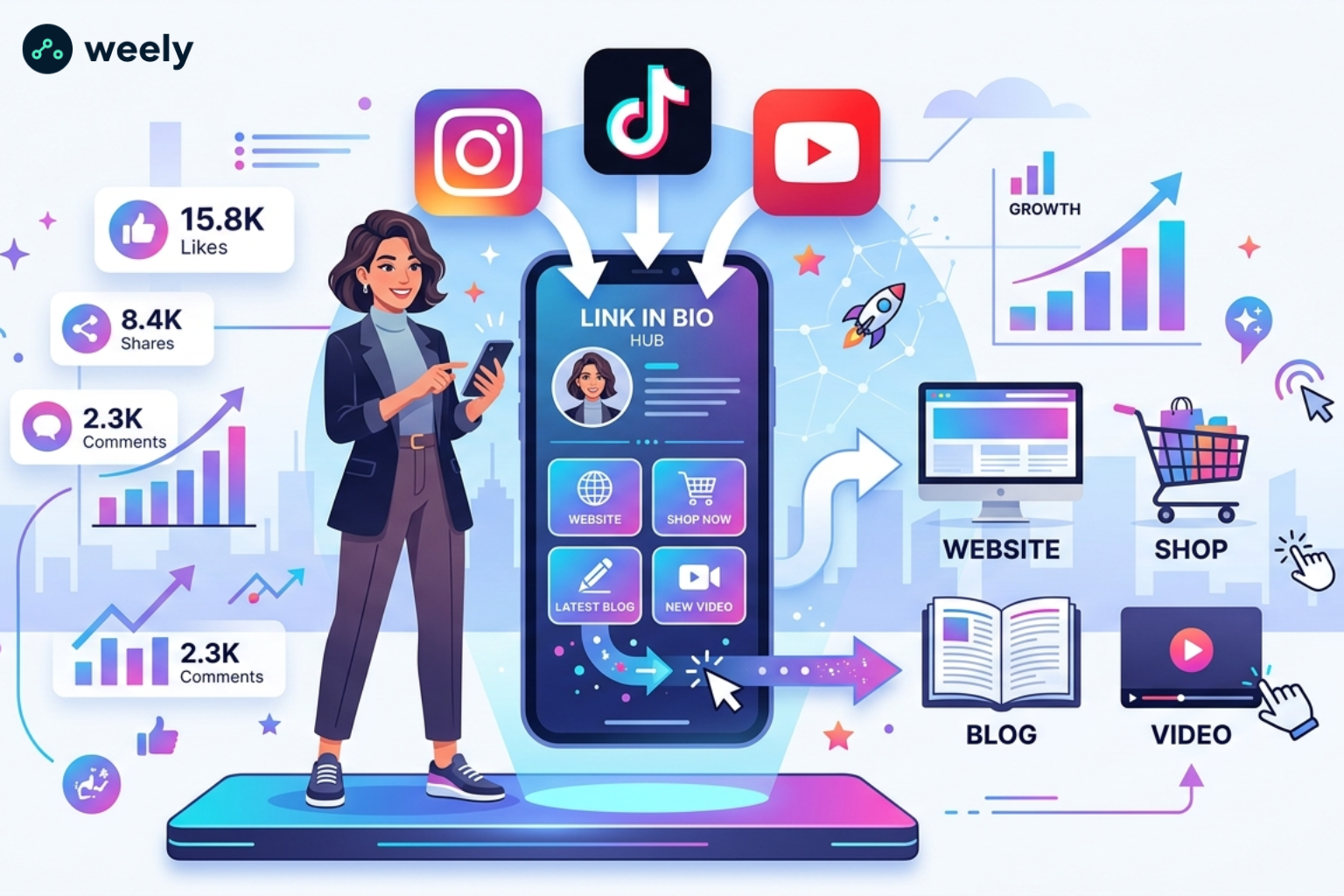
A link in a bio tool gives you a simple, easy-to-use landing experience. It has many links all in one place. It doesn’t just send users to one destination; it provides multiple options through a single URL. This allows your audience to easily explore your content, products, or services.
Single Link Limitation on Social Media
Most social platforms only let you add one clickable link to your bio. This is called the single-link limitation. This results in challenges for creators and businesses when trying to share multiple resources at once.
For instance, you may want to promote a blog post, a product, and a YouTube video, all at the same time. But you can only select one link. That's why a link in the bio is a simple solution for this problem. It also helps to organize content better.
Multi-Link Landing Concept
A link-in-bio tool makes many out of one link. It’s a central hub that manages all your important links. When people click on your bio link, they land on a clean, mobile-friendly page.
This page may contain:
- Website links
- Product pages
- Social profiles
- Blog content
- Newsletter signup forms
This is often called a multilink tool or bio link hub, actually. It’s like a little website. This tool primarily focuses on generating social media traffic.
User Journey (Click → Explore → Convert)
Step by step, this is how it works:
- A visitor clicks your Instagram bio link and arrives at your link hub.
- It opens a simple page with multiple options in one spot.
- Links available are quickly scanned for relevance.
- One option is interest-based (product, blog, video or service).
- Action taken such as purchase, sign-up, or content view.
Therefore, this journey increases engagement. It also increases conversion. And it gives you a little more control over user behavior. As a result, your marketing is more effective.
Why Is a Link in Bio Important?
The link in bio is crucial in social media marketing today. It links your audience to more than one platform. You can share all your offers in one place. It also makes things easy. It links your content to your goals, whether you’re a creator, brand, or business.
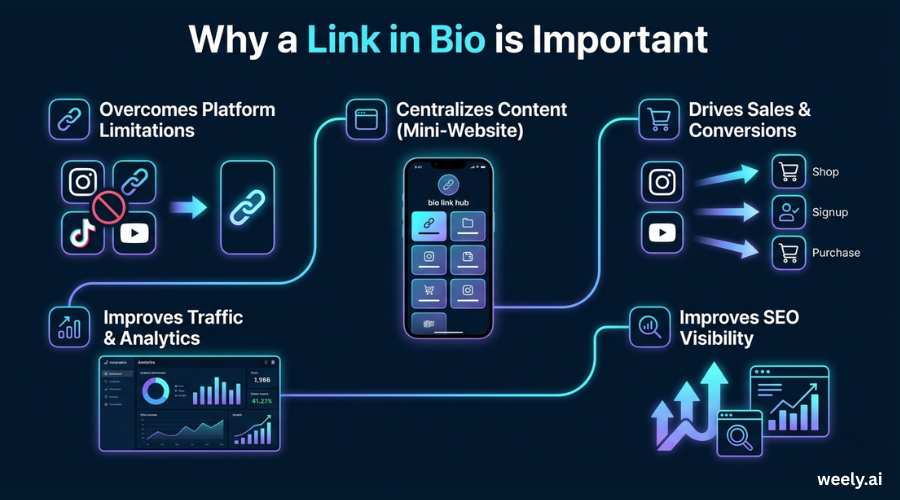
Overcomes Platform Limitations
Most social media networks allow only one clickable link. This makes it difficult to share many resources. But a link-in-bio tool fixes this issue. It gives you the ability to add multiple links under one URL. So, you are able to share more content.
Centralizes Content (The "Mini-Website")
A bio link works like a mini website. It puts all your important content in one place. You send users to one page, not many pages. That makes it easier. Besides, users don’t get confused. So they get their necessities faster.
Drives Sales & Conversions
A link in your bio can help you make more sales. For example, you can direct users to buy a product. You can also send them to sign up or to download content. The steps are brief. The message is clear. This makes users respond more quickly. Conversions, therefore, grow.
Improves Traffic & Analytics
A link-in-bio tool lets you track clicks. User behavior is also displayed. It also tells you what content is performing well. This provides you with clear and simple data. This information helps you improve your strategic skills. You’ll also notice more traffic from Instagram and TikTok.
Improves Search Engine Visibility
A link in the bio also helps with SEO. It drives more traffic to your website or landing pages. That means growing engagement over time. More engagement equals more exposure. As a result, such activity can improve your search rankings.
Who Should Use a Link in Bio?
In the digital world today, a link in bio for creators and businesses is no longer optional. In fact, it’s now a core part of online branding and marketing. If you are trying to grow an audience, sell products, or build a personal brand, a link in bio is a great way to organize and direct your traffic in an effective way.
It’s also the central hub where all your important content lives. You can direct users to one place, rather than several posts or disparate links. This makes everything neatly organized and easier to locate. This enhances the user experience. Plus, it makes it more likely you’ll engage.
Content Creators
A link-in-bio tool where content creators share videos, blogs, affiliate links, and collaborations. For instance, they can gather all their content in one place. So it is easier for followers to get hold of everything. Plus, it helps them monetize their audience and keeps all the content in one neat place.
Influencers
Influencers promote brand deals, product recommendations, and sponsored content through their bio link. It also becomes a critical part of their income strategy and personal branding. This feature allows them to steer followers towards the most important campaigns. Plus, it helps them keep things consistent across platforms.
Small Businesses
You need a business link in your bio to show your products, services, offers, and contact info. It also helps convert social media followers into customers who pay. For example, users can easily find purchase links or booking pages. It gives you a direct path to action and helps improve conversions.
Startups & Brands
Startups use a link-in-bio setup as a simple landing page for bio traffic. It also allows them to test campaigns and push launches fast. They can also create awareness without having a complete website to start with. This makes it one of the cheapest digital marketing tools to grow your business in the early stages.
How to Create a Link in Bio (Step-by-Step)
Making a link in bio is simple. No technical skills needed. It can be running in just a few minutes. If you take the right approach, you can build a clean and effective bio link fast. Here’s how you do it:
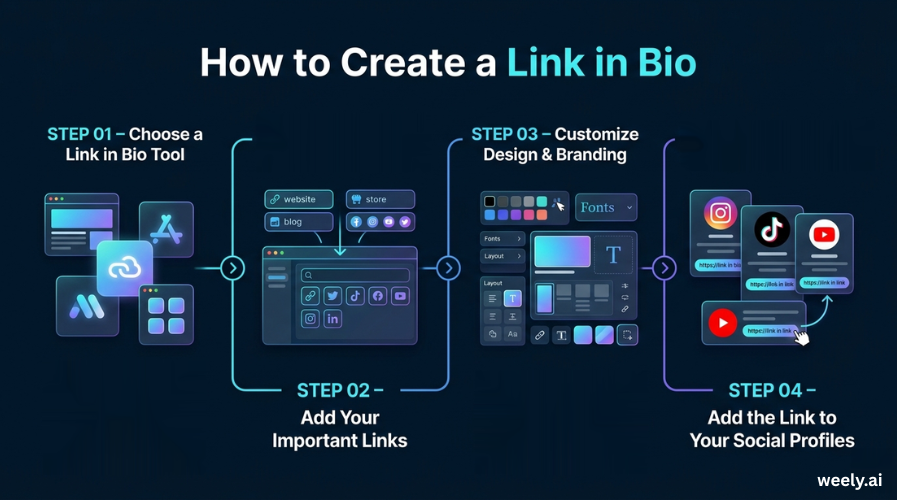
Choose a Link in Bio Tool
First, choose from the best bio link toolsavailable. Then get a feel for the main features like customization, analytics, mobile support, and quick loading speed. Also look for tools with a built-in URL shortener. This will help you to create clean and shareable links. Having this also makes your links look better. Furthermore, it improves tracking.
Add Your Important Links
Add links for:
- Website
- Store
- Blog posts
- Social media profiles
First, add only your most important links. It helps you create a useful and organized link in your bio. And then it’s easy for your audience to use. Also enhances user experience. Therefore, don’t add too many links. This will avoid overwhelming your visitors.
Customize Design & Branding
First, ensure your page reflects your brand identity. Then use the same colors, fonts, and images. This creates a sense of your bio link being a part of your website or profile. And a clean design builds trust too. It also gets you more clicks. Last but not least, effective branding drives engagement.
Add the Link to Your Social Profiles
Add your link to profiles such as Instagram, TikTok, or YouTube first. Then make sure it’s easy to see. And be sure to add a clear call-to-action in your bio. This lets users know what to do next.
And finally, once done, you have a working setup in your bio link. It's ready to drive traffic. It also helps to get more people involved.
What are the best practices for optimizing a link in bio?
If you want to see better results from your social media traffic, then optimizing your links in your bio is key. A good setup makes for a better user experience. It also improves clicks and conversions. And that’s why there are a few simple practices that can turn your bio link into a powerful marketing tool.
Prioritize High-Intent Actions
Concentrate on links that deliver real results. These can be purchases, sign ups, or major content. Avoid low quality links. They do not help your primary objective. Also, highlight the activities that drive conversions.
Use a Dedicated Landing Page Tool
Always use a trusted link in bio tool. It builds a structured layout. It looks more professional too. This leads to better performance. It also facilitates navigation. It also keeps multiple links organized in one place.
Keep it Short and Scannable
Users don’t spend much time making decisions. So keep your links tight. Make them easy to skim. It also helps to get more people involved.
Use Descriptive, Action-Oriented Text
Substitute generic text with powerful CTAs. For example, use “Download Free Guide” or “Shop New Collection.” This increases the engagement. It also increases more clicks. Clear actions also provide better guidance to users.
Update Regularly
Keep your content current. Remove dead links. Add links according to current campaigns. This ensures that your bio link remains fresh and effective. And it is still effective.
Optimize for Mobile
Most of your bio link traffic will come from mobile devices. So make sure it loads quickly. Make it responsive. Furthermore, make buttons easy to find.
Track Performance
Use analytics to monitor clicks and how users behave. This demonstrates what works best. And it makes you better at your strategy. Things work better when the time is longer.
What are the most common mistakes in link in bio usage?
You won't get any help from the best tools if you do these things:
- Adding too many links
- No clear goal or CTA
- Poor mobile design
- Ignoring data and analytics
A common mistake is not updating links often enough. Labels such as “click here” are vague and can confuse users. So many creators are failing to link their bio to current campaigns or audience needs. Slow-loading pages or those with a cluttered layout discourage engagement.
Therefore, users can leave without doing anything. So avoid these mistakes for a better link in bio performance. Such actions will also help to improve click-through rates. It can also help with conversions.
Conclusion
A link in the bio is a simple but powerful tool. Building your online presence is helped by it. It also facilitates sharing of content. One link can send traffic and drive conversions. It also makes sharing content faster.
Creators, businesses, and brands can use a link in bio strategy. You can more effectively engage your viewers as a result. This approach also enhances your strategy for digital engagement platforms. You can therefore improve your overall online engagement.
If you want more than basic tools, then platforms like Weely AI can help. They offer customization and analytics. They also provide AI-powered optimization. Also, these features help you grow faster. In addition, they improve audience engagement through a digital engagement platform.
FAQs
What is a link in bio used for?
A link in bio is a way to distribute several URLs via one URL. It also sends visitors from social media to other sites. It maintains all the connections together for quick access.
How does link in bio work?
It returns a page with many links. Users click one link, see it all. This way they can find what they need quickly.
How to create a link in bio?
Utilize a link in bio tool. Add your links and select a design. Then add it to your profile. Also, push important links at the top.
Is link in bio free?
Yes, many tools are free. The premium subscriptions provide additional features such as statistics and design tools.
How to get more clicks from link in bio?
Use simple calls to action and keep your emphasis narrow on links. And keep it clean. Test your layout regularly.