Social platforms give you one link. Your business, content, and audience need more than one.
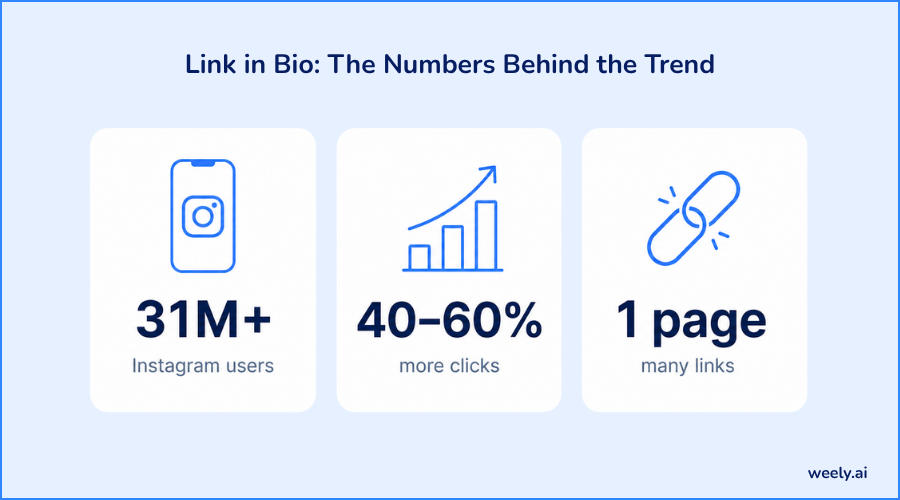
That gap is why the best link in bio tool has become a standard creator and brand kit. Recent data highlights the magnitude of this shift: roughly 31 million Instagram users now run a link in bio pages as part of their profile setup, and pages built using a dedicated bio link tool see click-through rates increase by 40% to 60% when links are properly organised and tested. Yet, even with Instagram now allowing up to five links in a bio, most of those links remain buried behind a “see more” tap, so a standalone link-in-bio page still does a job that the native bio field can’t.
In this guide, we’ll explain what a link-in-bio tool actually does, how the best link in bio tool differ from a basic list of links, and how to set one up, whether you’re on Instagram, TikTok, YouTube, or any platform where your bio gives you only one spot for a link. For more background, see this breakdown of what a link in bio is.
What Is a Link in Bio Tool?
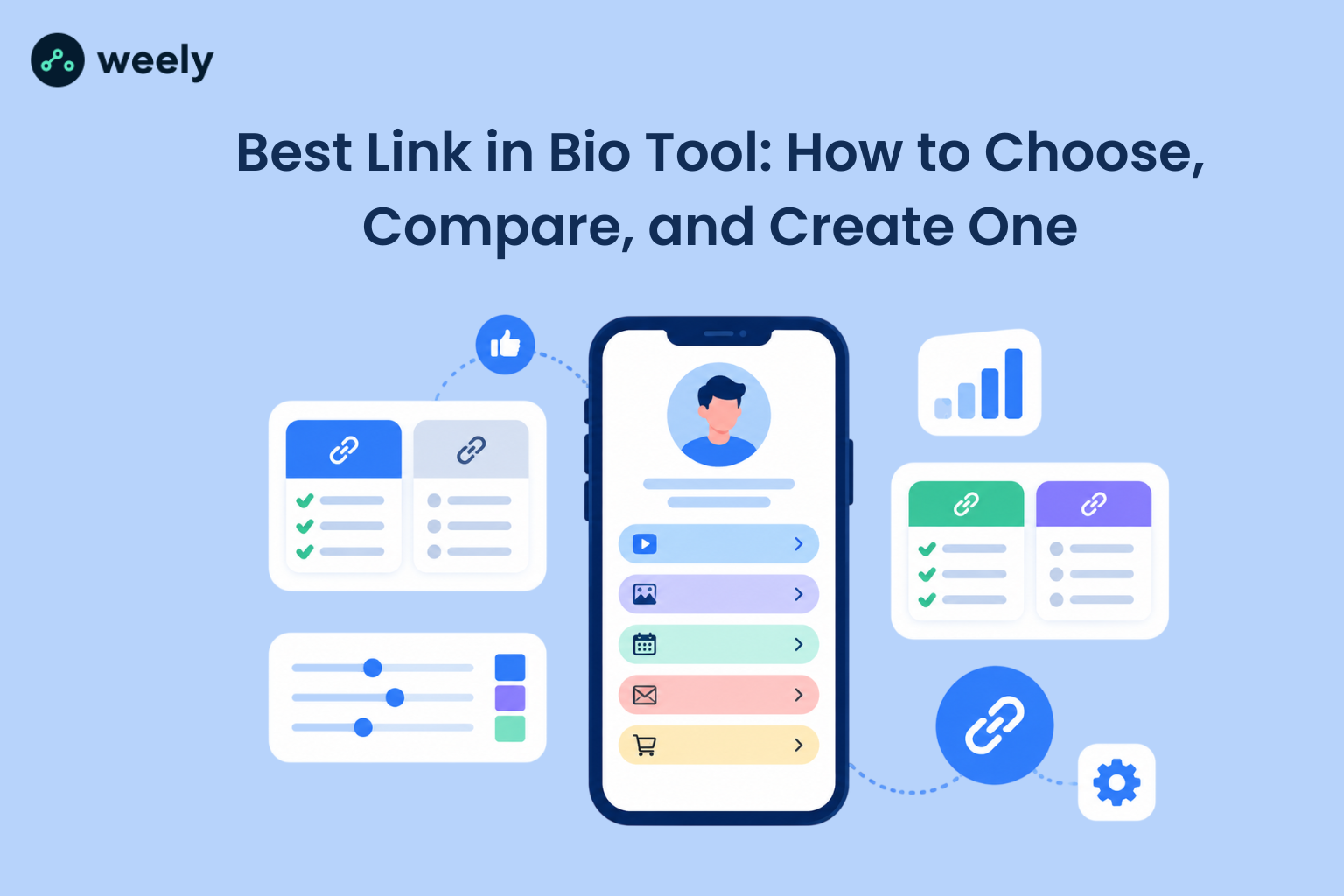
The "Link in bio" tool is a bio link tool that lets you create one page with multiple links, and then share that one page as the one clickable URL in your social media bio. Most platforms provide a link in bio builder that automatically sets up your page structure.
Your link-in-bio page can hold instead a single destination and lose the rest:
- Your website or creator website
- Product pages or an online store
- Recent content: posts, videos, podcast episodes
- Email updates signup
- Reservation and inquiry forms
- Links to every other platform you're active on
This is why the format is sometimes called a bio link page, a link in bio website, or a link in bio platform; different names for the same basic idea of one URL that leads to lots of destinations.
How Does a Link in Bio Work?
The mechanics are simple. You sign up for a link in bio solution, add your links, arrange them on a page, and then copy that page’s URL into your bio field on Instagram, TikTok, or wherever your audience finds you. Instead of being directed to a single destination, when a person clicks on your Instagram profile link, they arrive on your page and decide where they want to go next. Some creators also print the QR code for that page on packaging, business cards or event materials so offline audiences are able to arrive at the same page.
Why Use a Link in Bio? Do Creators Actually Need One?
Yes, and the reasoning is straightforward. Social platforms aren’t meant to be the home of your whole business. A social media bio page provides you with a dedicated space for your links.
Here’s why creators need a link in their bio, explained in practical terms:
- Share multiple links without swapping your one bio URL every time you post something new
- Promote products directly, without a separate store link competing for space
- Showcase content, your latest video, article, or post, right where new visitors land
- Collect leads through an email signup block built into the page
- Direct traffic to your main site while still keeping quick links visible
- Look more professional with a page that feels intentional instead of thrown together
A good personal bio page or creator bio page is a real opportunity for a follower’s one-tap to find out what you do, not a dead end.
What Should I Put in My Link in Bio?
Start with your most important destination, a current promotion, your newest content, or your main product and place it at the top. From there, add:
- Links to your website or portfolio
- Links to your other social media accounts
- Newsletter signup or contact form
- Any active offers or products
Under each link keep descriptions short and specific so visitors know exactly where a tap will take them before they do. If you want a printable version of your contact details, a digital business card maker is a good fit for a face-to-face networking bio page.
What Makes the Best Link in Bio Tool?
There are many tools that claim to be a bio link tool. However, fewer of these tools prove effective when used daily. Here's what to look for in the best link in bio tool.
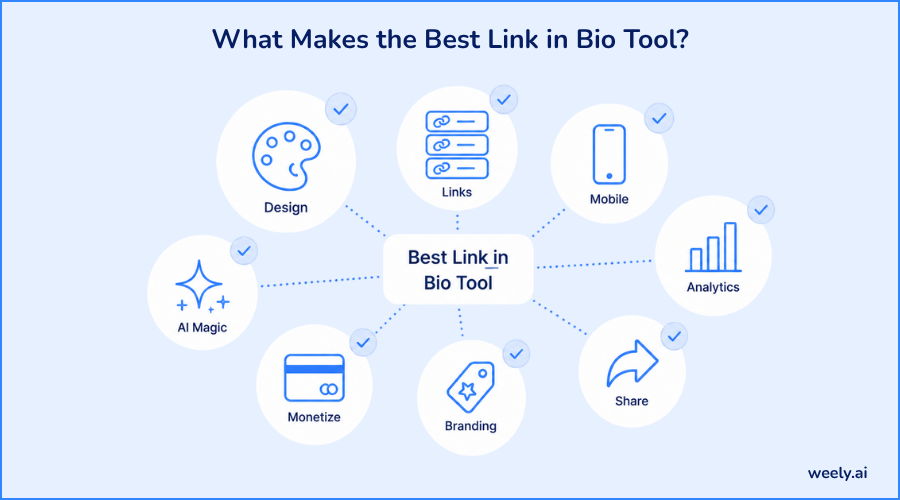
Customizable Link in Bio Design
A link in bio that you can customize. Choose colors, fonts and layout without writing any code. Customizing your link in bio and using unique templates is important because a page that looks like everyone else's does not build trust in the same way that a branded page does.
Multiple Links, Organized Well
The core job of any link in bio with multiple links is to hold everything you need without getting cluttered. Group links into sections: content, shop, and socials. It keeps a busy page functional.
Mobile-Friendly Design
Most bio link clicks come from a phone. A mobile-optimized bio page that loads fast and looks clean on a small screen is not a nice-to-have; it's most of your traffic.
Analytics and Tracking
Link-in-bio analytics and link-in-bio tracking tell you what links are actually clicked and where they come from. Analytics for a link in bio transforms your page from a mere guess to a decision that can be improved over time. Pairing your page with a UTM link generator will also allow you to see which specific post or caption was the one that sent someone to your bio link in the first place. For a deeper look at reading this data, see this link in bio analytics guide.
Social Media Integration
The best link in bio tool connects directly to Instagram, TikTok, and YouTube, so a link in bio with social media links gives visitors one place to find every profile you operate.
Custom Branding
A link in bio with custom branding (your logo, your colors, ideally your own domain) makes the page feel like a part of your brand and not some generic third-party template.
Monetization Features
Look for a link in bio with payment links if you sell directly to your audience and a link in bio with email collection if growing a list matters to your business.
AI-Powered Features
Here is where most standard tools stop. A smart bio link or AI-powered bio page can help you to generate a layout, suggest link order, or highlight what’s underperforming, turning setup and upkeep into a faster process than doing it manually.
These qualities together are the real checklist to run through when comparing any best link in bio tool on the market, not just design but functionality.
Free Link in Bio Options vs. Paid Tools
For simple needs, a free link-in-bio tool works: a few links, basic design, and no analytics. If you’re testing the format or just getting started, a free bio link tool or free bio link page will get you live quickly without any cost.
Once you need link-in-bio analytics, custom branding, payment links, or an email capture form, most free link-in-bio plans hit a ceiling fast. At that point, a paid link in bio service usually pays for itself through better conversion and clearer data on what's working. You can check out the pricing page to see what is included in each tier and then decide which plan is right for you. If you’re just starting out, you can also try a free QR code generator on your bio page to see how offline traffic works.
Link in Bio for Instagram: What You Need to Know
Link in bio Instagram searches are some of the most common in this space, and for good reason; Instagram is still the platform where the single link limit is felt the most.
How to Add a Link in Instagram Bio
To place a link in your Instagram bio, you can update your profile in just a few steps:
- Open your Instagram profile and tap Edit Profile
- Find the Website or Link field
- Enter or paste the URL of your bio link page
- Tap Save to apply the changes
That's it; your Instagram bio link is now live and clickable for anyone who visits your profile. If you need help with wording your profile itself, an Instagram bio generator can shape the text above your link. This full walkthrough on adding a link to your Instagram bio also covers a few more edge cases.
How to Add Multiple Links to Instagram
Instagram’s native bio field technically supports a handful of links, but most are hidden behind a “see more” tap that most visitors never tap. This is precisely why multiple links in Instagram bio setups rely on a dedicated Instagram bio link tool instead: one visible link that opens a page holding everything else. If you're wondering how to put multiple links in Instagram bio, a link in bio for Instagram tool is the practical answer.
Instagram Creator Bio Best Practices
Your Instagram creator bio is most effective when your Instagram bio page matches your content style, loads quickly and has your most relevant link; new video, current offer, or latest post; front and center. Don’t treat your Instagram profile link tool as an afterthought. Treat it as a landing page.
Best Ways to Use a Link in Bio by Audience
A link-in-bio page can be bent to do whatever you need it to. Here’s how different audiences use one.
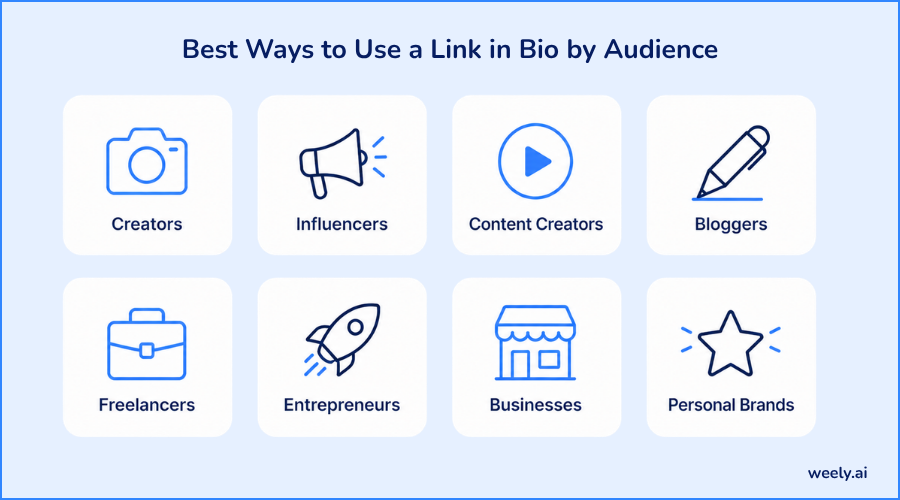
Link in Bio for Creators
The bio link for creators is usually content-focused, with recent uploads, collaborations, and affiliate links updated as new work goes live. Also, there is a WhatsApp link generator button, which makes it easy for followers to message you directly from the page.
Link in Bio for Influencers
The link in the bio for influencers is often a place for brand partnerships and sponsored content, with audiences getting a direct link to whatever is being promoted at the moment.
Link in Bio for Content Creators
For content creators, the objective of a link in bio is to surface the latest video, post, or episode without followers having to dig through a feed to find it.
Link in Bio for Bloggers
For bloggers, a link in bio typically points to the most recent article, an archive, and a newsletter signup, turning social traffic into actual readers.
Link in Bio for Freelancers
Links to bio for freelancers' pages combine a portfolio, a list of services, and a contact form to create a lightweight creator landing page for new client inquiries.
Link in Bio for Entrepreneurs
Entrepreneurs can use the link in bio as a quick landing page for a launch, waitlist, or early pitch and live in minutes without having to build a full site first.
Link in Bio for Businesses
A business setup link in bio usually takes customers to product pages, bookings or shopfronts, making the profile itself a small shopfront. Many businesses also run every shared link through a URL shortener so that the links remain clean and trackable across campaigns. They also print QR codes for retailers, restaurants, and events, allowing in-store customers to access the same page.
AI Link in Bio: Why AI Matters for Bio Pages Now
An AI link in bio tools automates what used to be a completely manual process. AI creator tools can build you a starting layout, tell you which links to prioritize and show you what isn’t being clicked instead of piecing together a page.
And this automation is what increasingly differentiates a modern best link in bio tool from an older static one. This feature matters because most creators are not designers and most businesses don’t have time to manually manage a page every week. AI tools for creators, AI tools for content creators, and AI tools for social media reduce that burden. An AI-powered link-in-bio page can adjust itself based on real click data, which is a meaningful step beyond a static list of links.
AI creator platform and AI-powered creator platform options are increasingly bundling this directly into account setup; you’re not adding AI as an extra step, it’s part of how the page gets built. Some tools go further with an AI landing page or AI-powered landing page builder, moving beyond the bio-link format, which is helpful if you eventually want a page that does more than just route traffic.
An intelligent bio page or AI personal page is still a page with links on it; only the AI layer removes friction from setting it up and keeping it current.
How to Create a Link in Bio Page (Step-by-Step)
This is how you create a link-in-bio page from scratch and go live.
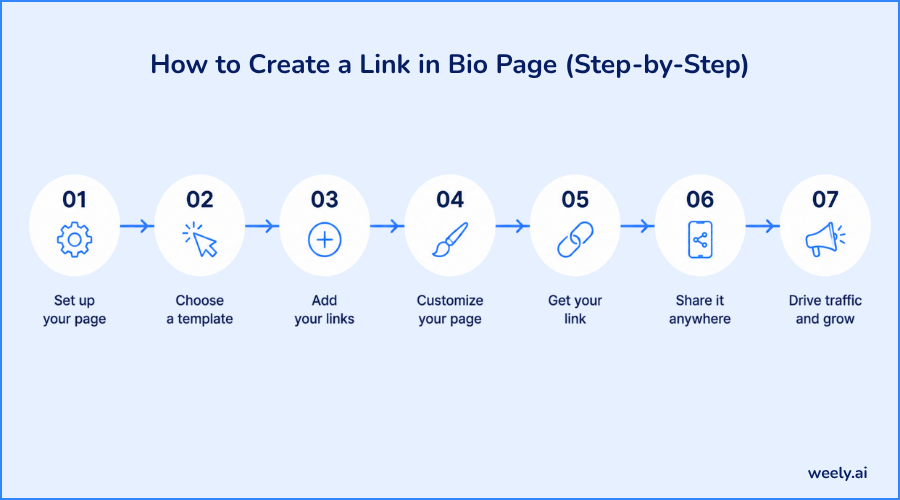
- Choose a link-in-bio tool. Based on the features you need, free or paid, AI-assisted setup, analytics, monetization, etc.
- Sign up and start your page. Most platforms walk you through a basic template or AI-generated starting layout.
- Add your links. Include your most important destinations first: website, current offer, latest content and other profiles.
- Customize the design. Match colors, fonts and branding to how you already present yourself online.
- Copy your page's URL.
- Paste it into your Instagram, TikTok or other bio field, following the same steps as adding any Instagram profile link.
- Share it. Mention your bio link in captions, stories, and posts so followers know to check it. You can also place a scannable QR code on packaging, flyers or physical products so people outside social media can reach the same page.
That covers how to make a link in bio, how to create a bio link, and how to create a link in bio for Instagram, we’ve got you covered in one workflow; the process is almost the same across platforms.
How to Optimize a Link in Bio for More Clicks
Publishing the page is step one. Getting people to actually tap through is step two. Here's how to optimize a link in bio:
- Lead with your top link. Don't make visitors scroll to find what matters most.
- Use clear button labels. "Shop the Sale" outperforms a plain, unlabeled URL.
- Avoid overcrowding the page. Too many options create hesitation instead of clicks.
- Keep branding consistent with your social profiles so the page feels familiar, not separate.
- Add short descriptions under each link so visitors know what they're tapping before they tap it.
- Check your analytics regularly and remove links that aren't performing.
- Test on mobile every time you make a change, since that's where most visitors will see it.
- Update the page often. A bio link with dead or outdated links loses trust fast.
This is what separates a professional bio link and personalized link in bio from a page that visitors scroll through without clicking on anything.
Final Thoughts
The single bio link used to mean choosing one destination and losing the rest. The best link in bio tool removes that trade-off, giving creators, influencers, freelancers and businesses one page that truly represents everything they do.
Whether you're looking at a free link-in-bio tool for a simple setup or an entire AI-driven link-in-bio platform with analytics, and monetization, the goal is the same: turn a single link into a real destination, not a dead end.
Frequently Asked Questions
What is a link-in-bio tool?
A link-in-bio tool is a platform where you can create a page of many links and then share that single page as the one clickable URL you have in your social media bio.
What is the best link in bio tool?
The best link in bio tool for you will depend on what you want to do, but good ones share a few things in common: easy customization, mobile-friendly design, built-in analytics and features that align with your specific needs, whether that’s selling products, sharing content or collecting leads through email signup.
How does a link in bio work?
You create a page with a link in a bio tool, put your links on it, and then put that page's one URL in your social bio. Visitors tap the one link, land on your page, and choose from everything listed there.
How do I create a link in bio?
Register for a link-in-bio tool, add your links, customize the page design and then paste the page URL into your bio field on Instagram, TikTok or any other platform you use.
Can I add multiple links to my Instagram bio?
You can add a few links in Instagram’s native bio field, but most are hidden behind a tap on “see more.” This is solved by a link-in-bio tool, which offers a single visible link to open a page with everything else.
What should I put in my link in bio?
Start with your most important destination, a current promotion, the latest content or the main product; then include your website, other social profiles and any signup or contact forms.
Why do creators need a link in bio?
Only one link is clickable in a social media bio. A link-in-bio page allows creators to share multiple destinations, content, products and profiles from their single link.
What is an AI link in bio?
An AI link in bio is a bio-link page created using AI-enabled tools that help you generate the page layout, suggest where to place links, and identify links that are not performing well, so you don’t have to do it manually.
Is a link in bio useful for businesses?
Yes. Companies utilize link-in-bio pages to steer customers to product pages, bookings or promos from a social media profile without the need to have a full website link for every campaign.