Long links are hard to share. They break in emails, look messy in social posts, and are almost impossible to type from a printed flyer. That is why more teams want to create a URL shortener of their own, or at least pick the right one.
The numbers show why clean links matter. Industry studies report that branded short links get about 34% to 39% more clicks than generic ones. These are vendor-reported figures, so treat them as a guide and not a promise. Still, the pattern is clear: short, trusted links get clicked more often.
In this guide, you will learn how to create a URL shortener step by step. You will see how a URL shortener works behind the scenes. You will also learn when it makes sense to build a URL shortener from scratch, and when a ready-made URL shortening tool is the smarter choice.
What Is a URL Shortener?
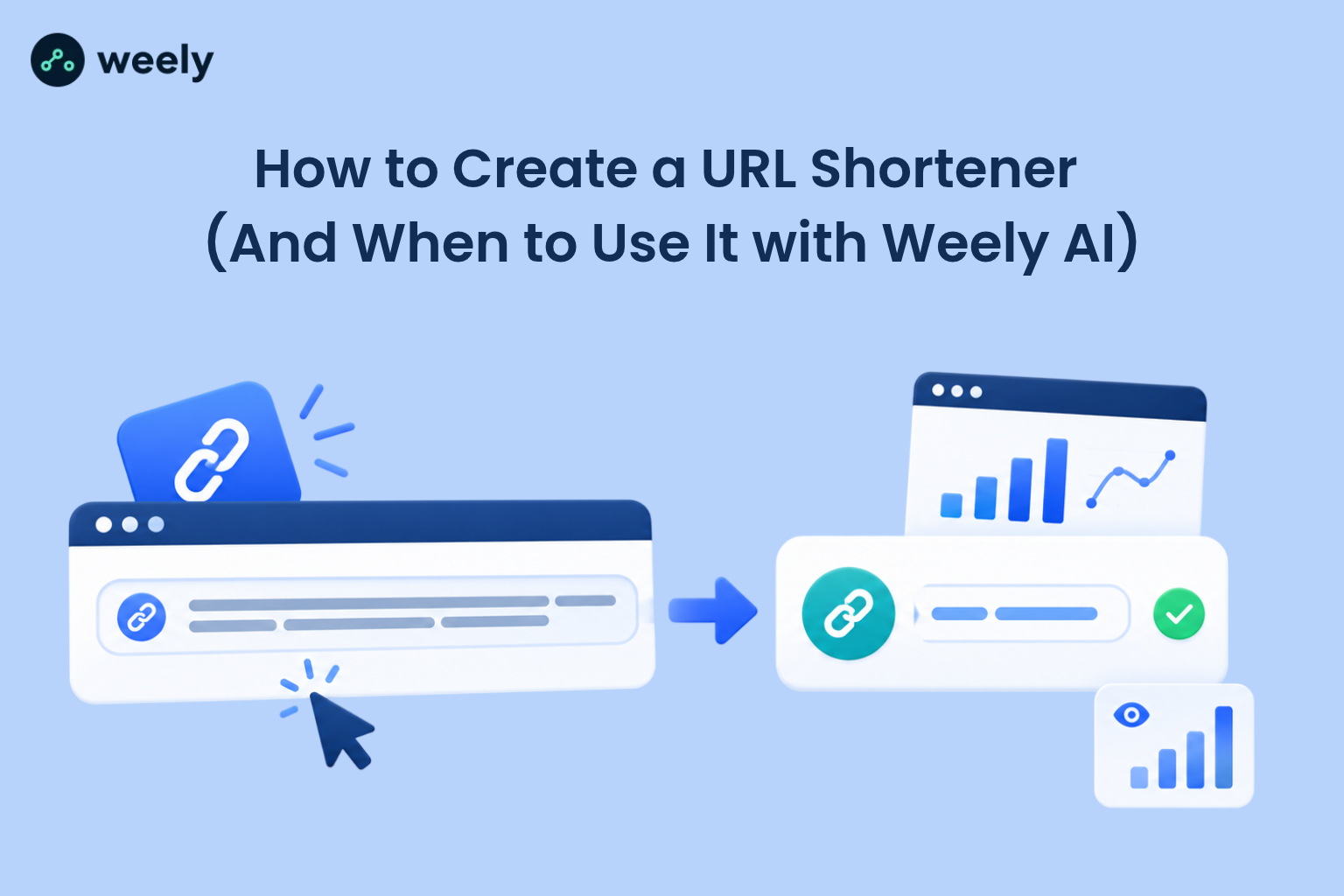
A URL shortener is a tool that turns a long web address into a short link. When someone clicks the short link, the tool sends them to the original page. The visitor barely notices the trip, but your link looks cleaner and is easier to share.
A short link generator does the same job with a simple form. You paste a long address, press a button, and get a short one back. Many people use the words "link shortener" and "short link generator" to mean the same thing.
How Does a URL Shortener Work?
A URL shortener works with three parts: a short code, a database record and a redirect. First, the tool makes a short code, such as "spring26". Second, it saves that code next to the long address in a database. Third, when someone opens the short link, the server looks up the code and sends the visitor to the long address.
This last step is called URL redirection. It usually takes only a few milliseconds, so visitors do not notice any delay. The browser asks for the short link, the server answers with a redirect and the browser loads the real page.
Short URLs vs. Original URLs
Here is a simple example:
The original address might look like this:
https://www.example.com/shop/spring-sale?utm_source=email&utm_medium=newsletter&utm_campaign=spring2026./p>
The short version might be go:
example.com/spring
Both open the same page. The short one is easier to read, easier to remember, and easier to say out loud. It also tells people what to expect before they click. If you want to see how your own domain changes trust and clicks, this breakdown of branded links vs generic links explains the difference in plain terms.
When Are Short Links Useful?
Short links help anywhere space or attention is limited. They work well in social bios, text messages, and email buttons. They are also a smart fit for print. A short address is far easier to type from flyers or business cards than a long, messy one.
Large formats need short links too. People glance at billboards for only a second or two. Readers of magazines and newspapers often prefer a clean link over a long one. Creators who share many links from one profile can also group them on a link in bio page.
Why Create a URL Shortener?
There are four main reasons to create a URL shortener: cleaner links, brand recognition, better tracking, and more control. Each one helps you get more value from every link you share.
Create Cleaner, More Shareable Links
When you create short URLs, you remove clutter from your message. A short link fits in a tweet, a caption, or a text message without wrapping onto three lines. It also lowers the chance of a typo when someone copies it by hand.
Clean links look more trustworthy too. A long string of random characters can look suspicious. A short link with a readable word in it feels safer to click.
Use Custom Domains for Brand Recognition
A custom URL shortener lets you use your own name in every link. Instead of a random domain owned by someone else, people see yours. This is what a URL shortener with a custom domain gives you, and it is the main reason brands choose it.
Custom short links carry your brand into every email, post, and printed page. People see your name even before they click. If you want a deeper look at how this works in practice, read on to see the steps below.
Organize Links and Measure Clicks
Once links live in one place, you can sort them by campaign, channel, or date. You can also see which links get clicks and which ones do not. That makes it much easier to decide where to spend your time and budget.
Gain More Control Over Link Management
With your own system, you decide how links behave. You can change a destination after a link is live. You can set an expiry date for a sale. You can also turn off a link that has gone wrong. This control is hard to get from a basic, anonymous shortener.
How to Create a URL Shortener (Step by Step)
Ready to create a URL shortener? The steps below work for both beginners and developers. You do not need to follow every technical step if you pick a ready-made tool, but understanding them helps you judge any product.
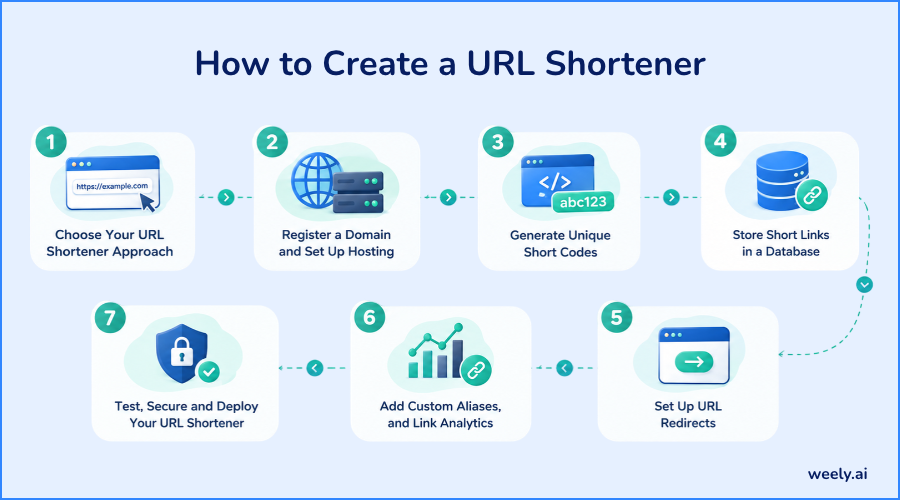
Step 1: Choose Your URL Shortener Approach
You have two paths. You can build a URL shortener from scratch with your own code, or you can use an existing service. Building gives you full control but takes time to build, and maintain. Using a service is faster and needs no coding.
Ask yourself three questions. How many links will I need? Do I have a developer on the team? Do I need reports on clicks? Your answers will point you to the right path, and the build-versus-use section below goes deeper.
Step 2: Register a Domain and Set Up Hosting
Short domains work best. Pick a name that is easy to say and easy to spell, and keep it as short as you can. Many brands use a short word or an abbreviation of their name, such as "go" or "link" in front of their main domain.
Next, set up hosting and add an SSL certificate so every link starts with HTTPS. Point the domain at your server with a DNS record. A content delivery network is a good idea, because it keeps redirects fast for people in any country.
Step 3: Generate Unique Short Codes
This step is called URL slug generation. The slug is the short part at the end of the link, like "spring" in go.example.com/spring. Every slug must be unique, or two links will clash.
There are three common methods. You can use a counter and convert the number to letters and digits (often called base62). You can use random characters and check the database for duplicates. Or you can let people pick their own custom alias.
Length matters. A code with six characters in base62 gives you more than 56 billion combinations. Seven characters give you about 3.5 trillion. For most projects, six or seven characters are plenty.
Step 4: Store Short Links in a Database
Good URL shortener database design is simple. You need one table for links, and one for clicks. The links table holds the short code, the destination address, the owner, the date created and an optional expiry date. The short code column must have a unique index so lookups stay fast.
The clicks table holds one row per visit. Store the link ID, the time, the referrer, the device type, and a rough location. Keep it separate from the links table, because click data grows much faster than link data.
Step 5: Set Up URL Redirects
Now for the heart of the project: URL redirect implementation. When a request arrives, your server reads the code, finds the record, and sends back a redirect response.
Choose the redirect type with care. A 301 redirect is permanent, and browsers may remember it. A 302, or 307 redirect is temporary, so browsers ask your server each time. If you want to count every click, or change destinations later, a temporary redirect is the safer choice.
Step 6: Add Custom Aliases, and Link Analytics
Custom aliases let people choose a readable slug, such as "summer-menu". Check each alias against your database before you save it. Block reserved words like "admin" or "login" so nobody can mimic your own pages.
Analytics turn a plain redirect into a useful tool. URL click tracking records each visit when the redirect runs. Add UTM tags to your destinations so your web analytics can match clicks to campaigns. This link tracking guide shows what to measure and how to read it.
Step 7: Test, Secure and Deploy Your URL Shortener
Before launch, test every part. Try valid codes, missing codes, expired links and very long destinations. Check the speed of each redirect and test on phones as well as desktops.
Then think about URL shortener security. Only accept web addresses that start with http or https. Block dangerous schemes. Limit how many links one user can make per minute. Scan new destinations against a safe browsing list, and let people report bad links. When these checks pass, deploy behind a CDN and set up alerts for errors and downtime.
Features Every URL Shortener Should Have
Whether you build or buy, a good tool should cover the basics below. Use this section as a quick yardstick when you compare options.
Custom Short Links and Branded Domains
Look for custom aliases and support for your own domain. Branded custom short links make your campaigns look professional and help people trust what they click.
Click Tracking and Analytics
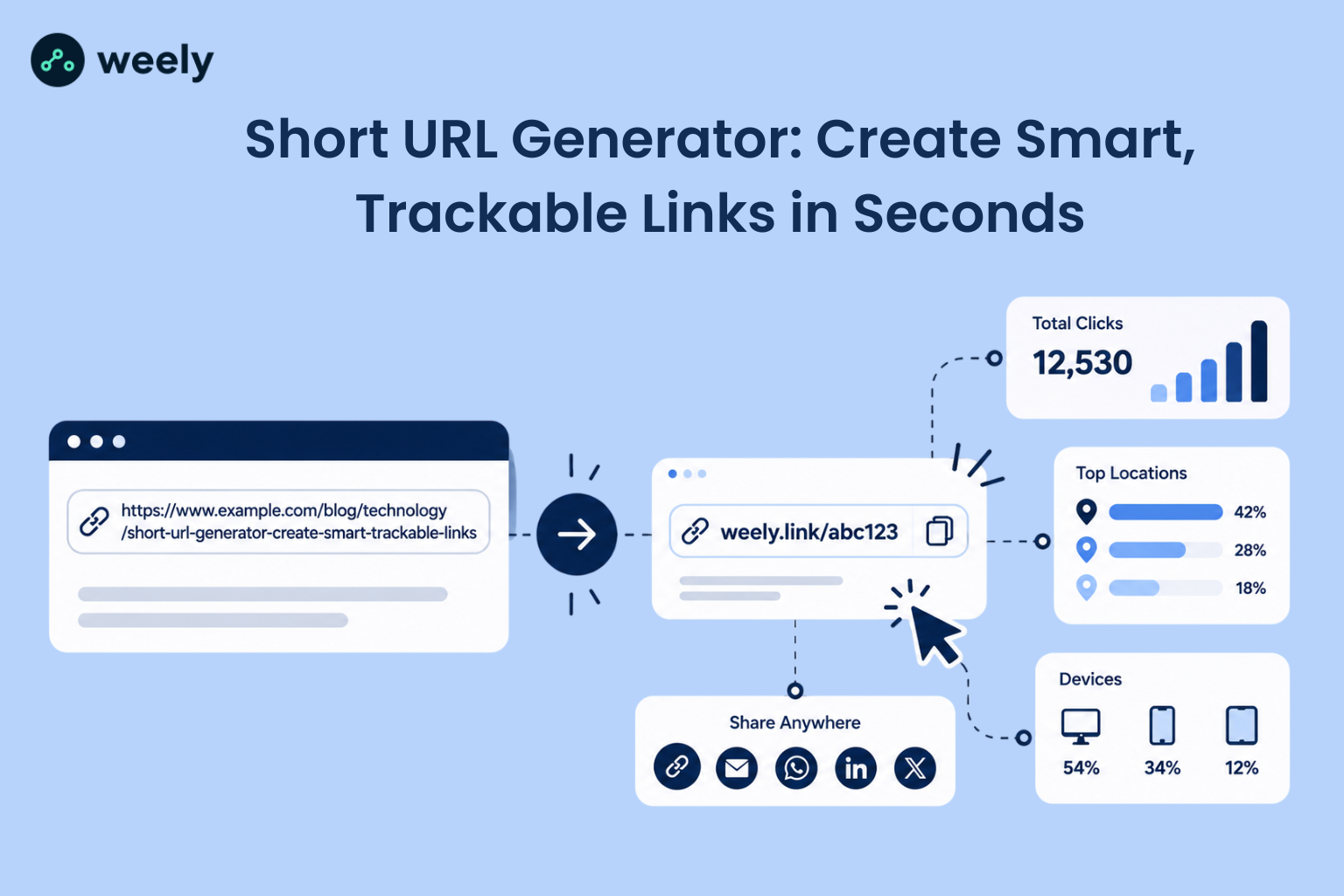
Good reports show total clicks, unique visitors, top locations, devices, and referrers. Some tools also show clicks over time. These numbers help you learn which channel works best. They are also the heart of any QR campaign. You can pair short links with QR codes so print and digital results sit side by side.
Security, Spam Prevention, and Reliability
A strong tool blocks malware links, limits abuse, and stays online. Uptime matters because a short link that fails is a broken promise. Ask about rate limits, link scanning, and how the service handles reports of bad links.
API Access and Integrations
A URL shortener API lets other apps create, and manage links for you. A store can make a short link for every product. A CRM can add one to every email. An events team can make a unique link per ticket type. If you run event management projects, an API saves hours of manual work.
Build Your Own vs. Use an Existing URL Shortener
This is the big decision. Many people ask, "Should I build a URL shortener, or use an existing tool?" The honest answer is that it depends on your goals, your team, and your budget.
When Does Building Your Own Make Sense?
Building makes sense if you have special needs. Maybe you must keep all data on your own servers. Maybe you want to connect links to a private system. Maybe you simply want to learn how it works. In these cases, to build a URL shortener from scratch can be a great project.
Be ready for the long haul, though. You will need to handle security fixes, spam, uptime, and growing data. The first version is the easy part.
When Is an Existing Tool the Better Choice?
An existing tool is better if you want to start fast. You get hosting, reports, and abuse protection from day one. You also avoid the cost of a developer who must keep the system running. Marketing teams usually fall into this group. This overview of link management: build vs buy walks through the trade-offs in more depth.
Key Differences in Cost, Control, Maintenance, and Scalability
Think about cost first. Building costs developer time up front and again for every update. A service usually charges a predictable fee. Next comes control. Building gives you total control over features, while a service gives you the features it offers.
Maintenance is the third factor. If you build, you own every bug and every late-night outage. If you buy, the provider does that work. Last, think about scale. A service is built to handle spikes in traffic. Your own system must be designed and tested for them.
When to Use Weely AI
If you want the benefits of a URL shortener without the work of building one, a hosted platform can save time. This section explains where Weely fits.
How Weely AI Fits into Your Workflow
The Weely AI URL shortener is built for teams that want branded links, tracking and simple management in one place. You can create short links with Weely AI in a few clicks, then share them in email, social posts and print. Because it runs as a hosted service, you do not manage servers, databases, or redirects yourself.
Link management with Weely AI also brings short links, QR codes, and link-in-bio pages together. That helps when one campaign runs online and in stores. Retail teams, for example, can track a shelf sign and a social post in the same place. See how QR codes for retailers fit into that kind of campaign.
To see the tool for yourself, visit the URL shortener page. You can compare plans on the pricing page, and choose the one that fits your needs.
What to Consider Before Choosing a Tool
Before you pick any option, check these points:
- Does it support your domain, so your brand shows in every link?
- Can you edit a destination after the link is live?
- Does it show clear click reports by device, location, and source?
- Does it protect you from spam, and unsafe destinations?
- Is the price fair for the number of links you plan to make?
If a tool answers yes to most of these, it is worth a trial. You can review the full range of options on the Weely AI URL shortener page before you decide.
Common URL Shortener Mistakes to Avoid
Even a simple project can go wrong. These are the mistakes that cause the most trouble.
Using Duplicate or Unpredictable Short Codes
Duplicate codes send visitors to the wrong page. Always use a unique index in your database and check for clashes before you save. Also avoid codes that are easy to guess in order, like 1001, 1002, 1003. Guessable codes let strangers scan your private links.
Ignoring Link Security and Redirect Validation
A shortener that redirects anywhere can be used by scammers. Validate every destination, block unsafe schemes, and scan for known bad sites. Add rate limits so one user cannot flood your system. Strong URL shortener security protects your visitors and your domain reputation.
Overlooking Analytics and Maintenance
Some teams launch and forget. Then clicks go untracked, old links break, and the database grows out of control. Review your reports each month. Fix broken destinations. Archive links you no longer need. A little upkeep keeps the whole system healthy.
Conclusion
To create a URL shortener, you need four things: unique codes, a database, a reliable redirect, and strong security. Add click tracking and a custom domain, and your links become both easier to share and easier to measure.
Choose the path that fits you. If you enjoy the technical side and have the time, building your own is a rewarding project. If you want results fast, a hosted platform is the simpler route. Either way, the goal is the same: clear, trusted links that people want to click.
Here is a quick checklist to take with you:
- Pick a short domain, and enable HTTPS.
- Use unique, well-tested short codes.
- Choose a temporary redirect if you plan to edit links.
- Track clicks and review them every month.
- Validate every destination to keep your visitors safe.
Ready to put it into practice? Create your account and start building cleaner links today.