QR codes are everywhere today.
You can find them on business cards, restaurant menus, event tickets, and product packaging. They make it easy and quick to share information. With one scan, users can open a website, download a file, or view private content.
But this ease of use also comes with dangers. Anyone can scan a QR code. It could end up in the wrong hands if the content behind it is sensitive. This is why businesses and people are very worried about the QR code security.
A secure QR code generator can help lower these risks. It lets you make QR codes with passwords that only certain people can access, so only those people can see the information. This method is often used for secure document sharing using QR codes, internal files, and confidential links.
Using a password protected QR code generator for business also helps with control. You choose who can scan the code and when. Many tools also let you create encrypted QR codes with access control, which adds another level of security.
There are many tools available today. Some are free, while others cost money and come with extra security features. To keep your data safe and private, choose a QR code generator that you can trust and that has password protection.
This blog will tell you what password-protected QR codes are, why they are important, and how to find the best secure QR code generator for your needs.
What Is a Password-Protected QR Code?
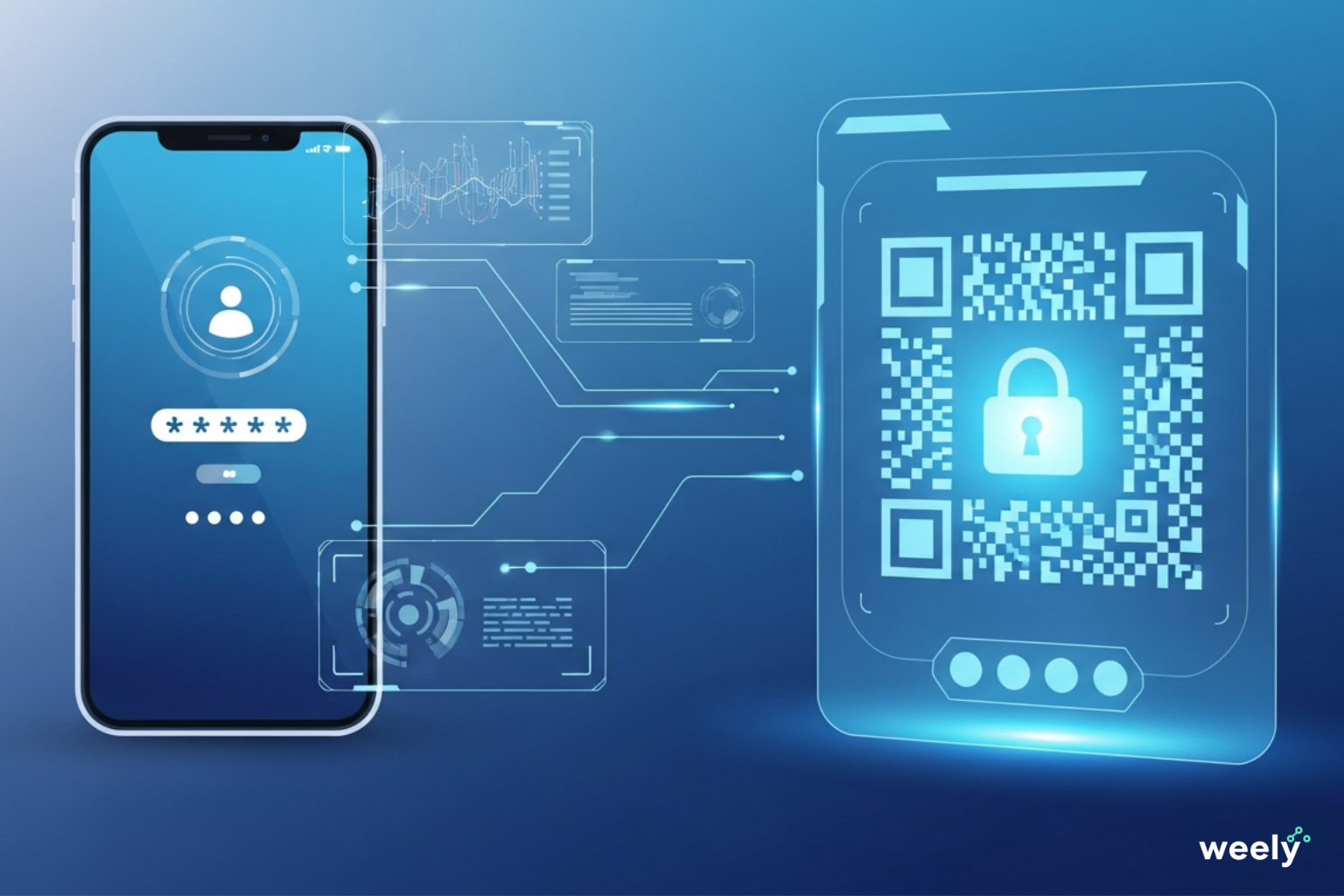
A password-protected QR code is a QR code that won't show its content until you enter a password. They can't get to the link, file, or page right away when they scan the code. They need to type in the right password first.
If you want to know what a password-protected QR code is, the answer is easy. It's a QR code with an extra layer of protection. This step keeps people who shouldn't be able to use the system from doing so.
A safe QR code generator is often used to make these QR codes. The generator keeps the content on a safe server. When someone scans the code, the system checks the password first.
How Password-Protected QR Codes Work
It's easy to understand how it works:
- You make a QR code with a QR code generator that is password protected.
- You put a password on the QR code.
- A user scans the QR code with any QR scanner.
- A screen with a password shows up.
- You can only get in if you type in the right password.
This is called QR code authentication. It makes sure that only people who have permission can see the content.
QR Code Access Control and Private QR Codes
Password security lets you manage who can see your QR code. You decide who can see the information and who cannot. These codes are perfect for private QR codes because of this.
Companies often use them for:
- Documents for internal use
- Links are just for employees
- Information about the private event
- PDF files that are private
QR codes with authentication and passwords lower the risk of data leaks. They are a simple and effective way to keep private data safe.
Benefits of Using Secure QR Codes
You have more control and protection when you use secure QR codes. They are made to be easy to use and keep your data safe. This means they can be used for both personal and business needs.
Better QR Code Data Protection
One big benefit is that the data on QR codes is safer. Password-protected access keeps people who shouldn't see your content from seeing it. The data is still safe even if someone shares the QR code by accident.
Many secure tools can also scan encrypted QR codes. This means that the information is safe and stored in an encoded form. Encryption makes it less likely that hackers will steal data or hack into your computer.
Improved QR Code Privacy
Another big benefit is that QR codes are more private. You decide who can see the QR code and what they can see. This is especially useful when you want to share:
- Personal papers
- Links within
- Business files that are private
You can keep this information private with a secure QR code generator that doesn't make it hard for approved users to get to it.
Controlled Access to Sensitive Content
Secure QR codes offer controlled access. You can limit scans by:
- Passwords
- Dates of expiration
- Permissions for users
This protects confidential information, reduces opportunities to misuse QR codes, and makes a secure QR code appropriate for use in businesses, schools, and organizations.
Safer Sharing Across Platforms
The reason secure QR codes have become increasingly popular is because they allow for more secure sharing of information. Secure QR codes can be used for sharing both digital and non-digital materials, whether through direct print or e-mail or through various websites. This combination of security and convenience is the primary reason secure QR codes have become so popular today.
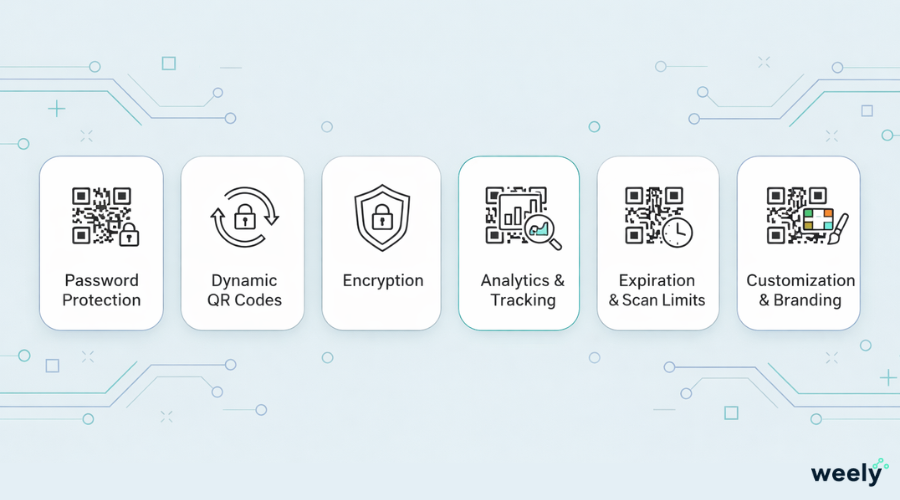
Key Features to Look for in a Secure QR Code Generator
Not all tools for QR codes offer the same level of safety. If you want strong security and full control, it's important to pick the right secure QR code generator.
Here are the most important things to look for.
Password Protection and Access Control
The key requirement is that it must be protected by a password. It makes sure that only people who are allowed to see the QR code content can do so. This kind of QR code access control stops scans that you don't want.
With a good generator, you can:
- Make sure your passwords are strong.
- You can change your passwords at any time.
- Take away access when necessary.
Dynamic QR Code Generator
With a dynamic QR code generator, you can change the information behind the QR code without changing the code itself. This is very helpful if the file or link changes over time.
Dynamic QR codes also make things safer. You can turn off access or change passwords right away.
QR Code Encryption
Encryption makes things even safer. QR code encryption keeps the data safe when it is stored and sent. This lowers the chances of cyber threats and data leaks.
Encrypted QR codes are great for private links and important documents.
QR Code Analytics and Tracking
Analytics reveal how users interact with your QR codes. A QR code generator with analytics can show:
- Number of scans
- Where to scan
- Type of device
- When to get in
This information helps you find strange behavior and improve your security.
Expiration and Scan Limits
With some secure generators, an expiration date or scan limit may be set. Once either limit is reached, the QR code will no longer work. This feature can protect short-term or one-time items.
Customization and Branding
Customization of the QR code increases its legitimacy. When a QR code is branded, it looks professional and is less likely to be scanned for fraudulent purposes. Many secure QR code generators offer customization options, including the ability to add logos, colors, and custom designs.
How to Choose the Right QR Code Generator
If you want QR codes that are safe and trustworthy, you should pick the right tool. Different platforms have different levels of safety. Here are the most important things to think about before choosing a safe QR code maker.
Identify Your Purpose
Before you begin to create a QR code, it is important to determine what you want to accomplish by using a QR code. Each of the different types of QR codes has unique functionality.
You may need QR codes for:
- Marketing campaigns
- Business documents
- Internal file sharing
- Events or registrations
Knowing your goal helps you choose a trusted QR code generator that fits your needs.
Check Security Features
Your number one priority should be safety. Check out tools that offer:
- Protecting passwords
- Encryption of QR codes
- Secure hosting
If you plan to share sensitive data, choose a password-protected QR code generator for business use.
Review Access Control Options
A good tool has total control over who may scan the code using password protection, scan limits, and expiration dates to better manage QR codes for access control.
This is useful for private or time-limited content.
Evaluate Analytics and Tracking
Analytics is a great way to monitor how users are using your QR codes. If a secure generator includes analytics, you also have a record of how many times the QR code was scanned and from where; this helps you identify unusual behavior and performance.
Compare Pricing and Plans
Some platforms have free plans that only have basic features. Paid plans usually come with better support, analytics, and security.
A paid secure QR code generator for business is usually the best choice if you need extra protection.
Check Ease of Use and Support
A simple dashboard saves you time. Good customer service is also important, especially for people who use the service for business. Dependable support means that you can get help quickly when you need it.
7 Trusted QR Code Generators with Password Protection
The right tool for you will depend on your security needs and how you plan to use QR codes. Here are seven safe platforms that offer password protection and other strong security features.
1. Weely AI
Weely AI provides a secure QR code generator that allows you to create a password-protected QR code in minutes. The main focus of Weely AI is privacy and ease of access.
Dynamic QR codes allow you to modify the information contained in your QR without altering the QR itself. Password protection enables only authorized personnel to view the information. This tool is suited for businesses, internal groups and private file transfers.
2. Scanova
Scanova is one of the most popular scan solutions available today. Scanova provides secure dynamic QR codes with strong access control to businesses and enterprises.
Scanova provides a password-protected QR code solution as well as detailed analytics on user scanning activity. This feature makes Scanova an excellent resource for any business looking for a scan solution that offers analytics and security features.
3. Me-QR
People who want a free QR code maker that also has security features like Me-QR often choose it. Me-QR password-protected QR codes are supported on paid plans, but the free plans only offer basic features.
The site supports many kinds of QR codes and lets only certain people in. Me-QR is a good option for people and small companies that want to be safe in a simple way and don't want to spend a lot of money.
4. QR TIGER
Dynamic QR Code Generator QR TIGER offers dynamic QR code generation and customization. Users can generate high-quality, password-protected QR codes for marketing and business purposes.
The QR TIGER platform is designed to help campaigns that need secure branded QR codes. Users can generate password-protected QR codes for links, files, and landing pages and track performance metrics.
5. QR Code Chimp
QR Code Chimp focuses on branding and business use. QR Code Chimp's password protection feature provides users with the ability to secure their QR codes.
QR Code Chimp allows users to create branded QR codes, as well as control the way users access those QR codes. QR Code Chimp is ideal for businesses looking for a secure QR code generator that has a professional appearance.
6. Flowcode
Flowcode is a QR code generator developed specifically for enterprises. Flowcode's strong encryption capabilities protect the data contained within each QR code and provide advanced analytics that allow for tracking of their use.
It focuses on compliance, security, and performance tracking. Flowcode is a great option for any business needing to utilize a high volume of QR codes while upholding the highest levels of security.
7. QR Code Generator Pro
As a professional-grade QR code generator with advanced security capabilities, QR Code Generator Pro allows you to generate password-protected QR codes for PDF and other document types.
The QR Code Pro Generator is the perfect option for professionals looking for document protection and integration, as well as long-term QR code management.
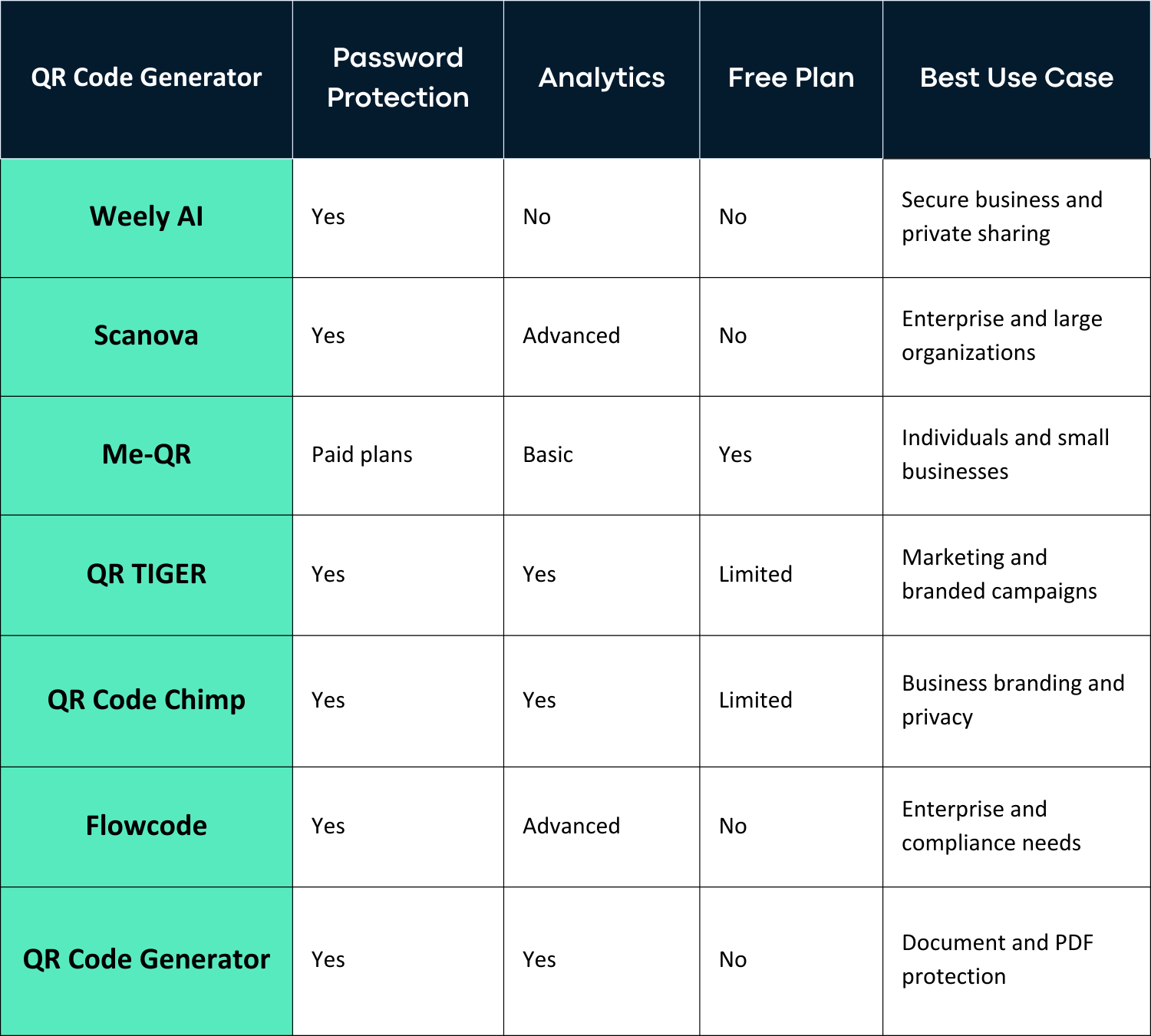
Comparison Table: Secure QR Code Generators
Comparing features side by side can help you pick the best password-protected QR code generator. Not all tools have the same level of security, analytics, or pricing options. This comparison makes it easier to find a QR code generator that you can trust and that works for you.
Some tools are only for keeping businesses safe. Some are better for personal use or marketing. Prices also change depending on the features and scan limits.
Best Practices for Using Password-Protected QR Codes
Using password-protected QR codes is just as important as creating them. Implementing basic QR code security best practices helps ensure that both QR code data and QR codes remain functional and secure.
- Use Strong and Unique Passwords: It is important to create passwords that are considered strong. Avoid choosing simple words or common numeric patterns. Use a strong password; this way you will be less likely to have an unauthorized person guess your password. This is the first step to learning how to secure QR codes using passwords.
- Share Passwords Securely: Do not share the passwords for QR codes. Always use encrypted means such as email, SMS, private messages, or trusted third-party services for sharing QR code passwords and links. By using a secure channel for trusted link sharing, you reduce the likelihood of password leaks.
- Set Expiration Dates When Possible: If the QR code is only used temporarily, consider setting an expiration date. Expired QR codes cannot be scanned, reducing long-term risk and improving control.
- Monitor Scan Activity Regularly: Regular monitoring of QR code scans allows for the identification of potentially questionable activity prior to severe damage. If a code appears to have excessive scans or scans from unfamiliar IP addresses or locations, you have the opportunity to proactively change the password or limit the code.
- Avoid Placing Secure QR Codes in Public Spaces: Password-protected Avoid placing QR codes where anyone may scan them. Use emails, private papers, or internal systems to regulate them.
Conclusion
When sharing private or sensitive data, you must use a secure QR code. Using a secure QR code generator, you can maintain control over who accesses it and protect your content. Additionally, a password-protected QR code generator provides an extra layer of protection; you can share your QR code with authorized users only. All the password-protected QR codes created by this system will work in combination with all free QR code scanner applications and still require authorized access.
When selecting the best QR code generator for business, you will want to consider both security and reporting requirements. Select a good QR code generator that has encryption, access controls, and reporting capabilities and will generate a safe QR code that keeps your information safe, easy to use, and simple to share.
FAQs About Secure QR Codes
Are QR codes secure?
When used correctly, QR codes are safe. Anyone can use a basic QR code. This means that anyone can scan it. Secure QR codes, on the other hand, offer better protection. QR codes can have passwords, encryption, and access control when they are made with a safe QR code generator. These features make it much safer to use QR codes.
How secure are password-protected QR codes?
QR codes that are password-protected are very safe. Users must enter a password before they can see the content. This extra step keeps people who shouldn't be able to get in from getting in. You can also change passwords or turn off access to a password-protected QR code generator at any time. This makes QR codes safer in general.
Can I scan a password-protected QR code with a free QR code scanner?
Yes, you can. Any free QR code scanner can read QR codes that are password-protected. When you scan, a password screen pops up in the browser. To keep going, users need to type in the right password. You don't need a special scanner app.
What is a password-protected QR code scanner?
A QR code scanner that needs a password is not a separate app. It means the step of verifying after scanning. The scanner reads the QR code, and then the secure system requests a password before displaying the content.
Are encrypted QR codes safer than regular QR codes?
Yes. Encrypted QR codes are safer. The information is kept safe and can't be easily changed or accessed. Encryption is a great way to protect QR code data when used with a password.
Who should use a secure QR code generator?
If you need to share private or sensitive information, you should use a secure QR code generator. This includes schools, businesses, event planners, and professionals. Secure QR codes keep data safe while making it easy to get to and control.