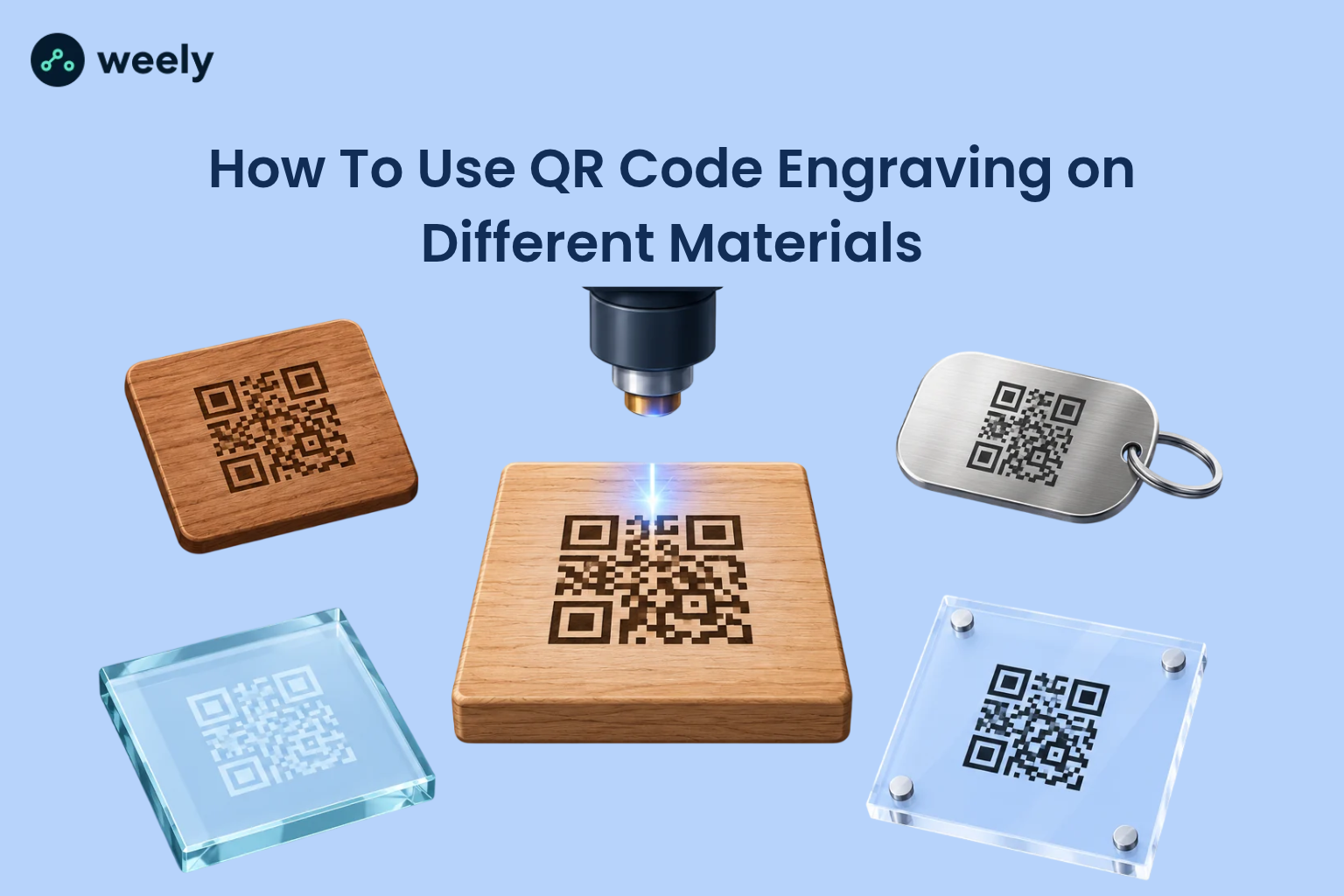
QR code engraving turns a plain object into a smart one. A small square pattern cut into wood, metal, glass, or plastic can open a website, a manual, a menu, or a product page in one scan. Interest in scanning is high. eMarketer projected that about 102.6 million US consumers would scan QR codes by 2026. ProfileTree reports that the United States accounts for 42.2% of all global QR code scans. Team Lewis found that over two-thirds of consumers used a QR code in the past year. With so many people ready to scan, a laser engraved QR code gives your product a link that stays on the surface instead of peeling off like a sticker.
This guide explains QR code engraving on different materials in plain language. You will learn what works on each surface, how to set up your file, how to test your work, and how to fix a code that will not scan.
What Is QR Code Engraving?
QR code engraving is the act of using a laser to cut, burn, or mark a QR code into the surface of a material. The laser removes a thin layer or changes the color of the surface. That change creates the dark and light squares a phone camera reads.
People often use the words engraving, laser etching, and laser marking as if they mean the same thing. They are close, but not identical. Engraving removes material and leaves a small groove. Etching melts or alters the top layer so it looks raised or frosted. Laser marking changes the color of the surface without removing much material. All three can produce engraved QR codes, and the right choice depends on the material and the machine.
A printed QR code sits on top of an object. A QR code laser engraving becomes part of the object. That is why people choose it for tools, signs, gifts, and parts that face heat, water, or rough handling.
Benefits of Laser Engraving QR Codes
Laser engraving QR codes gives you several practical advantages over stickers and ink.
- Durability: Engraved marks resist rubbing, moisture and fading better than most printed labels, though results depend on the material and the process.
- Permanent QR code marking: The code stays on the item for its full life, which helps with product identification, and warranty tracking.
- Clean branding: A neat code on metal or wood looks premium, and removes the need for adhesive labels.
- Traceability: Serial numbers, and batch data can link to a record, which supports asset tracking.
Keep one point in mind: a code that lasts but cannot scan has no value. Durability helps only when the code is also readable, so use a reliable QR code generator and follow the sections below to ensure your engraved QR codes are both durable and scannable.
QR code engraving on different materials
Every surface behaves in its own way under a laser. Before you pick a method, check four things: QR code contrast, surface finish, material safety, and scanning distance. Contrast is the most important. A phone camera needs a clear difference between the dark and light squares. If the engraved squares blend into the background, the code will fail, even if it looks fine to your eyes.
The best material for QR code engraving is usually one that gives natural contrast, such as light wood, anodized metal, or coated metal. Smooth, flat surfaces also help. Still, you can engrave almost any laser-safe material with the right method and careful testing.
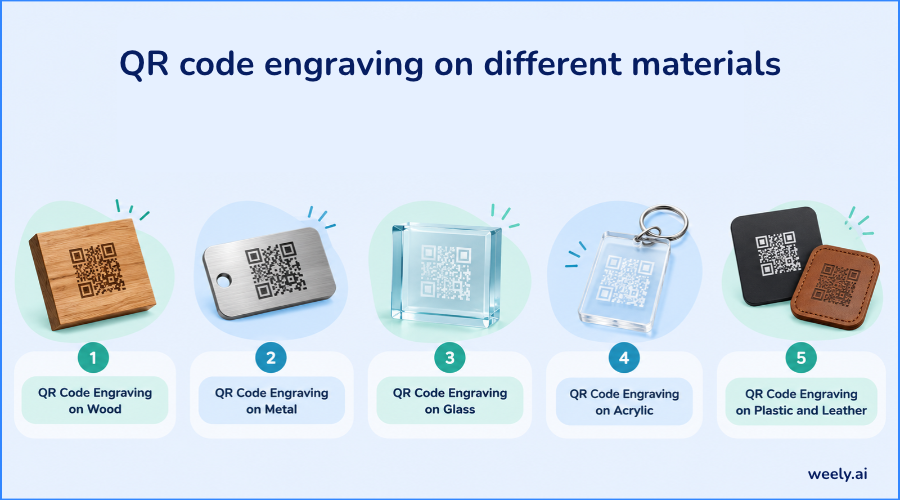
QR Code Engraving on Wood
Wood is the friendliest material for beginners. It is easy to mark, and a laser leaves a brown or black burn that stands out on a light surface. This makes it great for wooden signs, cutting boards, coasters, and gift boxes.
If you want to know how to engrave QR codes on wood, start by choosing a smooth, light wood such as maple, birch or alder. Strong grain lines can break up the squares and confuse a scanner. Sand the surface first, and keep the grain pattern light. Both a CO2 laser and a diode laser can mark wood. Watch out for charring and smoke stains around the edges, because they blur the border. Wipe the surface clean after engraving and test the result.
QR Code Engraving on Metal
Metal is the top choice for tools, tags, and equipment because the mark lasts a long time. A fiber laser is the usual machine for this job. It can mark stainless steel, titanium, brass, and anodized aluminum directly. On anodized aluminum, the laser removes the dye layer and exposes bright metal, which creates strong contrast.
If you wonder how to engrave QR codes on metal, the method depends on your laser. A fiber laser marks bare metal directly. A CO2 laser or a diode laser usually cannot mark bare metal on its own, so makers often apply a special marking compound first and let the laser bond it to the surface. On shiny metal, reflections can confuse phone cameras, so a slightly matte finish often scans better. Always check the metal type before you start, because settings vary a lot.
QR Code Engraving on Glass
QR code engraving on glass adds a classic look to awards, bottles, and glass products. A CO2 laser creates a frosted white mark by making tiny cracks on the surface. Glass is clear, so the background shows through and can reduce contrast. A dark surface or a dark backing placed behind the glass makes the frosted squares much easier to read.
Temperature changes can crack glass, so use gentle settings and test on scrap pieces first. Curved glass, such as a bottle, needs a rotary attachment so the code does not stretch. Reflections from lights can also hide the code, so scan the finished piece in several lighting conditions.
QR Code Engraving on Acrylic
QR code engraving on acrylic is popular for acrylic plaques, signs, and displays. Choose cast acrylic for engraving, because it produces a frosty white mark with good contrast. Extruded acrylic tends to give a clearer, less visible mark, which is better for cutting than for engraving.
Two-tone acrylic, which has a colored top layer over a contrasting core, is a smart choice. The laser removes the top layer and exposes the second color, which makes a sharp and readable code. On clear acrylic, place a dark sheet behind it to boost contrast. Remove the protective film before engraving, unless the maker states otherwise.
QR Code Engraving on Plastic and Leather
QR code engraving on plastic needs extra care, because plastics are very different from one another. Some mark cleanly, while others melt or release harmful fumes. Never laser PVC or vinyl, since they can release toxic gas and damage your machine. Use only plastics that the maker lists as laser safe, and test a small area first.
QR code engraving on leather works well for tags, wallets, and belts. A laser burns the surface and leaves a dark brown mark. Real vegetable-tanned leather usually gives the best results. Fake leather often contains plastic, so check what it is made of before you engrave. Leather has a soft, uneven surface, so keep the code larger and simple.
How To Engrave a QR Code Step by Step
Here is a simple workflow for how to engrave a QR code on any material. It also answers how to laser engrave a QR code for first-time makers.
Step 1: Generate Your QR Code
Choose where the code should lead, such as a website, a video, a manual or a contact card. Then create the code with a QR code generator. If the link might change later, use a dynamic code (see static vs dynamic QR codes), because you can update its destination without re-engraving the item. A static code stores the link inside the pattern, so it can never change.
Step 2: Prepare the Design File
Save your code as a Vector SVG file when you can. A vector file keeps the edges sharp at any size, while a blurry image creates rough squares. Keep the code perfectly square, and never stretch it. Leave a blank border called the quiet zone around the code. The standard recommends at least four modules of empty space on every side and the engraved area should not touch any other design.
Step 3: Choose the Material and Laser
Match your machine to your surface. A QR code engraving machine such as a fiber laser suits metal, a CO2 laser suits wood, glass, and acrylic, and a diode laser suits wood and leather. Check that your machine can hold fine detail, because tiny squares need a small, steady beam.
Step 4: Test and Adjust the Engraving
Never start on your final product. Run a test on a scrap piece of the same material. The right QR code engraving settings depend on your machine, power, speed, and lens, so no single number works for everyone. Change one setting at a time, such as speed or power, and keep notes. Your laser settings should give clean, crisp squares without burning past the edges.
Step 5: Scan the Finished Code
Perform proper QR code testing before you ship or sell anything. Scan the code with at least two or three different phones, from the distance real users will stand, and in both bright and dim light. If any phone struggles, adjust the design and try again.
Best Practices for Creating a Scannable Engraved QR Code
A scannable engraved QR code comes from a few simple habits. These same habits answer how to make an engraved QR code scannable and protect overall QR code quality. First, protect contrast. Dark squares on a light surface, or the reverse, must be clearly different. Second, keep the quiet zone clear. Third, keep the squares sharp, because soft or rounded edges make scanning harder.
Next comes size, and this QR code size guide covers scanning distance in more detail. The right laser engraved QR code size depends on the material, the complexity of the code, and the scanning distance. As a rough guide, many makers treat about 0.8 inch (2 cm) as a practical minimum for a simple code scanned up close, and they go larger for long links or far distances. Short links, such as those from a URL shortener, make simpler codes with bigger squares, which are much easier to engrave and read.
Then think about error correction. QR codes include extra data that lets a phone read the code even if part of it is damaged. The four levels recover roughly 7%, 15%, 25%, or 30% of the data. A higher level helps on rough materials, but it adds more squares, so the code must be larger. A medium or quartile level is a good balance for most engraved projects.
Good QR code readability also depends on the surface. Avoid deep grain, heavy texture, and glossy glare in the code area. Finally, always test the real finished piece, not just the screen preview.
Why Is My Engraved QR Code Not Scanning?
If your QR code not scanning after engraving is the problem, the cause is usually one of a few common issues. Most failures come from poor contrast, soft edges or missing white space.
- Low contrast: The engraved squares look too similar to the background. Change the material, add a marking compound or use a dark backing.
- Blurry or burned edges: Too much power, or a slow speed spreads the mark. Lower the power or raise the speed.
- Distorted shape: A curved surface, or a stretched file bends the pattern. Use a rotary tool, and keep the file square.
- Reflections: Shiny metal, or glass can hide the squares. Try a matte finish or change the angle.
- No quiet zone: Other designs too close to the code confuse the scanner. Add clear space around it.
If none of these fix the problem, read why a QR code is not working in general, then make the code larger or shorten the link so the squares become bigger. A code that looks great to the eye can still fail on a phone, so always trust a real scan over your own judgment.
Creative Uses of Engraved QR Codes
There are many QR code engraving ideas for both fun and business use. A QR code engraving for business project can add value to almost any product, from tools to consumer goods and packaged products. Companies engrave codes on equipment for repair guides, on tools for ownership records, and on product packaging for product details. An engraved QR code for product labels works well on metal parts, wooden boxes, and branded items, because it stays readable long after a paper label would wear off.
Personal QR code projects are just as popular. Makers engrave codes on gifts that link to a photo album, a playlist, or a video message. Wedding signs, memorial plaques, and pet tags are also common. Some makers even engrave a QR code on business cards made from wood or metal. Small shops engrave codes on table signs for QR code menus, on business signs, and on review plaques to turn visitors into customers.
Conclusion: Create a QR Code That Works on Your Material
Successful QR code engraving comes down to three habits: choose a material that gives strong contrast, keep the code clean and sharp with a clear quiet zone, and test the finished piece with real phones. Follow these steps, and your engraved codes will scan quickly on wood, metal, glass, acrylic, plastic, or leather.
Ready to start? Sign up with Weely AI to create a clean, high-quality code, download it as a vector file, and send it straight to your laser. Check the pricing plans to pick the option that fits your volume.