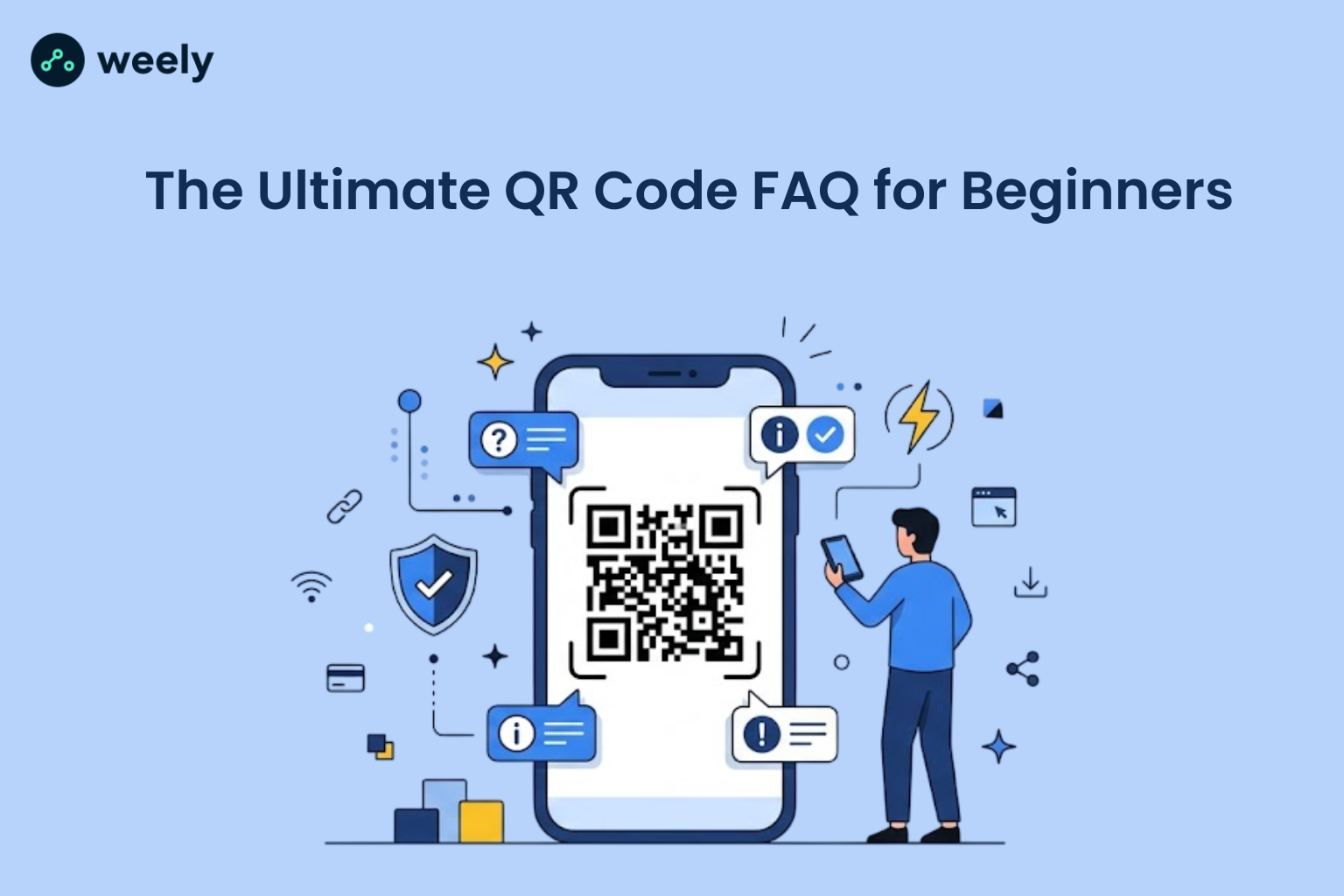
QR codes are everywhere. You see them on restaurant tables, product packaging, business cards, posters and even in TV commercials. But most people still have basic questions about what they are, how they work, and if they're safe.
This is a complete QR code FAQ for beginners, including the basics and how they work, static and dynamic QR codes, tips for scanning, safety concerns and business use cases. If you want to create your own QR code while you read, you can use Weely AI, a free QR code generator built for beginners and businesses alike.
Let's get started.
Part 1 - QR Code Basics
Before you make or scan something, it's good to understand what a QR code is and what happens the second your camera detects one. This section gives you the basics so you can understand the rest of the guide.
1. What is a QR code?
QR codes are a type of barcode, but rather than stacking a handful of thin lines next to one another like you’d see on a grocery item, they store information in a square grid of black and white squares. That grid can hold links, contact information, plain text and much more than a standard barcode ever could. You point a camera at it and what it's storing opens up almost immediately.
2. How do QR codes work?
The pattern itself is non-random. Each square on the grid is a piece of data, and a scanning app reads that pattern in the same way you read text on a page, only much faster and in a language designed for machines. When it sees the pattern, it back-translates it into something useful, like a link to a website or a saved contact and takes you there without you having to type a single character. That’s really the whole idea behind how QR codes work: turn something visual into something actionable in less than a second.
3. What does "QR" stand for?
QR stands for “Quick Response.” As the name implies, it scans and decodes information almost instantly, faster than manually typing in a web address.
4. What's the difference between a QR code and a barcode?
A barcode can only hold a short string of numbers and it stores data in one direction. A QR code can store data horizontally and vertically, which means it can contain a lot more, such as links and formatted text.
5. What can a QR code contain (links, text, Wi-Fi, contact info)?
A QR code can contain links to websites, plain text, email addresses, phone numbers, Wi-Fi information, contact cards, links to apps or payment information. That’s why it’s used in marketing, retail, events and for personal use.
6. Are all QR codes the same?
No. They may vary in content type, size, error correction, and whether static or dynamic. Some are one-shot; others can be adjusted post-printing. This knowledge will help you to select the correct QR code generator for beginners.
Part 2 - Creating QR Codes
Once you get the idea, the next step is to create your own QR code. In this section, you’ll find out how to build, tailor and run one of these with no design experience or technical know-how.
7. How do I create a QR code for free?
You can create a QR code for free using an online tool such as the free QR code generator from Weely AI. Enter the text, link or information you want to encode, tweak the design if you feel like it and download the finished image. Tools made as QR code generators for beginners are meant to be this easy, so you don’t need any technical skills.
8. Do I need an app or software to make a QR code?
No installation required. Most modern QR code generators like Weely AI work directly in your web browser. Enter your content, generate the code and download the ready-to-print or online-postable image file.
9. Can I customize a QR code with colors or a logo?
Yes, and many beginners get creative here. There are many tools, this QR code designing tool being one of them, which lets you customize a QR code by changing colors, adding a logo in the middle or changing the frame style around it. It still has to be on brand with you, but scannable too. This customization is mostly a case of having enough contrast between foreground and background.
10. What's the difference between static and dynamic QR code options?
Static QR codes are for static data. The information contained in a static QR code is fixed at the time of generation and cannot be modified or tracked later. A dynamic QR code is linked to a website that lives on a server, so you can change where it leads even after you print it, and you can get scan tracking data along the way. Static vs dynamic is usually a question of, do you want to update the destination later or track how many people scanned it?
11. Which type of QR code should beginners use?
However, for most beginners, dynamic codes are the safer option. You can correct mistakes, swap out links, and see performance data without ever having to reprint the code. Static codes make sense in more narrow situations, like a Wi-Fi password not going to change.
12. Can I edit a QR code after it's created?
A dynamic QR code has its destination link stored on a server, so it can be changed at any time after it’s created. Once generated, a static QR code can not be changed and you would have to create a new code.
13. How do I add a link, PDF, or contact card to a QR code?
The majority of QR code generators allow you to select the content type, such as a file, URL, or contact card, before generating the code. Weely AI allows you to simply select the content type, paste or upload your info, and the tool will automatically format it into a scannable QR code. Check this guide for more detail on the QR code for business cards contact card format.
Part 3 - Scanning QR Codes
Making the code is half the job. This section provides solutions for common QR code scanning issues.
14. How do I scan a QR code?
Open the camera on your smartphone and point it toward the QR code to scan it. Most modern smartphones feature built-in QR code recognition. Once the code is detected, your device will display a notification or prompt that you can tap to access the linked content. In most cases, there’s no need for a separate app at all.
15. Do I need an app to scan a QR code?
Most new smartphones have a QR code scanner built into the default camera app. If you have an older device, you may need to use a dedicated scanning app, or use an online QR code scanner that runs in a web browser.
16. Can I scan a QR code without a camera app?
Yes, some apps can scan through other apps as well, such as messaging apps, payment apps or a QR code reader online that doesn't need anything installed. That said, the standard camera app is usually still the quickest, least-fiddly option.
17. Why won't my QR code scan?
The problem is often caused by something simple that can be fixed, such as poor lighting, a low-resolution image, too much distance between the camera and the code or physical damage to the printed pattern. Often enough the answer is as simple as cleaning the camera lens and moving in a little closer.
18. What should I do if a QR code gives an error?
If you get an error after scanning it, usually the destination link is incorrect, not the code. This usually occurs when a static QR code has a broken link or when the code was initially configured incorrectly. Most of these problems can be avoided by testing the code immediately after you create it, preventing them from becoming a headache later.
19. Can QR codes scan in low light or from far away?
Good lighting and a moderate distance give the best results. Larger, high-contrast codes can be read from further away, and in low light, a steadier hand or a brighter nearby screen can make enough of a difference to get the job done.
Part 4 - Safety & Security
QR codes are generally safe, but it’s always a good idea to know the warning signs of a risky QR code. This section explains what you will find before you tap anything.
20. Are QR codes safe to scan?
QR codes themselves are just containers for data, so they aren’t dangerous per se. The real danger is what the code takes you to. Scanning one from a trusted source, whether that's an official business or a verified website, is generally fine.
21. Can QR codes be hacked or contain viruses?
A QR code can’t contain a virus because it only holds data, for example, a link or some text. What it can do is send you to a site designed to steal information that is harmful. This is why trusting the source is more important than trusting the format.
22. How can I tell if a QR code is fake or malicious?
Some signs are obvious once you know what to look for: a code stuck on top of an existing sticker, no visible branding or context around it or a link that sends you somewhere unexpected or sketchy once scanned. Always use the feature that allows you to preview the link before opening it if your scanner has one. In this overview of secure QR code generators, we’ll go over what you should look for in a reliable tool.
23. Should I avoid scanning random QR codes in public?
Codes on unexpected public locations, such as an unmarked flyer or signage that doesn’t look official, are something to be a little cautious about. Stick to codes from trusted sources, official menus, packaging or marketing materials you know you can trust.
24. Can someone track me through a QR code?
Similar to website analytics, a dynamic QR code can track scan data such as general location, device type and timing. That tracking is typically anonymous and for marketing insight, not to identify individual people.
Part 5 - Design & Print Best Practices
A well-designed QR code will scan faster and simply look more professional. In this section we look at the sizing, spacing and colour choices that are worth getting right before you send anything to print.
25. What size should a QR code be for print?
For close-up scanning, a minimum size of 1 inch by 1 inch (2.5 cm by 2.5 cm) is recommended, while posters or billboards meant for distant reading should be significantly larger. The bigger the code, the farther away people will be standing.
26. How much space should be around a QR code (quiet zone)?
There must be a quiet zone around the edges of every QR code. The blank margin should contain no text, images or design elements. That space gives scanning apps a clean boundary to detect, and a quiet zone of at least 4 modules wide is the generally recommended minimum.
27. Can I add a logo without breaking the QR code?
You can, thanks to the error correction built into every QR code, which allows a small logo to sit in the center without breaking the scan. Keep the logo small and centred and do not touch the rest of the code.
28. What's the best color combination for QR code visibility?
Dark colors on a light background give you the best contrast and the most reliable scans. Black on white is still the safest option, though darker brand colours on a light background can work just as well as long as the contrast remains high.
29. Can QR codes be printed in black and white only?
Absolutely, and truthfully, black and white is still the most tried and true combo out there. Custom and colourful QR codes look great, but if you want the best scanning performance, black and white is still wins.
Part 6 - QR Codes for Business
QR codes have gone from a novelty to a practical marketing and operational tool for companies of all sizes. This section covers how they are really used by businesses and how to measure whether it is working.
30. How can businesses use QR codes?
Businesses use QR codes for everything from digital menus, product packaging and event check-ins to contactless payments, social media links, feedback forms and all sorts of marketing campaigns. A business-setup QR code such as the one Weely AI provides simplifies the process of creating and managing multiple codes simultaneously for various purposes.
31. Can I track how many people scanned my QR code?
Yes, but only dynamic QR codes. Tracking usually includes total scans, scan location, device type and time of scan, giving businesses a true understanding of how their printed and digital media are performing in reality.
32. Do QR codes expire or stop working?
Static QR codes never expire by themselves, because the information encoded in them is fixed and does not depend on any external source. However, if the code directs to a website, that website may eventually go offline, disrupting the experience even though the code itself is technically functional. Dynamic QR codes are a bit different; they rely on the hosting platform being up and running, so choosing a reliable generator is more important than most people realise when they set one up for the first time.
33. How long do QR codes last?
A static or dynamic QR code simply doesn’t have an expiration date. The code can be scanned as long as the link or data is valid and the platform the dynamic code is hosted on is alive, be it six months or six years from now.
34. Can I use one QR code for multiple campaigns?
Yes, with a dynamic QR code. In fact, this feature is one of the biggest advantages over a static one. You can change the destination link behind the same printed code. This means one design can support multiple campaigns over time, without reprinting or redesigning anything, which is already printed on flyers or signage.
35. Are QR codes good for marketing ROI?
QR codes can provide a strong marketing ROI because they connect offline materials to online action in an easy-to-measure way. Adding a QR code to a UTM builder makes it easier to see real engagement rather than guess at it, which is a meaningful step up from traditional print, where you’d otherwise have no clue if anyone even noticed the flyer. If you’re considering running multiple campaigns at the same time, it’s worth comparing the pricing plans to find the analytics and tracking features that actually correspond to what you need instead of paying for more than you’ll use.
Part 7 - Troubleshooting & Misc
A well-made QR code can still run into trouble once it has been printed or circulated. Here are some quick fixes for the most common problems beginners face.
36. Why is my QR code blurry when scanned?
Blurriness is often caused by a low print resolution, a low-quality export of the image, or scanning too close with an unfocused camera. This issue is almost always avoided by downloading the QR codes in high resolution before printing.
37. Can a QR code be too small to scan?
It can. If a code is printed smaller than the scanning distance requires, it will be hard for cameras to pick up the pattern clearly. Using recommended print sizing, based on how far away people will be standing, the problem is fixed before it becomes an issue.
38. What happens if I lose the original QR code file?
The problem is that if you lose a static QR code file, you have to generate a new code containing the same information, since the original design is impossible to recover. With a dynamic QR code, you can usually regenerate the image from your account without losing any of the tracking history associated with it.
39. Can I reuse a QR code for a new purpose?
Only a dynamic QR code can be repurposed this way, since its destination link can be changed whenever you need. A static QR code is permanently associated with its original content and can’t be reused. This QR code generator guide also includes a few more tips for designing codes that will remain flexible over time.
Try It Yourself
By now you know the basics of QR codes, the difference between a static vs dynamic QR code, and how to keep your codes safe and scannable. Your device is now ready to scan QR codes and access the linked content. Create a free QR code with Weely AI’s link and QR platform. Customize it with your own colours or logo and track scans in real time with no design background or technical experience required.
Key takeaways:
- QR codes make it easy and safe to share information on the spot, as long as you’re making and scanning them from trusted sources.
- Choosing between a static and dynamic QR code comes down to whether you need editing and tracking features later on.
- A good QR code generator for beginners makes creating a custom QR code fast, free, and genuinely easy to figure out.
Looking to create your first QR code? Sign up for free and generate one in seconds.