These days, QR codes are everywhere. Companies, developers, and marketers use them to send links, products, and information. They do it quickly and easily.
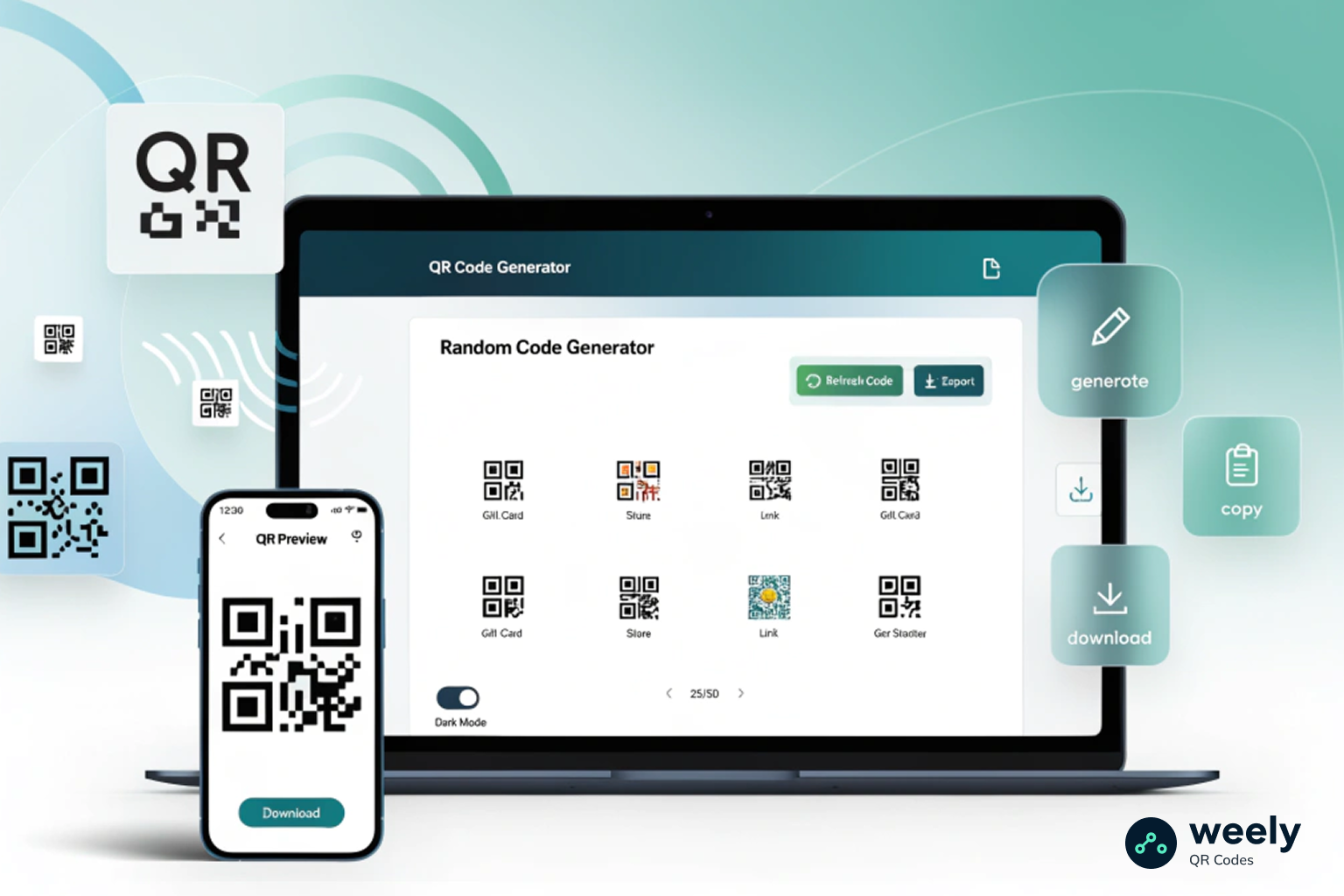
You might need random QR codes for testing, demos, or experiments from time to time. Making them one at a time takes a long time. You could also use a random QR code generator. It makes codes right away.
In this blog, you will show how to create random QR codes instantly with Weely AI. We will also look at the pros of using random QR codes. They help businesses, marketers, and developers save time. They also help work get done faster.
What Are Random QR Codes?
Random QR codes are QR codes that are made with random data or links that are made at random. For instance, they don't follow a certain pattern. Because of this, they are often used for development, testing, or experimentation.
A random QR code generator makes QR codes with different values on its own. Every time you make one, the information in the QR code changes.
How Random QR Codes Work
A tool turns data like a URL or text into a two-dimensional barcode when you make a QR code. A QR scanner or smartphone camera reads the pattern and turns it back into the data it came from. When you look at QR codes vs. barcodes, QR codes can hold a lot more data and can be scanned from any direction, while barcodes can only hold a small amount of data and can only be read horizontally.
This data is made automatically by a random QR code generator tool. It can make:
- Random URLs
- Random text
- Unique identifiers
- Short links
As a result, it is easy to generate random QR codes online without entering data manually.
Common Uses of Random QR Codes
There are many times when random QR codes come in handy:
- Trying out QR code scanners
- Making apps for mobile devices
- Testing software QA
- QR code demonstrations
- Trying out QR campaigns
For example, developers often need random QR codes for testing to ensure their apps and QR code scanner work correctly. Also, marketers can use them for tests or demos.
Benefits of Creating Random QR Codes
It is easier and takes less time to use a free random QR code maker. For instance, you don't have to write codes by hand. You can quickly make many codes. Random QR codes do more than just make things easier. In addition to benefiting companies, QR codes also assist developers and marketers.
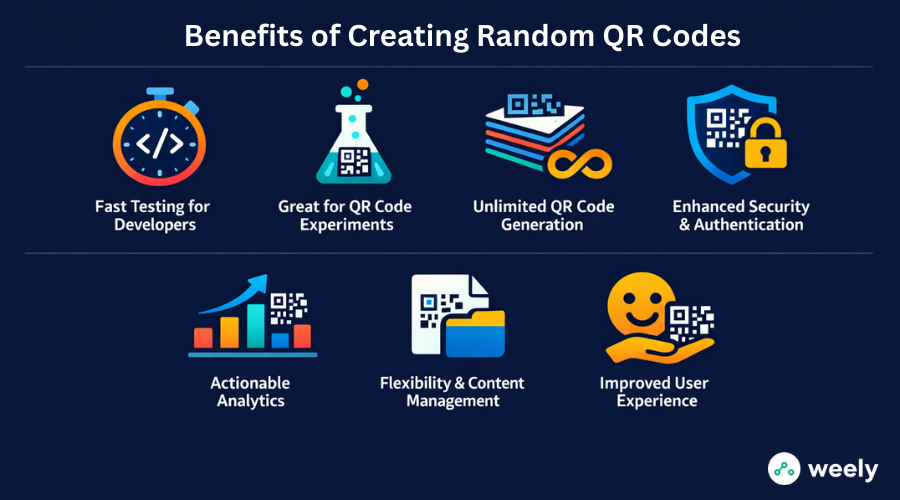
Fast Testing for Developers
A lot of the time, developers try QR scanners and mobile apps. With any QR code, they can check:
- Speed of the scan
- Accuracy of data decoding
- Compatibility with scanners
Because of this, random QR codes are excellent for testing. Besides that, they save time during creation.
Great for QR Code Experiments
Researchers and marketers use QR codes to test new ideas from time to time. They could test:
- Scan behavior
- User engagement
- QR code placements
You can quickly make a lot of different QR codes by using random QR code tools. As a result, interest goes up. Contests and engaging campaigns that utilize unique QR codes are particularly effective.
Unlimited QR Code Generation
Many online tools let you make as many unique QR codes as you want. This helps with big tests or automating things. Also, businesses can make their projects bigger without any limits.
Enhanced Security and Authentication
QR codes can have dynamic or encrypted data meaning they're more secure and trustworthy when using sensitive information (example: tickets to an event, accessing secure sites).
Actionable Analytics
You can track user behavior as well as QR code scans using Weely AI's QR code generator and short links, giving you good insights on how effective QR code marketing campaigns are as well as how well the placement and strategies of QR codes are.
Flexibility and Content Management
You can quickly change URLs or content with random QR codes. So, you don't have to make new QR codes every time you change ads.
Improved User Experience
By using random QR codes that are customized (example: creating attractive designs, utilizing logos, using different colors), you will improve the user's experience with scanning the QR code and have developed trust with that user.
How to Create Random QR Codes Instantly with Weely AI
The Weely AI platform makes it easy to make random QR codes online. To begin, do these easy things. First, make sure you can get to your dashboard. Also, getting your account ready will save you time later.
Step 1: Sign in to Your Weely AI Dashboard
To get started, go to Weely AI and log in to your dashboard. You need to make an account to use the QR code generator and link management tools.
You can also manage links, campaigns, and QR codes all in one place on the dashboard after you log in. It also gives you a clear picture of everything you do.
Step 2: Create a Short Link Campaign
Next, make a new short link campaign in the dashboard. Put the URL of the page you want your QR code to go to in the box.
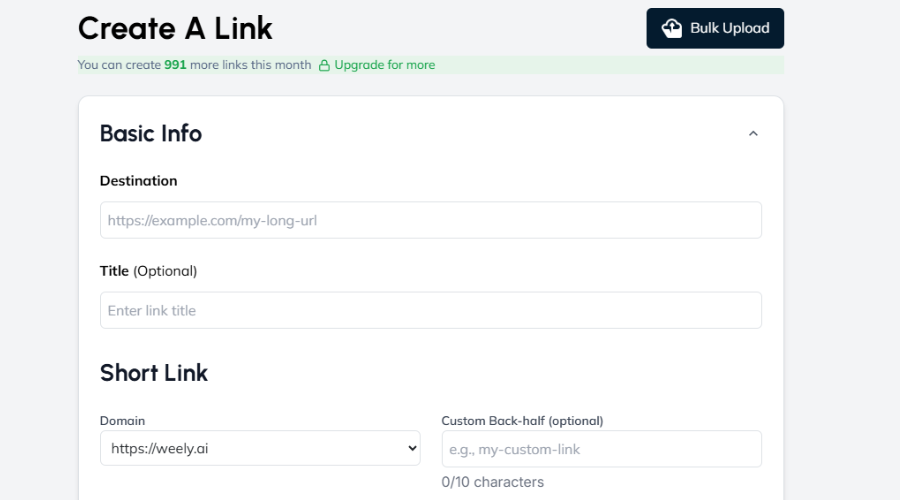
This way, you can make a QR code link generator that sends people to the page you want them to go to. Short links also help record how well a campaign is doing and make it easier to manage. Additionally, short links simplify the process of tracking campaigns.
Step 3: Use Weely AI’s Traffic Routing Feature
Weely AI features a traffic routing mechanism that facilitates management of redirected visitors when they scan the QR code.
You can do things like:
- Redirect users based on location
- Send users to different pages
- Manage traffic for marketing campaigns
Consequently, Weely AI can be utilized in more than just a QR code generator function. As a result, you receive additional flexibility to employ within your marketing strategic initiatives, as well as more user-friendly engagement.
Step 4: Generate a QR Code for the Short Link
Next, choose the Generate QR Code option after establishing your short link.
As soon as you select this option, your short link is converted quickly to a QR code; this also provides the ability to generate random QR codes without technical ability. Furthermore, this function does not require any technical setup to use.
Once QR code creation is complete, they can be scanned by any mobile device camera, and you are able to immediately start using your QR codes.

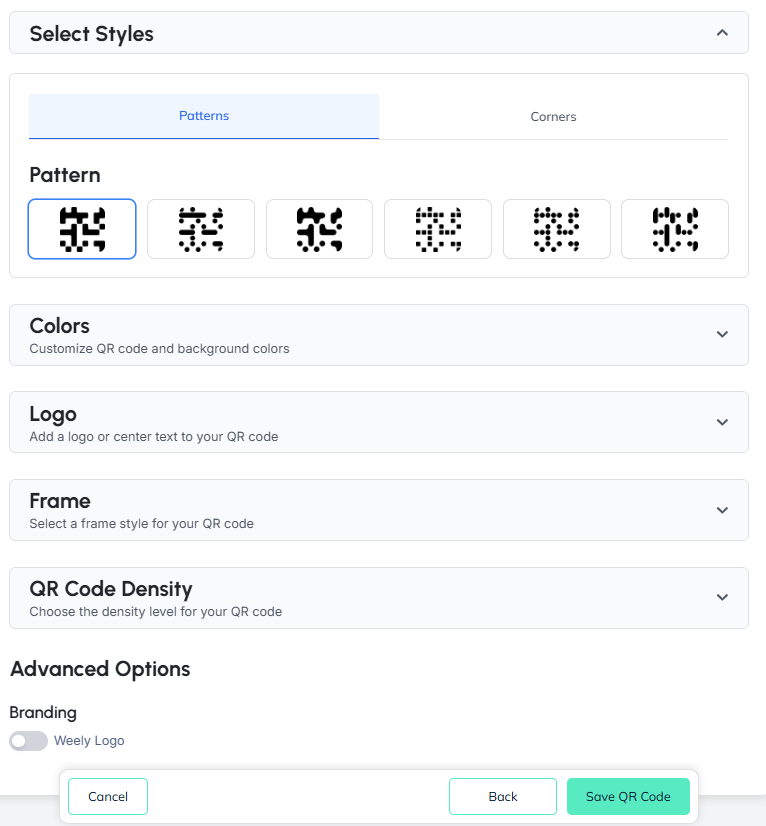
Step 5: Customize Your QR Code
Weely AI allows the user to modify their QR codes to coincide with their business identity. Modifications can include:
- Colors
- QR code style
- Shape patterns
- Logo placement
Additionally, utilizing custom codes achieves the formation of professional-looking and branded QR codes that have more visual appeal than standard types of QR codes. Customization will also facilitate aligning QR codes with company branding.
Step 6: Save and Download Your QR Code
Finally, save and download the QR code in a high-quality format when it's ready.
You can then use it for:
- Marketing campaigns
- Product packaging
- App testing
- Websites and landing pages
You have now successfully made random QR codes with Weely AI. In the end, this process saves time and makes it easier to make QR codes. Professionals can now use your QR codes.
Tips for Using Random QR Codes Effectively
If you know how to use them, random QR codes can be very helpful. First, do what these tips say. Your campaigns will do better this way.
1. Prioritize Strategic Placement and Context
To drive more scans, QR codes should be placed in a place where they can be seen by your audience. Furthermore, always consider timing and context along with the environment when establishing the site of the QR code. A well-thought-out strategic placement of your QR code increases the chances that a scan occurs as well as increases the chances that a user will engage with your QR code. Regarding testing and overall campaign success, random QR codes provide higher success rates.
2. Optimize the User Experience (Mobile-First)
Many people use their phones to scan QR codes. Check that the page you want to go to works on mobile devices. After that, it becomes easier to use. It's more likely that people will scan your QR codes.
3. Design for Scannability
It should be simple to read your QR codes design. Use a lot of contrast. Ditch the junk. Try out different QR code sizes. You can change your codes with tools like the Weely AI QR code generator. This makes them stand out more and makes them easy to scan.
4. Use Technical Best Practices
Follow the rules for QR codes. Use the right way to correct mistakes. Use short links that are safe and work. A reliable QR code generator also makes sure that all of your codes can be read on any device.
5. Security and Trust
Make sure that the URLs that your QR codes point to are safe and trusted. Dynamic or random QR codes can have encryption or authentication built in. This makes people trust you, and they feel safe scanning your codes.
Conclusion
Using random QR codes is a wonderful way to test, develop, and try out new ideas. Making codes by hand takes time. It is quick and easy with a random QR code generator.
You can create random QR codes instantly with Weely AI. You can change how they look. Then you can also get them for free and use them however you want. The platform has some helpful features. These are things like short links and traffic routing.
Weely AI is a straightforward option for anyone looking to quickly and easily generate random QR codes online. It works well for businesses, marketers, and developers.
Frequently Asked Questions
How do I create random QR codes online for free?
You can make QR codes right away with a free random QR code generator. First, type in a URL or some text. After that, change the plan to suit your wants. Last but not least, obtain the QR code for use in campaigns, experiments, or tests.
What are the best ways to generate random QR codes for testing?
An online tool that lets you create, customize, and download as many times as you want is the best option. This is a beneficial way for developers and marketers to test QR scanners and mobile apps.
Can I generate unlimited random QR codes online?
Yes. You can make as many random QR codes as you want online with many tools. You can make as many QR codes as you need with them. This approach is great for big projects, experiments, or testing software.
How can I customize random QR codes for branding purposes?
Most random QR code generators let you change the color, shape, and logo that go with the code. These personalized QR codes also make your brand more visible, get more people to interact with it, and help people remember it.
Are random QR codes safe and secure to use?
QR codes that have secure URLs can be used safely; they can also be a dynamic link or encrypted, thus providing the highest level of security and confidence in user data protection.
How do I generate random QR codes with actionable analytics?
QR codes can be produced with analytical tracking and analytics tools, such as providing scan reports, click-streams, and user behavior. This provides analytical data to the marketer for analysis and optimization decision-making.