Networking is changing in today's fast-paced digital world. It's not enough to just have regular business cards anymore. People now like to share information in quick, touch-free, and interactive ways. This is where QR business cards come in.
A QR code for business card lets you share your contact information instantly. Anyone can scan your QR code instead of typing in a phone number, email address, or website. They can save your information right away. This makes your card stand out. It also helps people remember you.
A scannable digital business card can help you network better, whether you work for yourself, run your own business, or work for a big company. First, we'll show you how to do everything. You will learn what QR codes are and how to make your first interactive card.
What is a QR Code Business Card?
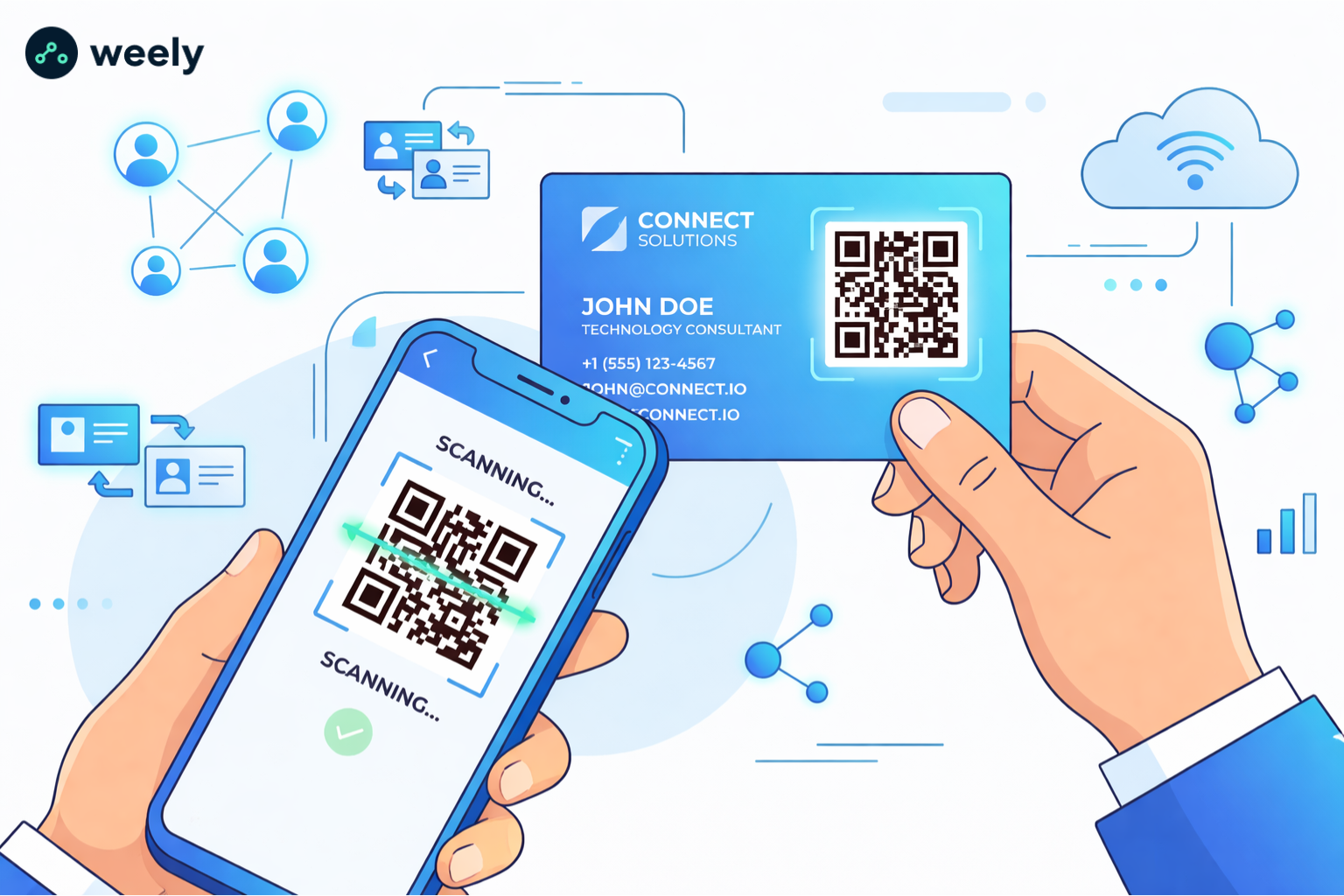
A QR code business card is a printed or digital card that includes a QR code. When someone scans it, they can easily get to your information. This saves time and cuts down on mistakes by eliminating the need to enter information by hand. QR business cards are great for professionals who go to networking events, conferences, or meetings where it's important to quickly exchange contact information.
QR codes can hold more than just basic contact information. They can also hold your email address, phone number, website, and social media profiles. Some advanced QR codes can even take you to portfolios, video presentations, or resources you can download. A QR code business card is more than just a card; it's an interactive tool that shows how professional and tech-savvy you are.
How a QR Code for Business Card Works
It's easy to do:
- You create a QR code using a QR code generator
- The code stores your business information
- Someone scans it using their phone
- Your details open instantly
Because of this, business cards with a QR code are much more interactive than traditional cards. They let you get to your information right away without having to type it out. This instant access also makes a strong impression, which makes it easier for people to remember you after an event.
Traditional vs QR Business Cards
Only printed text is on traditional cards. But QR business cards let people do the following:
- Save your contact instantly
- Visit your website
- View your portfolio
- Connect on social media
Because of this, a lot of professionals are now using QR code business solutions. QR cards are a great way to network offline and online at the same time. They combine the ease of digital sharing with the familiarity of a business card. You can also share information digitally without having to print out many copies, which is good for the environment.
Benefits of Using QR Code for Business
Adding a QR code for business can change how you talk to customers and clients. QR business cards make it easy, quick, and fun to share information today.
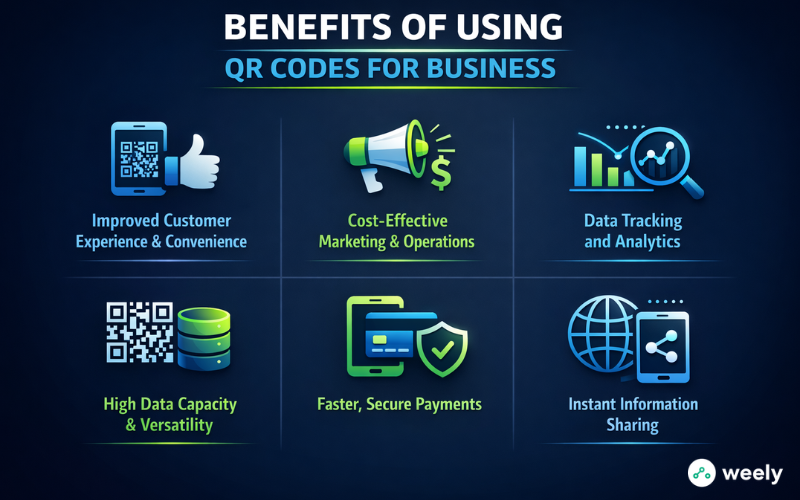
Improved Customer Experience & Convenience
With a scannable business card, people can use their phones to scan a QR code. They can instantly open websites, menus, or pay. This way of contacting people doesn't require typing in long URLs. It also makes it easy, quick, and safe to talk to people.
Cost-Effective Marketing & Operations
Making QR codes doesn't cost much. You can put them on posters, flyers, or business cards with a QR code. Because of this, they cut down on the cost of hardware. They also make it easier and faster to run marketing campaigns. Using a QR code for a business card is a budget-friendly solution.
Data Tracking and Analytics
Dynamic QR codes provide you information like how many times they were scanned, where they were scanned, and what kind of device they were scanned on. Businesses can see how people interact with this information. They can also make marketing work better. Not only do QR code business cards help you share contacts, but they also help you get information.
High Data Capacity & Versatility
A lot more data can be stored in QR codes than in barcodes. They can hold vCards, PDFs, or locations on Google Maps. Also, QR codes can help you keep track of your assets and inventory in a smart way.
Faster, Secure Payments
It's very easy and safe to do business with QR codes. So, they cut down on wait times. They also make it a breeze for customers to pay.
Instant Information Sharing
QR codes link things in the real world with those in the digital world. So, users can get information right away. This approach makes people more interested and involved.
Adding a QR code to a business card makes it easier to use, more engaging, and more efficient. In short, scan code business cards are a modern and professional way to network and market. Choosing between static vs dynamic QR codes depends on how often you plan to update your information.
Step-by-Step Process to Add a QR Code for Business Card
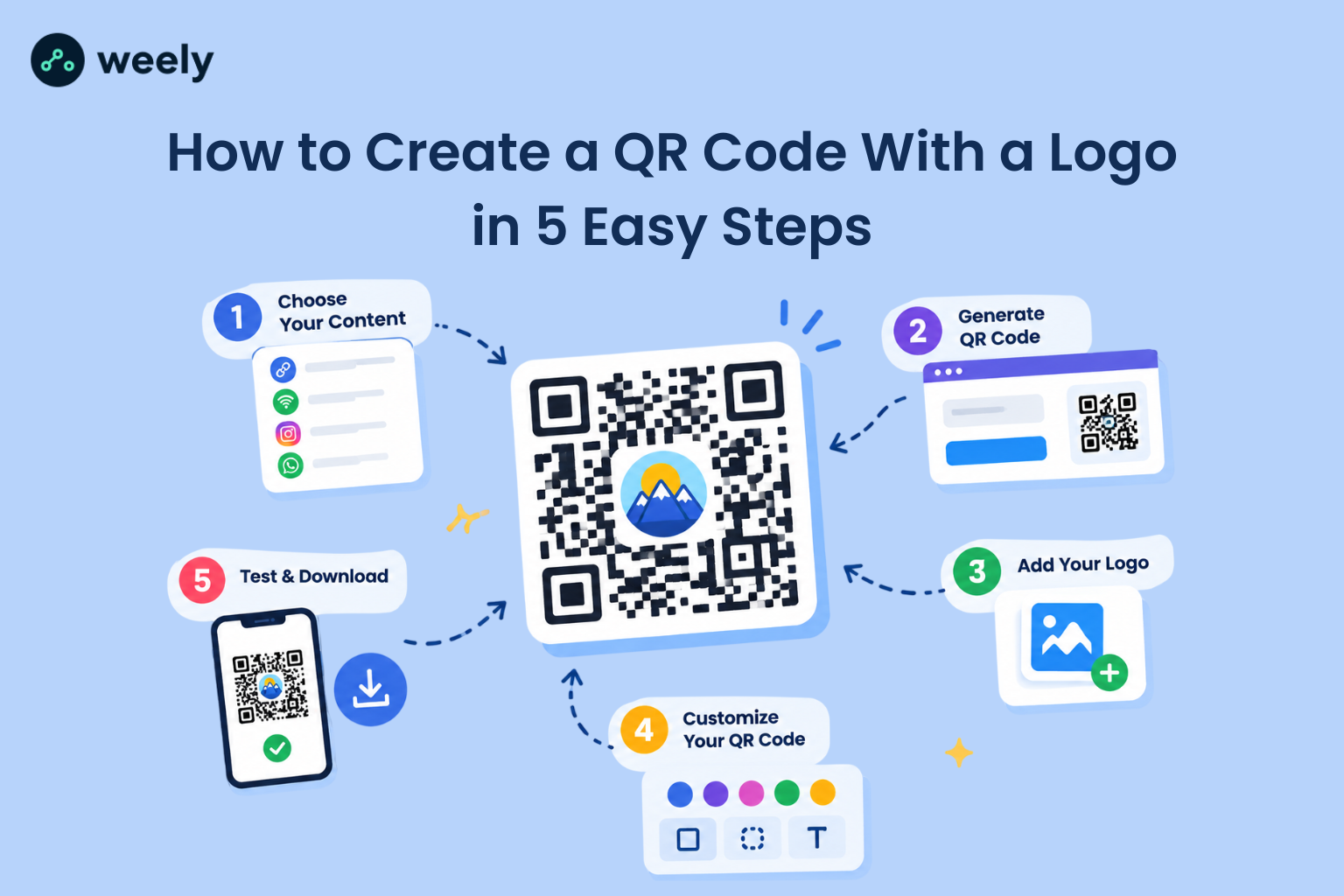
You can create a QR code without any coding knowledge. To make your first QR business card, first follow these simple steps. Next, you'll learn how to do each step. Then you can get your professional QR business card ready to share. It will be ready to be given out after that.
Step 1: Go to the Weely AI Homepage
Go to Weely AI, a QR code generator that lets you make a QR code for your business card right away. You don't have to sign up or log in. Just go to the homepage and click "Create Free QR Code" to start making your scannable business card right away.
Step 2: Add Your Information
Input the details you want to share:
- Full name and phone number
- Email address
- Website or portfolio link
- Social media profiles
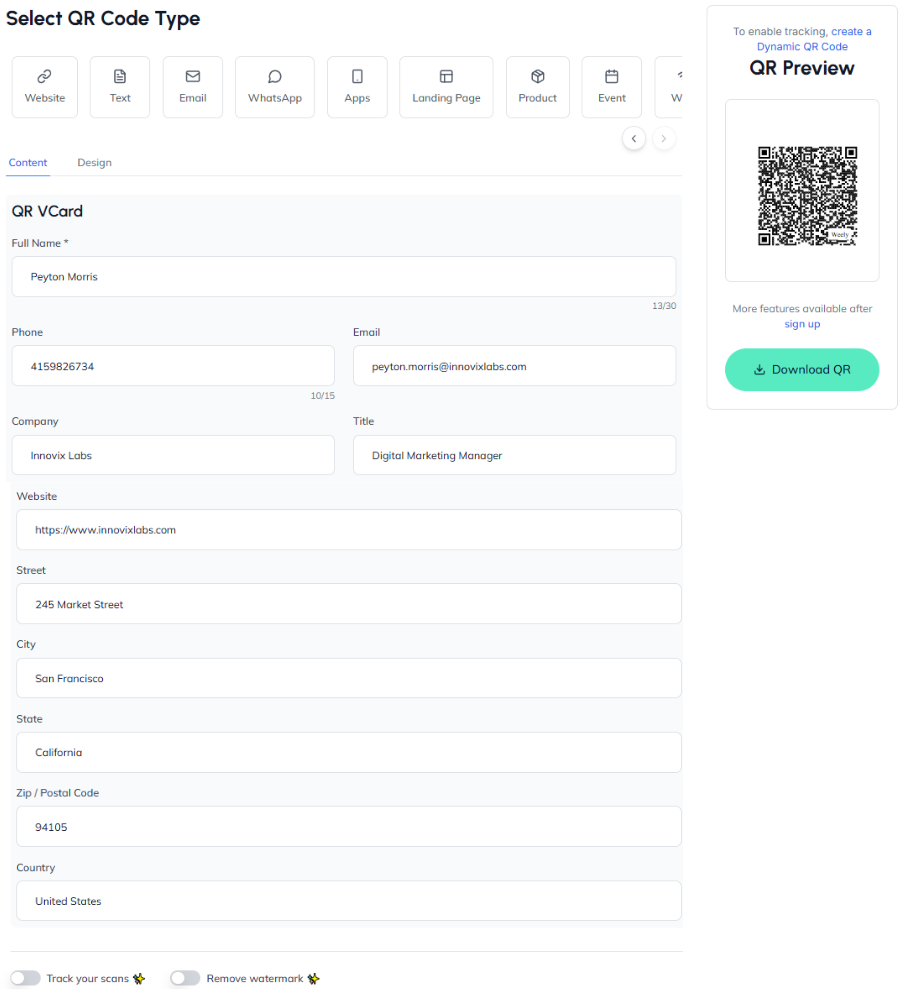
This makes sure that your QR code for business card has all the important information. It also gets your card ready to share right away. You can now change your QR code after this process is done. Now, check again to make sure that everything is right.
Step 3: Customize Your QR Code
You can change a lot of QR code tools. You can:
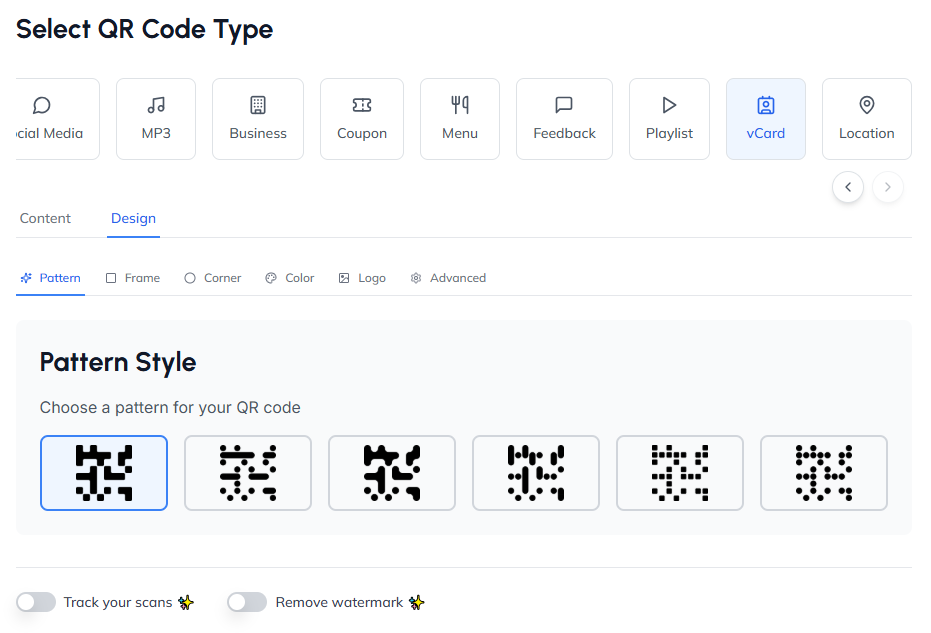
- Change colors and patterns
- Add your logo or branding
- Adjust the shape and style
You can change things about your QR business cards to make them look good and fit your brand. Customization also makes your card stand out. You should test the QR code after making changes to make sure it works. At this point, you should pay attention to how well the text looks and how easy it is to read.
Step 4: Test the QR Code
Use a QR code scanner to test your code before finishing it. You should also check it on more than one device. This way, you can be sure that your business card that can be scanned works perfectly. After that, you can download it. You can be sure it works right now.
Step 5: Download and Add to Your Card
Get the high-resolution version of the QR code. It should be on your business card. At last, you have smart business cards with a QR code that you can hand out. Finally, your card is functional and up-to-date. After this, you're ready to send it to clients or friends. In general, your card will make a positive impact. Place it on your business card following proper QR codes for print guidelines.
Tips for Effective QR Business Cards
Creating a QR code for business card is simple. However, for it to work, you need to pay attention to how it looks and how easy it is to use. If you follow these tips, your scannable business card will look professional. It will also work. Using the right QR code size ensures your code scans quickly on any device.
Keep the Design Simple
A neat layout makes it easy to see and scan your QR code business card. Furthermore, keeping things organized makes them work better. It also enhances the overall appeal of your business cards with a QR code. Good QR code design tips can make your card more attractive and easier to scan.
Use High-Quality QR Codes
If you scan a QR code that is blurry or has a low resolution, it might not work. So, if you use a clear QR code business card, anyone with a QR code scanner can get to your information right away. Furthermore, high-quality codes make your card look professional.
Proper Placement Matters
Put the QR code in a place where it is simple to scan, like the back of the card or a corner. This makes it simple to understand how to use your scan code business cards. Nothing will stop them from being ready to use.
Test Before Printing
Always try out your QR code on more than one device and app. This way, you can be sure that your scannable business cards work perfectly. It also stops contacts from getting lost.
If you follow these steps, your QR business cards will be more interesting, useful, and up-to-date. In short, they work well as a networking tool. They also make an impression that lasts.
Conclusion
A QR code for business card is no longer optional. This is actually a must-have for people who work in the modern world. It lets you share information quickly. They also make people more interested. It also gives off an image of being tech-savvy and polished.
A QR code generator lets you make your own QR business cards. It doesn't matter if you use a free tool or a paid platform; the process is easy. So, get going right away. Get business cards with a QR code to improve your networking. These cards are professional, interactive, and easy to remember.
FAQs
What is a QR code for business card?
A QR code for a business card is a code that can be scanned and that holds your contact information, website, or social media links. Your information shows up right away when someone scans it. Because of this, you can send contact information faster. It also looks more professional than regular cards.
How do I create a QR code for business card step by step?
You can use a QR code generator to make a QR code. First, put in your contact information. Then, change the colors or add a logo to the design. Then, use a QR code scanner to test it. Lastly, get the code. Then, put it on your business cards with a QR code so people can easily share it.
Can I make a free QR code business card?
Yes, you can make a QR code business card for free with many online tools. You can make the code and download it for free, for example. This way, you can use it for personal or professional networking on both digital and printed business cards.
What information should I include in a QR business card?
You should include your name, phone number, and email on a scanned business card. You could also include your website, portfolio, social media links, or even a Google Maps location. Adding more touchpoints to your QR business cards makes them more useful and fun to use.
How do scan code business cards work?
When someone points their smartphone camera or a QR code scanner at the code, scan code business cards work. The QR code then opens the saved information right away. So, users can quickly save your information without having to type it in by hand.
What are the benefits of QR code business cards?
QR business cards let you share information without touching anything and make networking easier. Also, they don't cost much. They let you track analytics. They also keep a lot of data, like PDFs and vCards. In general, they make your business card QR code modern, interesting, and useful.
Can QR codes on business cards be updated?
Yes, you can change the information on your QR code for business card without having to print it again. This makes sure that your contacts always have the most up-to-date information. You can also keep track of how many people are using your scan code business cards and make them work better.