QR codes for restaurants have evolved from a pandemic-era Band-Aid to a staple in how people dine out. Now, a simple square of black-and-white pixels separates a hungry customer from a full digital menu, an order form, a payment screen and a review page; all without a printed page or a server hovering at the table.
The figures bear this trend out. According to recent 2026 industry research, restaurants and hospitality businesses have the highest QR code adoption of any industry, with usage between 70% and 75% of establishments. In the US alone, it is estimated that more than 100 million smartphone users will scan a QR code in 2026 and scanning QR codes related to restaurants is one of the biggest single categories of QR activity in the world. The restaurant industry has also seen a rapid increase in adoption, with some reports that it has grown by more than 100% in the past two years alone, as owners discover that the technology saves them money and allows them to serve faster.
Restaurants originally adopted QR codes for one reason: contactless menus during COVID-19. And that reason has grown. Today restaurant QR codes are used for food ordering, table payments, loyalty programs, Wi-Fi access, promotions and Google review requests. A single scan can now take a guest through almost their entire visit.
This guide covers everything restaurant owners, managers, or marketers need to know in 2026: what QR codes for restaurants are, how they work, where to place them, how to design them well, which mistakes to avoid, and what the next few years look like for QR-driven dining.
What Are QR Codes for Restaurants?
A restaurant QR code is a square barcode that a smartphone camera can scan to bring up a digital destination like a menu, ordering page, payment screen, or review link. Instead of giving the guest a laminated menu, the restaurant prints or shows this code, and the guest’s phone handles the rest.
How Restaurant QR Codes Work
When someone points a phone camera at a restaurant QR code, the phone reads the pattern and turns it into a web link. Clicking that link will open a mobile-friendly page in your browser, with no app download needed for most modern setups. For a closer look at how restaurant QR codes work in practice, it helps to follow the guest through every step from scan to checkout. From there, the guest can browse the menu, place an order, or complete whatever action the restaurant has connected to that code.
What Customers See After Scanning
After scanning, a customer is typically taken directly to a mobile-optimized digital menu. Depending on how the restaurant is set up, this page may show pictures of the food, the prices, dietary tags, add-on options, and a button to add items to a cart. Some setups go even further, letting the guest pay the bill or split it with friends right from the same screen.
QR Codes vs Traditional Menus
A printed menu is fixed the minute it comes off the printer. If the price changes or a dish sells out, the restaurant is stuck until the next printing. The answer is a QR code menu for restaurants, pulling content from a live, editable source. Change a price once, and all tables immediately see the new version. That one difference is why restaurants wanting flexibility without the ongoing cost of printing have gravitated to QR code menus.
How Do QR Codes Work in Restaurants?
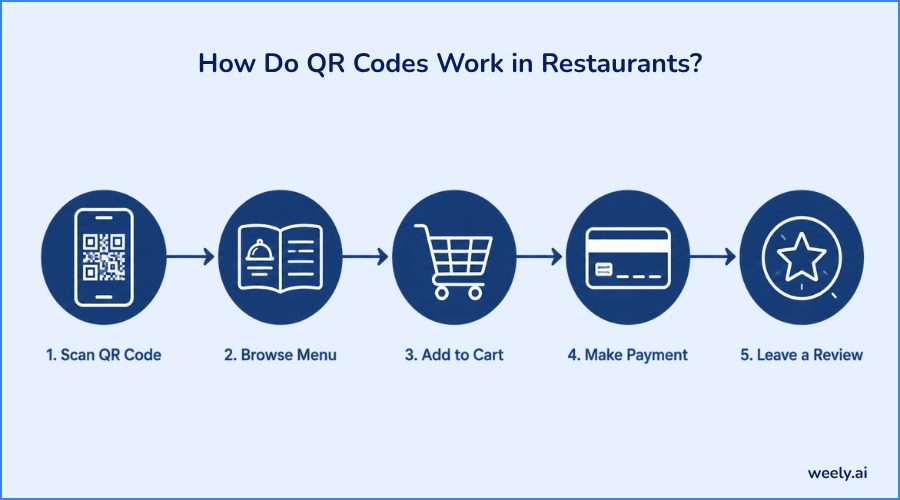
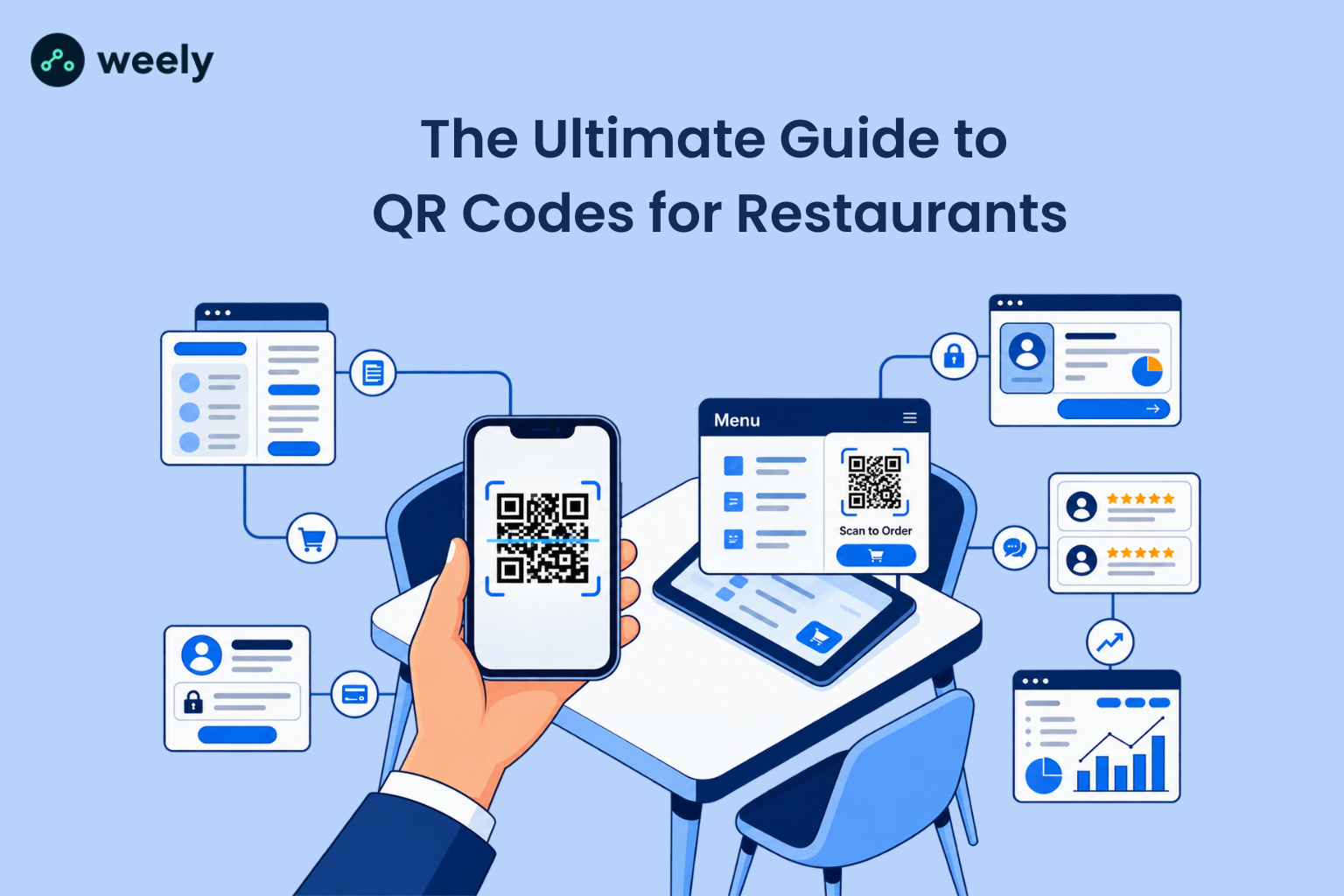
The customer journey with QR codes for restaurants is typically a simple path: scan, browse the digital menu, decide what to order, place the order, pay and leave feedback. This flow helps explain why restaurants are so quick to jump on the technology.
It begins with a scan with a smartphone. Almost all phones sold recently can scan a QR code right in their native camera app, so there’s no barrier for a guest. The scan takes them to a mobile-friendly destination, a page built specifically to load quickly and look good on a small screen. A slow or clunky landing page defeats the entire purpose of going digital.
Then the digital menu takes over. A good menu should load fast, have clear categories and feel natural to browse on a touchscreen. If ordering is enabled for the restaurant, the guest can add dishes to a cart directly from the menu screen and send the order to the kitchen without having to wave down a server. Some restaurants stop at ordering, and some take the same QR code system to payments, allowing diners to pay the bill, add a tip and split the costs among a group without ever touching a physical card or receipt.
The final step in the journey, and one many restaurants overlook, is customer feedback. A receipt or table tent QR code can whisk a happy guest right to a Google review form or quick feedback survey, turning a good meal into public praise or valuable internal data.
10 Ways Restaurants Can Use QR Codes
QR codes for restaurants are no longer limited to showing a menu. Once a restaurant has the infrastructure in place, the same technology can support nearly every aspect of the guest experience.
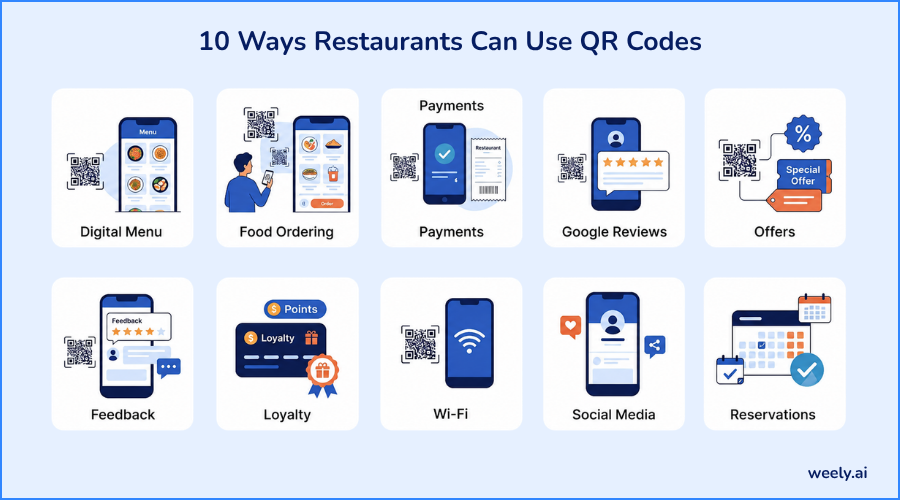
1. Digital Restaurant Menus
This is one of the most widely adopted ways restaurants use QR codes. QR codes replace the printed booklet with a live, editable page that updates instantly with photos, descriptions, allergen info and more without cluttering a physical page. Restaurants wanting to test this option can find real-world instances of QR codes on menus before choosing a layout.
2. QR Code Food Ordering
QR code ordering in restaurants allows guests to browse, customize, and submit their orders from their phones. This reduces the time a server has to wait to take the order and reduces mistakes made from handwritten notes or hurried verbal orders.
3. Contactless Payments
The QR code for restaurant payments allows diners to pay their bill at the table, split the bill with friends, and add a tip without having to wait for a card machine to be brought to them. This greatly reduces table turnover time during busy periods. Restaurants can investigate QR code tools for restaurants, which combine menus, ordering and payments into one.
4. Google Reviews
A QR code for restaurant reviews printed on a receipt or table tent brings a happy customer directly to the restaurant's Google review page. The more reviews get written, the fewer steps there are between a wonderful meal and a review. This guide to QR codes for Google reviews will tell you how to properly set up that link.
5. Restaurant Promotions & Offers
A code could lead to a landing page advertising a limited-time discount, a seasonal dish or a loyalty bonus. The destination is editable, so the same printed code can promote a different offer each week without having to reprint anything.
6. Customer Feedback
Along with a public review, restaurants can link a private feedback form via QR code to capture complaints before they become a bad review and give management a chance to respond directly.
7. Loyalty Programs
Guests can scan a code to join a loyalty scheme, check their points balance, or redeem a reward; no physical punch card to lose or forget.
8. Wi-Fi Access
A guest Wi-Fi QR code lets customers connect to the restaurant’s internet without typing in a long password, a small convenience that makes a big difference to people working or browsing while waiting for food. Owners can create a Wi-Fi QR code alongside their menu and ordering codes on the same platform.
9. Social Media
A code near the entrance or on a table tent can link straight to the restaurant’s Instagram or Facebook page, allowing guests to easily follow, and share their experience.
10. Reservations & Events
If your restaurant hosts private events or takes table reservations, a QR code can take guests straight to a reservation form, or an event registration page, eliminating the need for phone calls, and manual data entry. Larger venues holding ticketed nights, or private parties can use QR codes for event management to check in and register.
Benefits of QR Codes for Restaurants
The benefits of QR codes for restaurants are far more than just convenience. Owners who switch typically experience changes in cost, speed and customer satisfaction.
Going digital with a restaurant's menu almost eliminates printing costs. No more paying for reprints each time the price of something changes or a seasonal dish arrives. Comparing QR code pricing plans against ongoing print costs usually makes the savings clear within the first few months. Related to the QR code pricing plans is the ability to update menus instantly. A price change, a sold-out item, or a new dessert can go live across every table the moment it's edited, with zero delay and zero waste from outdated printed copies.
Customer experience tends to improve too. Guests can take their time browsing, see photos of the food before they order and find out about ingredients or allergens, all without having to flag down a server. That same convenience also speeds up ordering, as guests can order as soon as they’ve decided rather than waiting for a staff member to become available, which matters most during busy times when every server is stretched thin.
Special offers are also easier to promote with QR codes. A restaurant can showcase a limited-time offer or happy-hour menu directly on the digital ordering screen where the guest is already making choices. This visibility naturally increases opportunities for upselling, since suggested add-ons, combo deals, or premium substitutions can be shown at exactly the right moment in the ordering flow.
It also simplifies the collection of feedback. A QR code that links to a short survey or review page after the meal will get more honest, immediate feedback than a comment card left at the counter. Restaurants that use a proper digital platform can track all of this activity. Owners can track consumer engagement, what items are being viewed, which promotions are being clicked on and how often guests return in ways a paper menu could never do.
QR Code Menu vs Traditional Restaurant Menu
The advantage of a QR code menu over a traditional printed menu is flexibility. A printed menu locks prices, photos, and item descriptions until the next reprint, which can take days and cost real money each time something changes. A menu QR code updates in real time, with no ongoing printing cost, and can contain as many photos of food as the restaurant wants without adding a single page.
Another big difference is language support. Paper menus are usually limited to one or two languages, after which they become cluttered and hard to read. With a QR code menu, guests can simply switch between multiple languages on the same page, which is especially important for restaurants in touristy areas or diverse cities. Running promotions is also far easier through a menu QR code, since you don't need a printed insert or a new booklet every time a discount changes.
The biggest practical difference is perhaps analytics. A traditional menu tells an owner nothing about what guests really look at or how long they consider each dish. A QR code menu on the right platform can show which dishes get the most views, where guests pause, and which promotions actually convert to orders. A menu QR code also makes ordering easier, since it can be built directly into the browsing experience rather than requiring a completely separate process involving a server and a notepad.
Static vs Dynamic QR Codes for Restaurants
Whenever it comes to setting up its digital menu system, one of the most important technical decisions a restaurant will have to make is whether to use a static or dynamic QR code.
What Is a Static QR Code?
A static QR code has its destination link permanently encoded in the image itself. That code can’t be redirected to another page once it’s printed. If the menu link changes, the whole QR code has to be regenerated and printed again from scratch.
What Is a Dynamic QR Code?
A dynamic QR code operates differently. The QR platform controls the printed code, which points to a short redirect link. That redirect can be changed at any time to point to a new location. The physical code on the table never has to change, although the destination behind it might.
Static vs Dynamic QR Codes: What's the Difference?
The big difference is the flexibility after printing. A static code is locked in forever; a dynamic QR code can be redirected to as many restaurant locations as needed, no need to reprint. Dynamic codes also generally provide scan tracking and analytics, as the platform sits in between the scan and the eventual destination, so it can track every interaction.
Which QR Code Is Better for Restaurants?
A dynamic code is a better choice for nearly every restaurant use case. Menus change, promotions rotate, and links get updated far more than owners anticipate. It’s dynamic, so everything behind it changes, but the printed table tent or sticker never needs to be replaced. Static codes still have their place for truly permanent content, like a one-time event flier, but for anything tied to a restaurant QR code menu, dynamic is almost always worth the small added cost. Restaurants considering their options can explore QR code solutions for restaurants that utilize dynamic redirects.
How to Create a QR Code for a Restaurant Menu
Making a working QR code for a restaurant menu is more than just making an image. This is the way from beginning to end.
The first step is to create the digital menu itself. That means clear categorizing of dishes, writing short descriptions, and adding correct prices and photos as far as possible. A cluttered or disorganized digital menu will frustrate guests no matter how appealing the QR code looks.
Then comes the choice of a QR code platform. Restaurant owners should look for a platform that is built specifically for QR code menu software for restaurants, as general-purpose QR generators usually don’t have menu templates, ordering integration, or analytics. A restaurant QR code generator designed for hospitality will most often combine design templates, editable menu builders, and tracking dashboards all in one place.
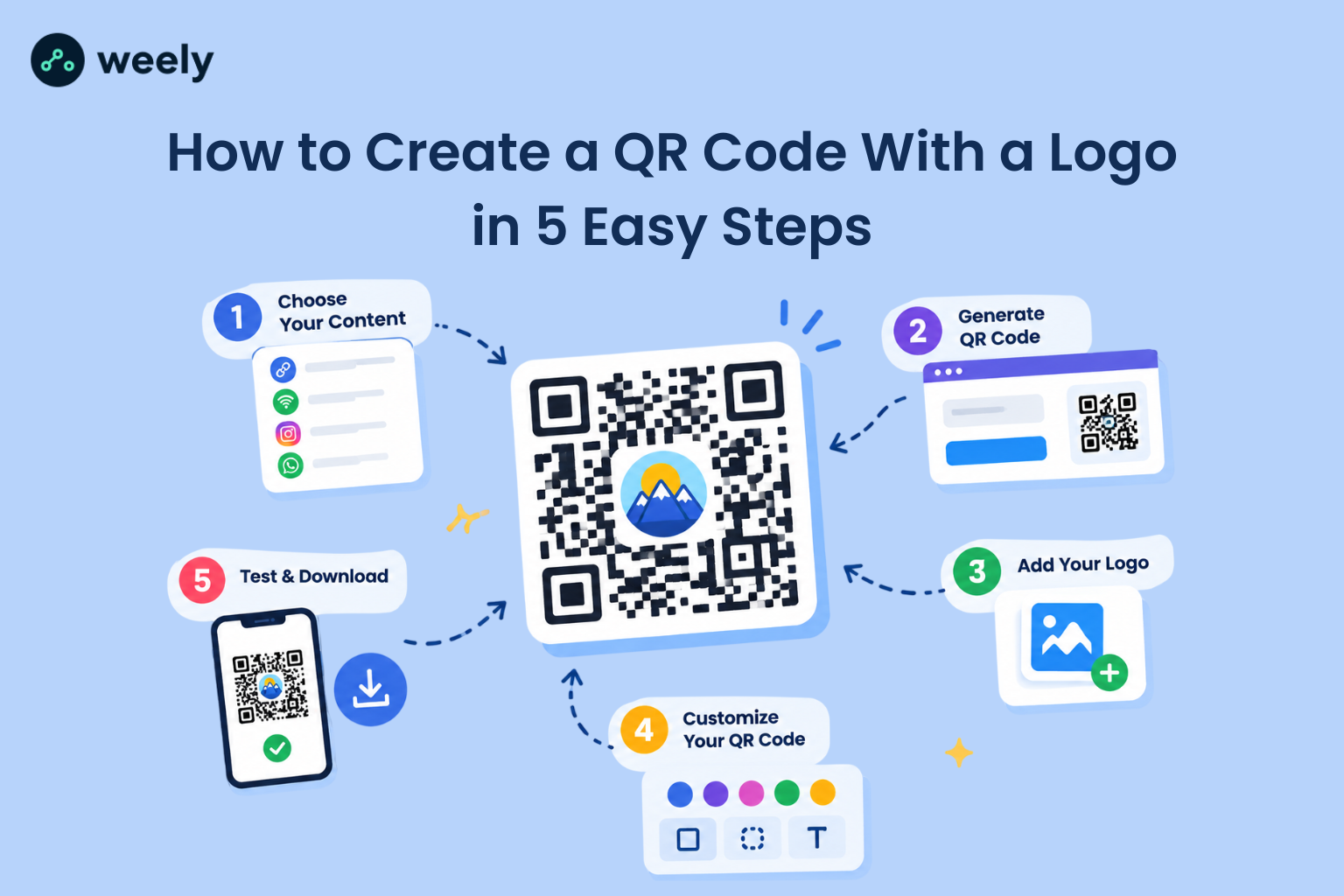
Once the platform is selected, the next step is to create the QR code for menu access itself, which will link to the finished digital menu page. Once the menu QR code is generated, most platforms will allow you to customize how it looks; you can change the colors, add a logo, or round the corners so your QR code menu fits the restaurant branding and doesn't look like a generic black and white square.
The QR code menu should be placed next to a clear call-to-action. Simple text such as "Scan to see our menu" or "Scan to order" removes any ambiguity about what the code actually does. Before printing, the menu QR code must be tested on several phones and networks to optimize loading speed and ensure the QR code for menu page displays properly on various screen sizes.
Once you've tested that it all works, you're ready to print out the QR code for menu access and place it on tables, counters, or wherever your guests will naturally come across it. The final step, and one often overlooked, is watching scans and engagement over time on your QR code menu. Looking at this data regularly shows what placements are getting the most scans and what menu items are getting the most attention on the menu QR code, giving the restaurant real data to act on.
Where Should Restaurants Place QR Codes?
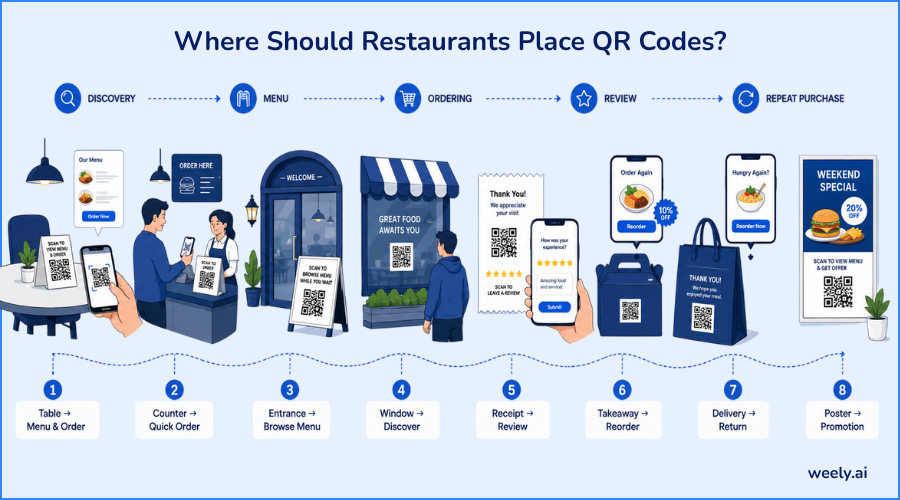
The actual use of a QR code depends a lot on where it is placed. The most obvious place is restaurant tables and table tents. Guests are already seated and looking for something to do while they decide what to order. Countertops in the vicinity of the register are a good fit for quick-service restaurants where guests order before they sit.
Putting a code on the front end can set expectations before a guest is even seated, so they can browse the menu while waiting for their table. Window codes can attract the attention of passersby contemplating whether to enter. Receipts are a particularly good place for a different kind of code, one that goes to a review page, not the menu. This is effective because the guest has just finished their meal and formed an opinion.
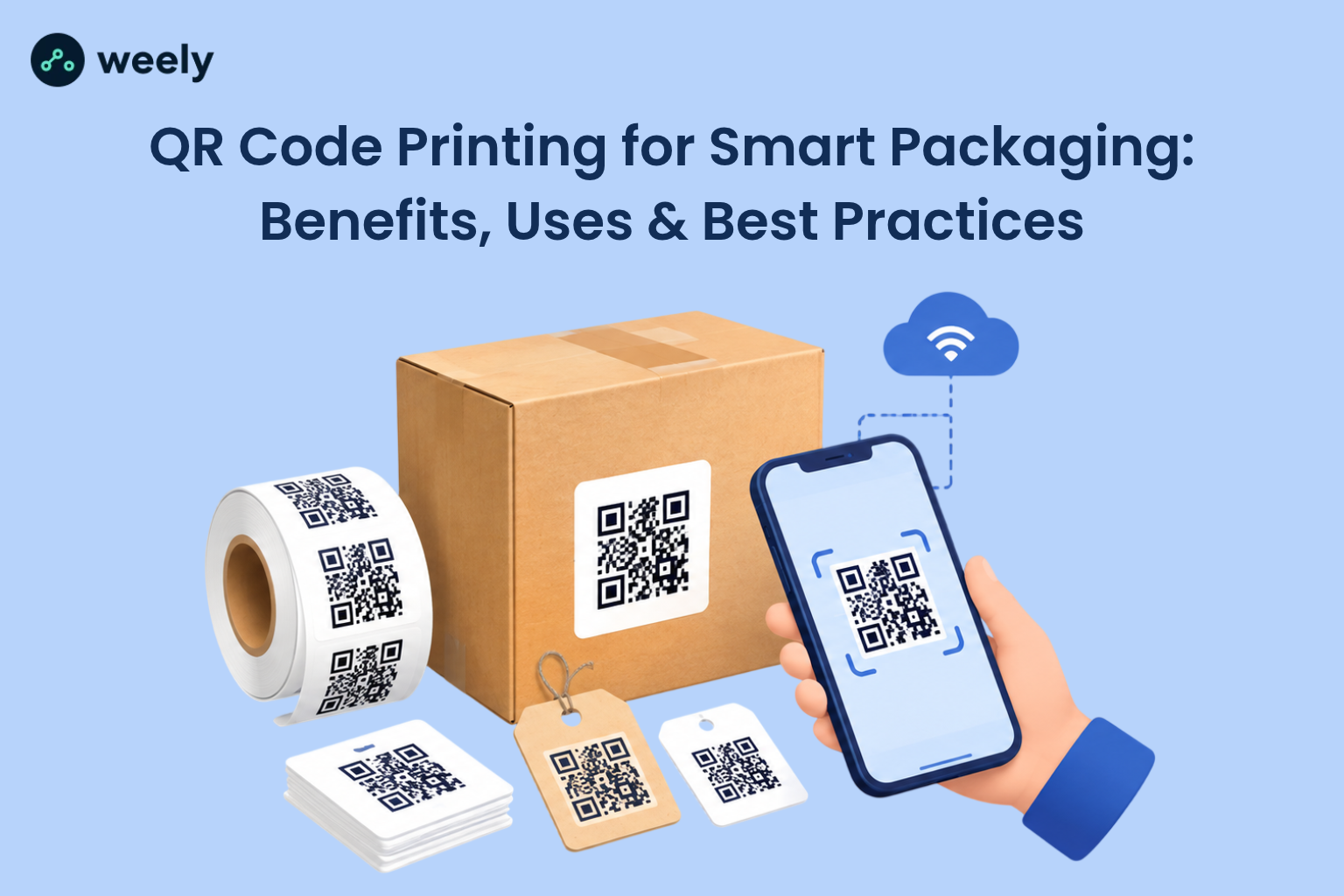
Takeaway packaging and food delivery packaging are a chance to win back a one-time customer. A code on a takeaway box or delivery bag could lead to a reorder page or a discount on the next visit, turning a single transaction into a repeat customer. The QR codes on food packaging can be as simple as a sticker or printed directly on the box. Other touchpoints to use include bills and promotional materials such as fliers or posters.
A few practical pairings tend to be most effective. A table QR code should link to both the menu and the ordering system, because that’s what a seated guest actually needs. A Google review request is the best experience for a receipt QR code when the experience is still fresh. A takeaway QR code is a good way to go if it takes the customer to a reorder link with a small returning-customer offer. Printed materials, such as fliers, can use QR codes on stickers and labels for a quick, low-cost setup.
Restaurant QR Code Design Best Practices
Good design decisions are the difference between a QR code that gets scanned over and over again and one that guests ignore or struggle to engage with.
Size is more important than most owners realize. If the code is too small, guests have to get their phones uncomfortably close, and many will just give up. If the QR code is big enough to be scanned at a normal arm's length, then that friction is gone entirely. Equally important is the good contrast of the code with the background; black code on a white or very light background scans reliably. Low-contrast color combinations can cause the camera problems.
The code requires enough white space around it, sometimes referred to as a "quiet zone," so the scanning camera has a defined border to recognize. Cramming a code right next to text or images increases scan failures. Each code should have a clear call-to-action telling the guest what to expect when they scan it, whether that’s to view the menu, place an order or leave a review.
Restaurants should never distort a QR code to fit a design layout. Stretching, skewing, or adding heavy graphics on top of the code can break its readability entirely. The landing page the code leads to needs to be genuinely mobile-friendly, since the vast majority of scans happen on a phone screen, not a desktop browser.
Testing before printing is necessary. A code that looks OK on the screen may not scan when it is printed at a different size or on different paper. Equally important is to keep the destination link current; a code pointing to an old menu or a broken link quickly erodes trust. Finally, restaurants should have an alternative for customers who can’t or won’t scan, such as a small number of printed menus on hand for guests who are less comfortable with the technology.
Common QR Code Mistakes Restaurants Should Avoid
Even with the technology available, a few common mistakes can ruin the whole experience.
Using a Poorly Designed Menu
A cluttered digital menu, a hard-to-navigate digital menu, or a digital menu missing key information is just as frustrating to guests as a poorly printed one.
Linking to a Slow Website
If it takes a few seconds for the landing page to load before they even see the menu, guests will leave. There is no choice of speed here.
Making the QR Code Too Small
If a code is difficult to scan, it defeats the whole purpose and sends guests back to asking a server for help.
Not Testing the QR Code
A broken code costs money and customer goodwill, so one of the most avoidable mistakes a restaurant can make is to skip a real-world test before printing.
Using Outdated Menu Information
Few things destroy trust faster than a digital menu that displays a dish that is no longer available or a price that was changed weeks ago.
Requiring Customers to Download an App
Asking guests to download an app to view a menu creates unnecessary friction and often leads them to just give up and ask a server instead.
Not Adding a Call-to-Action
A code without an explanation leaves guests wondering what scanning it will actually do, which greatly reduces scan rates.
Using QR Codes Without Tracking
Having a static code that has no analytics means the restaurant has no idea if the investment is truly paying off or which placements are worth keeping.
How QR Codes Can Improve the Restaurant Customer Experience
The entire guest journey with QR codes for restaurants can be divided into discovery, scanning, browsing, ordering, paying, reviewing and finally returning. Every step is an opportunity to remove friction that is often built into a traditional dine-in experience by default.
Discovery is when a guest sees the code, whether on a table, window, or delivery box. Scanning has to be instantaneous; no app download is required. A digital menu that is organized and filled with photos makes it more fun for guests to browse, and they can take their time and not feel rushed by a server hovering over them. Ordering gets quicker as the guest makes their choices themselves, instead of waiting for staff availability, and paying follows the same logic, enabling a table to settle its bill and leave when it is ready, instead of waiting for a bill to be brought and processed.
The review stage captures the guest's opinion right after the meal, leading to more reviews than waiting for them to think about it later at home. And the often-overlooked return stage is where loyalty programs and reorder links tied to QR codes for restaurants encourage a guest to return for a second, third, or tenth visit. Taking the friction out of each one of these stages adds up to a much smoother overall experience.
Can QR Codes Increase Restaurant Sales?
QR codes for restaurants create real opportunities to support sales growth, though results will vary by restaurant and how well the system is used. One of the most obvious opportunities is digital upselling, as a well-designed QR code menu can recommend add-ons, larger portions, or premium substitutions at precisely the moment a guest is deciding what to order.
A menu QR code can advertise specials and combo suggestions without a server having to remember to inform guests about them. Because the QR code menu can be updated instantly, restaurants can try out different specials and see which ones actually sell, something that wasn't possible with a static printed menu. This same flexibility makes reordering easier, especially when a QR code on delivery or takeaway packaging takes guests right back to a reorder page linked to the same menu QR code.
QR code promotions for restaurants tend to perform better because they're delivered to guests directly through the QR code menu while they're already looking at what to order, rather than as a separate marketing message sent later on. Loyalty programs built into the same menu QR code system give guests a reason to come back and can be tracked far more accurately than a paper punch card ever could. None of these strategies guarantees a specific revenue increase, since results depend heavily on execution, but the opportunities for both efficiency and additional sales delivered through a well-designed QR code menu are real and well documented across the industry.
QR Codes for Different Types of Restaurants
Not every restaurant is using QR codes the same way. The best setup often depends on the type of restaurant.
QR Codes for Cafés
QR codes for loyalty programs and quick-scan menus at the counter are appreciated by daily cafe regulars who want to earn points and rewards they can track digitally.
QR Codes for Fine Dining Restaurants
Fine dining restaurants tend to use QR codes more subtly, with a beautifully designed digital menu in addition to a traditional printed menu, giving guests the option but still gaining the benefits of instant updates and wine pairing details that would take up space on a physical menu.
QR Codes for Fast-Food Restaurants
QR code ordering and payments are huge for fast-food restaurants, because speed is the name of the game. A digital order makes it to the kitchen faster than a verbal order at the counter.
QR Codes for Bars
QR code ordering and payment is a giant boon for bars. It lets guests reorder drinks without having to flag down a bartender on a busy night and split a tab easily among a group.
QR Codes for Food Trucks
Food trucks aren’t constrained by space and are always on the move, so they use QR codes to show a full menu that would never fit on a small board and can update prices instantly when ingredient costs change.
QR Codes for Hotels & Resorts
Hotels and resorts use QR codes for hotels and resorts to cover the on-site restaurant, room service ordering, spa bookings, and event information, all accessible from a single code placed in guest rooms.
QR Codes for Cloud Kitchens
Cloud kitchens, which generally don’t have a physical dining space, are using QR codes on their packaging to connect directly with customers who would otherwise only know them through a delivery app, encouraging repeat orders and reviews.
The Future of QR Codes for Restaurants in 2026 and Beyond
The direction for QR codes for restaurants in 2026 points toward a more connected, digital-first dining experience overall. Personalized menus are becoming more common, where a returning guest's QR scan can surface their past favorites or dietary preferences automatically rather than showing a generic menu to everyone.
AI-powered recommendations will be built into the ordering screens guests see after scanning, increasingly offering suggestions on dishes based on weather, time of day or past orders in a way a static menu cannot. Data and analytics keep getting deeper, giving owners a clearer picture than ever of guest behavior, from which dishes get the most views to which promotions actually drive orders.
Loyalty integration is also getting tighter, with QR codes for restaurants increasingly linking straight into points systems so a guest earns rewards automatically with every scan-based order instead of needing a separate app or card. The same is true with personalized offers, which are targeted to individual guests with relevant discounts, instead of sending the same promotion to all guests. Ordering automation is also growing, and some restaurants are sending QR orders straight to the kitchen display systems with no manual entry at all.
The common thread tying it all together is the omnichannel restaurant experience, where a QR code scanned at an in-person table links seamlessly with that restaurant’s app, loyalty program and delivery service. As we move closer to 2026, restaurants that view QR codes as a connected system rather than a one-and-done menu replacement are poised to reap the most value from the tech.
Conclusion
QR codes for restaurants have gone from a temporary contactless fix to a core part of how modern restaurants work. A single scan now takes a guest through most of their visit, from digital menus and ordering to payments, loyalty programs and reviews. Choosing the right QR code solution and following a few practical implementation tips can help restaurants turn a simple scan into a useful part of the dining experience. From digital menus and ordering to reviews and promotions, QR codes can support restaurants well beyond 2026. If you're ready to get started, create your first restaurant QR code and connect it to your menu, ordering page, or review link in just a few simple steps.
Frequently Asked Questions
What is a QR code for a restaurant?
A restaurant QR code is a scannable code that connects a smartphone to a digital destination, most commonly a menu, ordering page, payment screen or review link, eliminating the need for printed materials.
How do restaurant QR codes work?
The guest aims the camera of their phone at the code and a web page associated with the code will appear on their phone. They can view the menu, order, pay, or do anything else the restaurant has linked to it.
How do I create a QR code for my restaurant menu?
Create a digital menu. Pick a QR code platform that’s restaurant-friendly. Generate a QR code and link it to the menu. Customize the design, include a call-to-action and test it thoroughly. Print it out and hang it up where guests can see it.
Are restaurant QR codes free?
Basic static QR codes are often free to generate, but if you want dynamic codes, analytics, menu builders and ordering integration, you’ll typically need a paid platform built for restaurant use.
What is the best QR code for restaurants?
The best QR code for restaurants is a dynamic one linked to a platform that enables menu editing, order integration and scan analytics, as it can be updated instantly without having to reprint the physical code.
Can customers order food using a QR code?
Yes. With restaurant QR code ordering, guests can see a digital menu, add items to a cart and submit their order from their phone without waiting for a server.
Can I change my menu without changing the QR code?
Yes, if the code is a dynamic QR code. This way, the destination content can be changed at any time and the printed code is exactly the same.
Are dynamic QR codes better for restaurants?
Yes, for most restaurants. Menus, prices and promotions change often enough that a dynamic QR code, which can be redirected without reprinting, saves considerable time and money over a static QR code.
Where should I place my restaurant QR code?
Good locations include tables, table tents, counters, entrances, windows, receipts, bills and takeaway or delivery packaging. The destination should be matched to the location, e.g., a menu on the table and a link to leave a review on the receipt.
Can QR codes help restaurants get more reviews?
Yes. The idea is to put a QR code on a receipt or table tent for restaurant reviews. That way, the guest writes a review when the experience is fresh, which usually results in more reviews than waiting for someone to do it on their own later.