QR codes have proved to be a strong bridge from offline to online marketing. Businesses use them on product packaging, restaurant menus, event promotions and digital payments. Customers can get to digital experiences in seconds. But then, creating a QR code is only the start. The business needs QR Code Analytics to measure the success of the campaign.
QR Code Analytics allows businesses to track user interactions and measure engagement. It also helps you to optimise marketing performance. Companies that measure the right things can learn a lot about how customers behave. This allows them to boost conversion rates and optimise campaign ROI.
In this blog, you’ll explore the most important QR code analytics metrics. You'll also discover how QR code tracking with Google Analytics works. You will also explore how to select the best QR code generator with analytics for your business.
What Is QR Code Analytics?
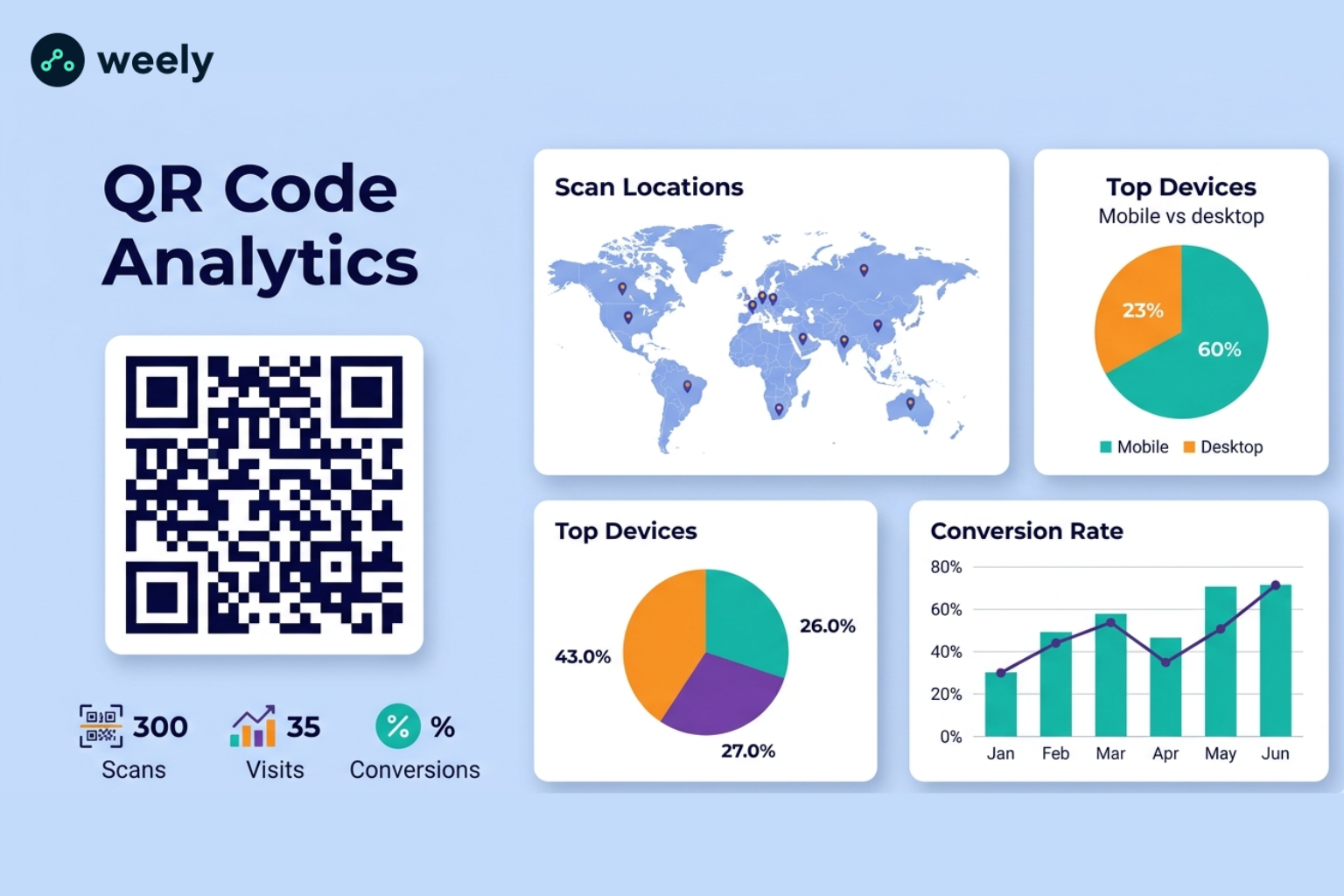
QR Code Analytics is the process of gathering and analysing data from QR code scans. Helps companies to understand how users behave. It also shows how people are interacting with QR code marketing campaigns. It also shows when and where scans take place.
QR codes offer measurable data that traditional print marketing can’t. That way, companies can track results easily. With the right QR code tracking, businesses can see scan activity. They can also view user locations and device information and conversion data.

How QR Code Analytics Works
This involves tracking the scans of a dynamic QR code. Then the user goes to the destination page. As a result, companies can gather essential data such as:
- Total scans
- Unique scans
- Device types
- Geographic locations
- Time and date of scans
- Conversion activities
A QR code generator with analytics also makes it easy to collect data. You see all the information in one dashboard. That means businesses can see results quickly.
Why QR Code Tracking Matters
If you don’t track, businesses have no way to measure the success of campaigns. But QR code analytics transforms scan data into actionable insights, showing how QR codes drive conversions. This enables marketers to make better decisions. They also can help future campaigns. These insights help marketers:
- Measure campaign performance
- Understand the customer engagement
- Improve user experiences
- Conversion rates for lifts
- Optimise marketing budgets
Why Businesses Should Track QR Code Performance
Data is the backbone of marketing today. Therefore, businesses need to track the performance of the QR code. It helps them to see what works. They also highlights where we need to improve. It helps small businesses and global companies too.
Measure Marketing Campaign Effectiveness
Businesses use QR codes in various locations. For example, they use it for brochures, flyers, product packaging, billboards, and events. Marketers can use scan data to measure the effectiveness of campaigns. Therefore, they are able to determine the most engaging channels. They can also identify areas for improvement.
Understand Customer Behavior
Insights from QR code scans can provide valuable information about your customers' activities. For instance, it shows where people are scanning QR codes. It also indicates the times when customers scan the QR codes. It also shows what devices they are on. Such data can make campaigns better for business.
Improve Conversion Rates
After scans, it is important to track conversions. It enables companies to track the outcomes. For example, it shows whether QR codes lead to purchases, registrations or submitted leads. It also identifies areas for improvement. This information enables companies to boost their conversion rates.
Calculate Campaign ROI
QR code marketing analytics allows businesses to measure return on investment. Businesses can calculate costs vs. conversions for the campaigns. They can also compare costs to revenue generated. That way they can calculate campaign ROI.
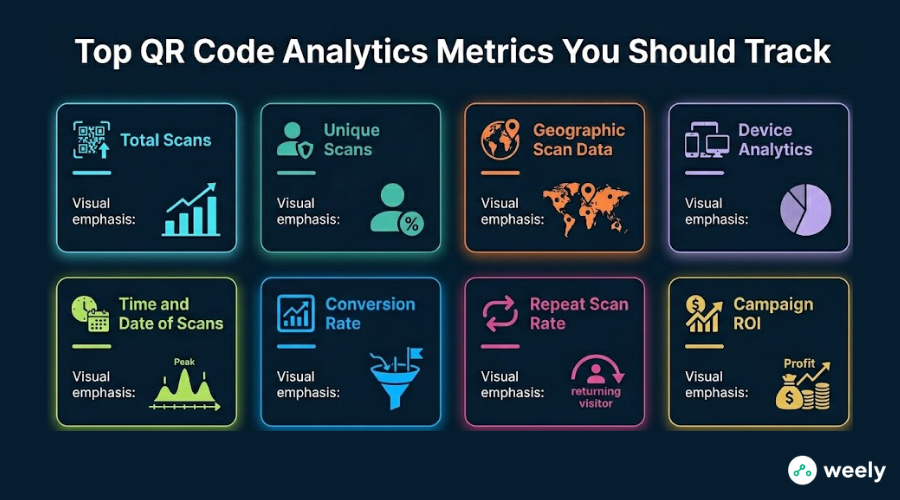
Top QR Code Analytics Metrics You Should Track
Not all metrics hold the same value. Hence, businesses should concentrate on the key metrics for QR codes. These metrics measure the performance. They also boost campaign success.
Total Scans
Total scans indicate how many times a QR code is scanned. This is a measure of how far the campaign has come. A higher scan count indicates better visibility. It also indicates audience interest. But scans don’t show full performance overall.
Unique Scans
Unique scanners scan QR codes for individual users. This metric excludes repeated scans. So the businesses get to see the true size of the audience. It also helps compare the return behavior of users. That means marketers receive better insights.
Geographic Scan Data
Location tracking reveals where users scan QR codes. For example, companies will:
- Identify high-performing regions
- Optimize local marketing
- Improve regional targeting
Many businesses also benefit from geographic data. It provides support for retailers, event organizers and multi-location brands.
Device Analytics
Device analytics reveal the devices that users utilize. Typical data points include:
- Smartphone models
- Operating systems
- Browser types
This data is also useful for optimizing landing pages. This information also helps with the user experience.
Time and Date of Scans
Time data shows when users scan QR codes. For example, a restaurant may check out scans at lunch hour. Conversely, an event organizer may see a pre-event spike. It helps businesses plan better campaigns.
Conversion Rate
Conversion tracking tracks user activity after scans. Conversions are typically:
- Product purchases
- Form submissions
- Newsletter signups
- App downloads
- Event registrations
Also, this metric reflects the success of the campaign. And it shows real business impact.
Repeat Scan Rate
Some users scan the same QR code several times. Therefore, tracking repeat scans is useful. It can display:
- Customer loyalty
- Ongoing engagement
- Interest in promotions
Repeated scans also have benefits for marketing strategy.
Campaign ROI
Campaign ROI links scans to business results. Companies compare revenues to costs. Therefore, companies assess whether their campaigns are profitable. So, ROI helps improve future budgets.
QR Code Tracking with Google Analytics
Many companies are interested in merging QR code data with website analytics. So tracking QR codes with Google Analytics is really helpful. This reflects the achievements of the campaign. It also gives clear insight into users' behaviour.
Can Google Analytics Track QR Codes?
Yes. Google Analytics can track traffic from QR codes. This is achievable if you use the right tracking parameters. Google Analytics can’t track a scan of a QR code directly, but it can track visits that follow it. That means marketers can tie scans to website activity.
Using UTM Parameters for QR Code Tracking
UTM parameters are tracking tags that are added to URLs. For example, a tracked QR code URL may look like:
- Source
- Medium
- Campaign name
- Content information
The data is collected when visitors scan the code and visit the website using Google Analytics through a UTM link. Marketers receive precise tracking insights for QR codes. Moreover, this method also provides a clearer view of the user's behaviour.
Setting Up QR Code Tracking in GA4
Here’s how to track QR codes in Google Analytics 4 (GA4):
- Create a landing page URL.
- Add UTM parameters.
- Generate a dynamic QR code.
- Place the QR code in your campaign.
- Monitor results in GA4 reports.
Then GA4 QR code tracking allows businesses to track traffic sources. They can also measure engagement rates. It also shows the conversion performance.
Benefits of QR Codes Tracking with Google Analytics
Combining QR code analytics with Google Analytics helps marketers to:
- Track user journeys
- Measure campaign performance
- Analyse conversion paths
- Improve attribution accuracy
- Understand customer behavior
Also, this integration enables companies to optimise campaigns based on real data. This allows marketers to make better decisions.
How to Track QR Code Conversions Effectively
It is useful to track scans. But conversion tracking is very valuable to the business. It shows real results. It helps improve campaigns, too.
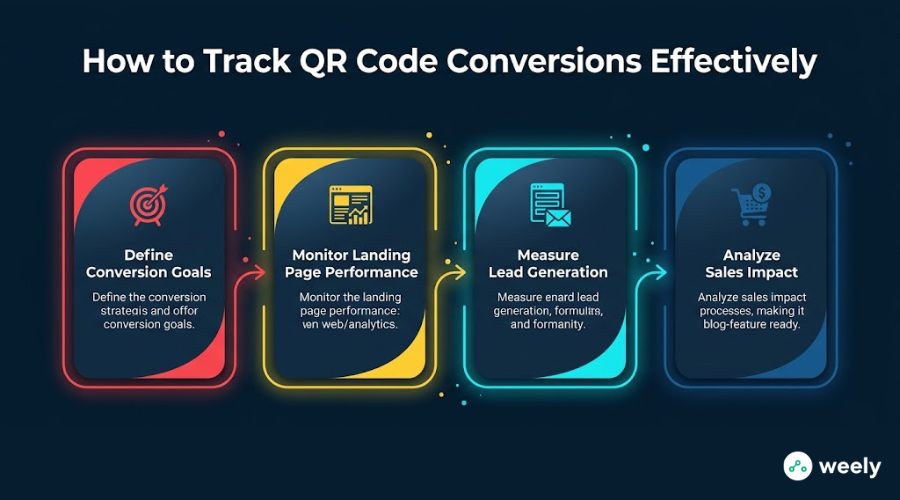
Define Conversion Goals
Before a campaign, decide what actions users should take. To illustrate:
- Making a purchase
- Requesting a quote
- Booking an appointment
- Downloading an app
Also, clear goals make it easier to measure success. They show if the campaign is working.
Monitor Landing Page Performance
Many scanners can scan a QR code. But poorly designed landing pages kill conversions. Thus, track metrics such as:
- Bounce rates
- Session duration
- User engagement
- Conversion completion rates
Also, these metrics are checked to improve the landing pages. This approach raises conversion rates too.
Measure Lead Generation
Businesses using QR codes for lead generation should monitor:
- Form submissions
- Email signups
- Contact requests
- Consultation bookings
By following these metrics, you can also see which campaigns are actually generating leads. It helps marketers to focus on the right campaigns.
Analyze Sales Impact
E-commerce businesses can connect QR code campaigns to revenue. This way, they can see sales via scans. So marketers can run better campaigns. They can drive revenue and ROI.
Best QR Code Generator with Analytics Features
You’ll see a big difference in your campaign’s performance when you choose the best QR code generator with analytics.
Features to Look For in a QR Code Generator with Analytics
The ideal platform for QR code analytics should include:
- Real-time scan tracking
- Geographic reporting
- Device analytics
- Conversion tracking
- Campaign management
- Exportable reports
- Google Analytics integration
Why Dynamic QR Codes Matter
Dynamic QR codes have better analytics capabilities, which static QR codes cannot provide.
The advantages are:
- Editable destination URLs
- Detailed reporting
- Better campaign flexibility
- Enhanced tracking capabilities
Many businesses opt for a dynamic QR code generator with tracking since it helps optimize over time.

Common QR Code Analytics Mistakes to Avoid
Even seasoned marketers make tracking mistakes. Therefore, they should be avoided. These common static QR code mistakes can weigh down campaign performance if not addressed.
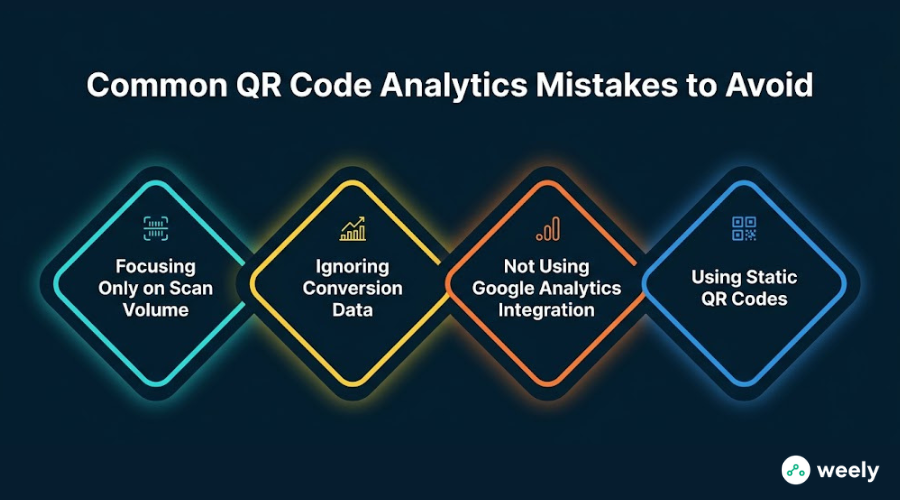
Focusing Only on Scan Volume
A high number of scans does not mean success. This is why businesses can’t simply look at scan volume. Conversions are worth more. Additionally, engagement is more important than just raw scans.
Ignoring Conversion Data
But tracking scans alone isn't enough. It’s a piece of the puzzle. So, businesses also need to track conversions. And conversion data shows real results of the campaign. It helps to gauge real performance.
Not Using Google Analytics Integration
Some businesses don’t use Google Analytics QR code tracking. And they end up missing key customer journey data. Thus, integration is very important. It enhances the tracking accuracy. It also helps you understand user behavior better.
Using Static QR Codes
Limited tracking for static QR Codes. Therefore, static QR codes are not ideal for marketing purposes. Dynamic QR codes give more insights. They also allow for advanced tracking capabilities. Dynamic codes work better for marketing campaigns.
Best Practices for Improving QR Code Campaign Performance
Use proven strategies to get maximum results. This means that companies can make their campaigns more effective. Also, these steps increase ROI.
Use Dynamic QR Codes
Dynamic QR Codes are flexible. They also offer richer analytics. So they are better for marketing campaigns. Moreover, they are easy to update without changing the code.
Add UTM Parameters
UTM tracking helps connect offline campaigns with online data. For example, it shows where traffic comes from. So, campaign tracking becomes more precise. As a result, marketers get a more lucid insight.
Monitor Analytics Regularly
Review performance reports regularly. This helps to detect trends early. It also shows new opportunities. Regular monitoring also results in better decision-making. So, businesses can change campaigns quickly.
Test QR Code Placement
Play with the placements. Take, for example:
- Packaging
- Flyers
- Business cards
- Posters
- Event materials
Also, placement testing shows what is best. This means businesses can increase engagements and scans.
Optimize Landing Pages
A successful landing page increases conversions. It also boosts campaign ROI. So businesses need to focus on speed and clarity. And the simple design makes the user experience better.
Conclusion
QR Code Analytics has become a must-have tool for today’s marketers. It helps companies understand customer behaviours. It also enhances marketing performance.
Businesses can measure key metrics. Such data includes total scans, unique scans, geographic scans, device analytics, conversion rates and campaign ROI. That gives them a better feel for how customers behave. They also make better decisions.
QR code tracking with Google Analytics adds more value. It gives you a more transparent view of conversions and attributions, too. It gives a more transparent view of the user journeys. Whether you are using a free QR code generator with analytics or the best QR code generator with analytics, focus on actionable insights. Don’t count on raw scan numbers.
QR codes are getting more important in marketing. So, organisations need to leverage data-driven QR code analytics. It helps them optimise their campaigns. It also enhances customer engagement. And it generates better marketing results as well.
Frequently Asked Questions
What is QR Code Analytics?
It is tracking QR code scanning data. It is the analysis of that data, as well. For example, it has scans, location, device and user behaviour. Such information helps businesses to better understand how users interact.
What metrics should I track in QR Code Analytics?
Keep track of key metrics. Things like total scans, unique scans, location, device type, time, conversions, ROI, etc. These measures also show how the campaign is performing. So that companies can make better decisions.
Can I track QR codes using Google Analytics?
Yes. Google Analytics can be used to track QR codes. But you need to use UTM parameters in the URL. This is why you can set up traffic tracking in GA4. You can also follow conversions on a clear basis.
What is the difference between total scans and unique scans?
Total scans are all scans. Unique scans represent the number of users. Unique scans are the number of unique users. Thus, they give more transparent insights.
What is the best QR code generator with analytics?
The best QR code generator with analytics provides real-time tracking. It also displays location data. They also gives you device intelligence and comes with conversion tracking. It also allows GA integration. That gives you complete visibility in the campaign.
Are free QR code generators with analytics reliable?
Yes. They work well for basic tracking. But they do have limits. Paid tools do have more advanced analytics. So they are better for serious marketing.
Why is QR code analytics important for marketing?
It helps evaluate performance. They helps to understand the users. It also increases the marketing ROI. This allows businesses to optimise their campaigns. They also perform better.