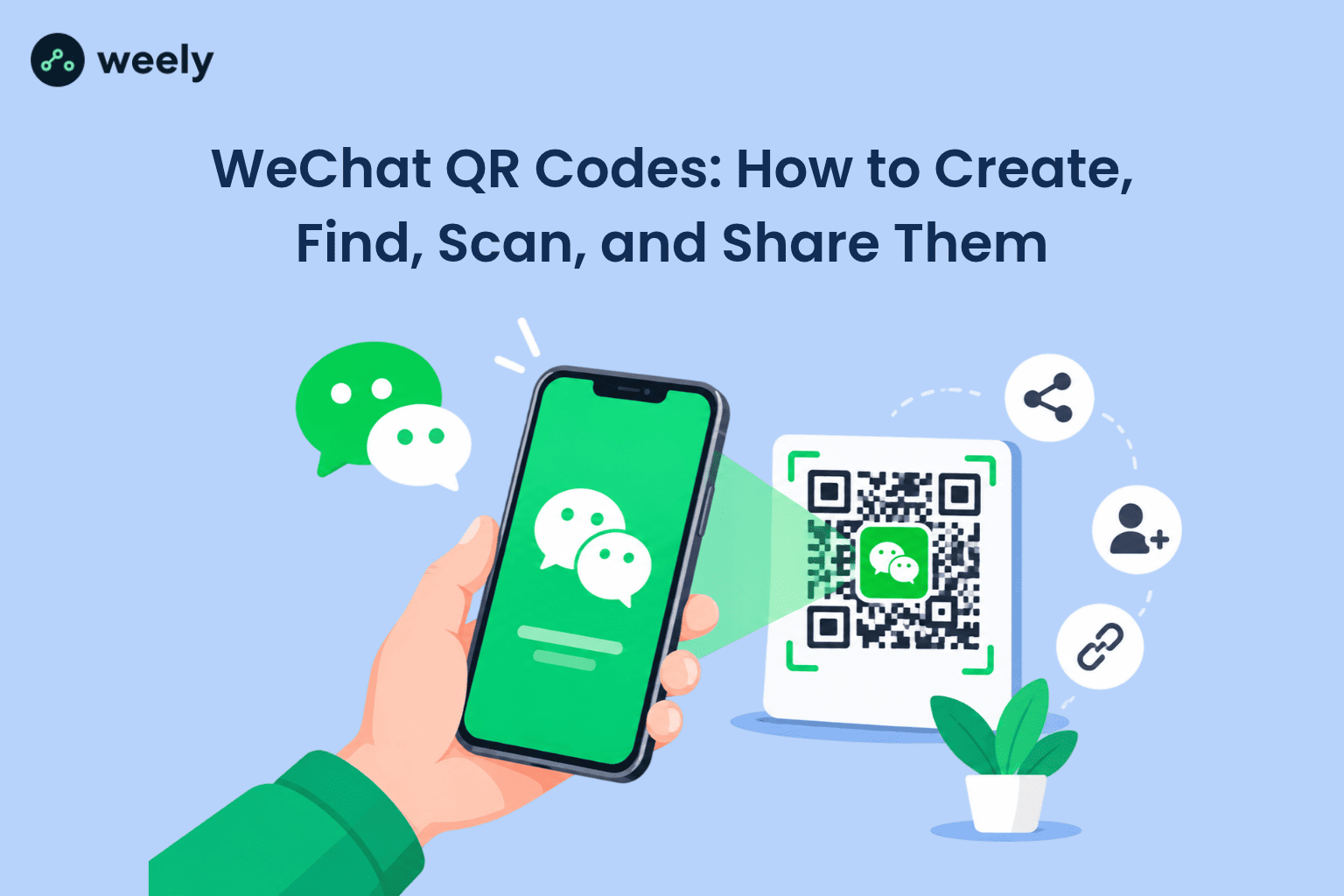
WeChat reported 1.41 billion monthly active users in its Q3 2025 results. That is a huge audience, and a QR code wechat is how many of those people connect with friends, and businesses. In addition, nearly 970 million people in China actively used mobile payments as of June 2024 and both Alipay and WeChat Pay are mainly used by scanning QR or bar codes. Clearly, these numbers show why scanning has become an everyday habit.
If you are a traveler, student, freelancer, importer, or business owner in the USA, you will likely meet WeChat QR Codes sooner or later. For example, a supplier may send you one after a video call. Likewise, a friend may ask you to scan theirs at dinner. Meanwhile, a Chinese customer may want to follow your brand after visiting your store.
This guide shows you how to find my WeChat QR Code, how to scan one, how to create one, and how to fix problems. Moreover, you will learn how a custom WeChat QR Code helps your business grow. Because every step is short, and simple, you can follow along on your phone while you read.
What Are WeChat QR Codes?
WeChat QR Codes are square, scannable images that open a specific action inside WeChat. Each code holds hidden data, so the app knows exactly what to do after the scan. For instance, one code may show an “Add contact” button, while another may open a “Join group” screen.
Think of a wechat qr code as a shortcut. Instead of typing a username, or searching for a business, you simply point your camera, and tap one button. As a result, connecting takes seconds rather than minutes. This speed is the main reason people use codes at events, shops and offices.
People often search for a wechat barcode. In everyday use, the word usually means the same thing as a QR code. Technically, however, a barcode is a one-dimensional pattern of lines, while a QR code is a two-dimensional square. If you want a deeper comparison, this guide on QR code vs barcode explains it clearly. Inside the app, almost everything runs on QR codes. Still, the payment screen also shows a code that some people call a barcode.
Why do they matter? WeChat is a “super app,” so messaging, social posts, shopping, bookings, and payments all live in one place. QR codes act as the doorway between the real world and those services. Consequently, you can see them on shop counters, business cards, posters, and websites. In China especially, even small street vendors often display one.
Different Types of WeChat QR Codes
Not every code does the same job. Therefore, it helps to know the main types before you scan or share anything. Here is a simple guide.
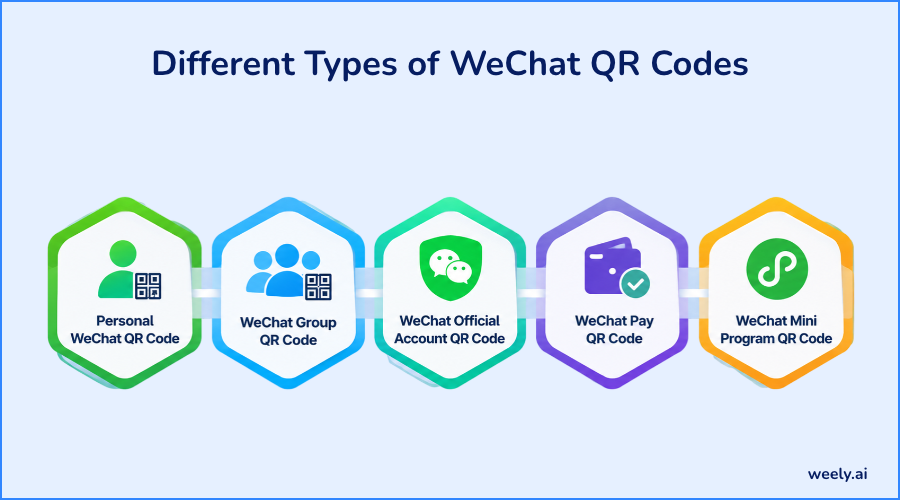
Personal WeChat QR Code
A WeChat personal QR code shows your profile. When someone scans it, they can send you a friend request. Because of this, it is perfect for networking, meeting new people at events, or sharing your contact without typing your ID. If you only need a code for everyday sharing, the page on QR codes for personal use shows simple ideas.
WeChat Group QR Code
A WeChat group QR code allows users to join a group chat by scanning the code. These codes usually expire after a short time, often around seven days. In addition, larger groups may require a direct invitation instead of a code. If a code stops working, ask a group member to send a new one. That small step solves most group-joining problems.
WeChat Official Account QR Code
A WeChat official account QR code lets people follow a brand, publisher, or business. Once they follow, the business can share updates, articles, and services. In other words, it works much like a “follow” button on other social platforms. For businesses, this is often the first step toward a long-term customer relationship.
WeChat Pay QR Code
A WeChat Pay QR code is used for payments. Either you scan the merchant’s code, or the merchant scans the code on your phone. However, availability depends on your account, bank card, and region. Many visitors from the USA find that full WeChat Pay features are limited, so check the current rules inside the app before you travel.
WeChat Mini Program QR Code
Mini Programs are small apps that run inside WeChat. A Mini Program code opens a store, a booking page, a coupon, or a menu with no download needed. As a result, customers reach a service in one scan. For example, a café can let guests order from a Mini Program right at the table.
Which Code Do You Need?
What do you want to do? | Which QR code do you need? |
|---|---|
Add a friend | Personal QR code |
Join a group | Group QR code |
Follow a brand | Official Account QR code |
Make a payment | WeChat Pay QR code |
Open a service | Mini Program QR code |
Link to a branded landing page | Custom URL QR code |
How to Find Your WeChat QR Code
You can locate your personal code in less than a minute. It lives inside your profile, so you do not need any extra tool. Below, you will find the exact steps, followed by simple ways to save and share the code.
How to Find Your Personal QR Code on WeChat
- Open the WeChat app.
- Tap Me at the bottom right.
- Then select your profile name at the top.
- After that, choose My QR Code.
- At this point, your my WeChat QR code appears on the screen.
- Use the menu to save it or share it.
Menu names can change slightly between app versions. Therefore, look for the small QR icon beside your name if you do not see the exact label.
How to Save, and Share Your WeChat QR Code
Saving your code as an image makes it easy to reuse. Once saved, you can share it in several ways:
- Save it to your photo gallery for quick access.
- Send it by email, or another messaging app.
- Include it on your business card or within your email signature.
- Share it on your website or social media profile.
Because the code carries your profile, share it only with people you trust. Also, remember that a screenshot works just as well as the original image, as long as the whole square is visible.
Pro Tip: Test Before You Share
Before you post your code on a card, poster, or website, scan it with a second phone. Make sure it opens the right profile, group or page. This prevents broken links and missed connections.
How to Scan a WeChat QR Code
To scan a WeChat QR code, open WeChat, tap the plus (+) icon, choose Scan, and point your camera at the code. WeChat scan works for contacts, groups, payments, and many web links. In short, one scanner handles almost everything.
How to Scan a WeChat QR Code on iPhone and Android
This is how to scan WeChat QR code images on both phone types. Fortunately, the steps are almost identical.
- To begin, open WeChat.
- Press the + icon in the top right corner.
- Then choose Scan.
- While holding your phone steady, place the code inside the frame.
- Follow the prompt, such as Add Contact, or Open Link.
iPhone tip: If the camera is black, go to Settings, then WeChat and turn on Camera access.
Android tip: Go to Settings, then Apps, then WeChat, then Permissions, and allow Camera.
Both fixes work because WeChat cannot scan without camera permission. Similarly, a cracked lens or a dirty screen protector can blur the image. So, wipe the lens before you try again.
How to Scan a WeChat QR Code From Your Gallery
Sometimes the code is already on your phone as a screenshot. In that case, you do not need a second device.
- Start by opening the WeChat scan screen.
- Select Album in the corner.
- Then pick the saved image.
- WeChat scans the code and displays the next step.
This is the easiest way to use a wechat scan qr code that a friend sent by message. If you ever need to read a code without the app, a QR code scanner online can show you the link inside an image first.
Can You Scan WeChat QR Codes Without WeChat?
Sometimes. A normal camera app can open a code that holds a standard web link. However, many codes made inside WeChat are WeChat-only. A phone camera may show a message or an error instead. For contacts, groups, and payments, you will therefore need the WeChat app.
How to Create a WeChat QR Code
You can create WeChat QR Code images in two ways. First, use the built-in tool for WeChat features. Second, use a WeChat QR code generator for web links and campaigns. Which one you choose depends on your goal.
Create a Personal WeChat QR Code
WeChat makes this one for you. Open Me, select your profile, and choose My QR Code. After that, save it and share it. No extra tool is needed, and the process is free.
Create a WeChat QR Code for Business
A WeChat QR code for business starts with a goal. Ask yourself what you want people to do after they scan. Then follow these steps.
- Pick the destination: a profile, an Official Account or a Mini Program.
- Next, get the right WeChat link or the native code from your WeChat account tools.
- After that, decide how you will create the final image.
- Finally, test the code on more than one phone.
Because customers judge a business by small details, a broken code can cost you a sale. For this reason, testing is never optional.
How to Create a Custom WeChat QR Code
A custom WeChat QR code is a regular QR code that points to a valid WeChat destination, such as a landing page with your contact options. Create it using a QR code generator. For example, a free QR code generator allows you to insert a link and download the generated image.
- Copy the web address you want people to open.
- Enter it into your preferred WeChat QR code generator.
- Change colors and shape to match your brand.
- If the tool supports it, add your logo.
- Download the image in high quality.
- Test it before printing.
Pro Tip: Keep It Easy to Scan
Use dark code colors on a light background. Leave blank space around the code. If you add a logo, keep it small so the code still scans.
Ready to try it yourself? You can sign up and build your first code in a few minutes.
Benefits of Using WeChat QR Codes for Business
WeChat QR Codes can turn a passing visitor into a real customer connection. In addition, they cost very little to print and place. Below are the main benefits.

Improve Customer Connections
A customer scans once and connects with your business. There is no typing and no searching. As a result, the first contact feels easy, and that matters a lot for first impressions.
Simplify Customer Engagement
One scan can lead to your Official Account, a menu, a booking page, or a coupon. Consequently, fewer steps mean fewer lost customers. Moreover, shoppers in a physical store can move from the shelf to your online page immediately. Retail staff can explore its practical applications on the page dedicated to QR codes for retailers.
Use QR Codes in Marketing Campaigns
You can place a custom WeChat QR code almost anywhere. Here are the most common places:
- Business cards, where a code saves people from typing your details (QR codes on business cards).
- Product packaging, which keeps customers connected after purchase (QR codes on product packaging).
- Posters and flyers, which turn a handout into a direct link (QR codes on flyers).
- Event banners, which reach crowds from a distance (QR codes on banners).
- Event registration areas, where fast check-in matters (QR codes for event management).
- Your website, and social profiles.
In every case, a short call to action such as “Scan to follow us” increases the number of scans. A bigger code can also be scanned more easily from farther away.
Pro Tip: Match the Code to the Goal
Use a personal code for networking. Use an Official Account code to gain followers. In use a Mini Program code to send people to a service. One clear goal per code works best.
Static vs. Dynamic QR Codes for WeChat
A static code holds fixed data that cannot change. In comparison, a dynamic code directs users to a short link that can be updated whenever needed. A dynamic code does not replace WeChat’s own code system. Rather, it simply redirects through a managed link. For a longer explanation, read the guide on static vs dynamic QR codes.
Feature | Static QR Code | Dynamic QR Code |
|---|---|---|
Destination editing | Generally not editable | Editable through supported service |
Scan tracking | Not built in | May be available |
Branding | Depends on tool | Depends on tool |
Best use | Simple sharing | Marketing campaigns |
Cost | Often free | May need a paid plan |
For printed materials, a dynamic custom WeChat QR code is often smarter. So for example, you can correct a link later, without printing thousands of fliers. And scan data tells you what placement is working best. You can learn more about these features on the dynamic QR code tools page, and review plan restrictions on the pricing page.
Common WeChat QR Code Problems and How to Fix Them
Most issues have simple fixes. First, check the basics, and then move to the specific cases below.
WeChat QR Code Not Scanning
- Allow camera access in your phone settings.
- Add more light, since dim rooms cause blurry reads.
- Wipe the camera lens with a soft cloth.
- Move closer, or farther away until the code looks sharp.
WeChat QR Code Expired
Group and invitation codes can expire. In that case, ask the owner for a fresh one. If you are the owner, create a new code instead. Afterward, share it quickly, because new codes also have time limits.
WeChat QR Code Not Opening
- Check your internet connection first.
- Next, update WeChat to the latest version.
- Finally, confirm the code is meant for WeChat, and is not broken.
WeChat QR Code Not Working on Another Phone
Use the in-app wechat scan tool instead of the normal camera. Also, confirm the other account can access the destination. Some pages are limited by region or by account type.
If wechat scan keeps failing, restart the app and try again.
Best Practices for Using WeChat QR Codes
Good habits protect your code and your reputation. Follow these simple rules each time.
- Use high contrast between code and background.
- Do not cover too much of the code with a logo.
- Leave white space around the edges.
- Test on several phones before printing.
- Add a clear call to action, such as “Scan to follow us.”
- Check your links often.
Furthermore, print the code at a size that fits the viewing distance. A tiny code on a large poster is hard to read.
Important: Stay Safe When Scanning
Not every QR code is trustworthy. Only scan codes from sources you know. Never enter passwords, or payment details on a page you do not trust, especially after scanning a code on a sticker or flyer. For more advice, read whether QR codes are safe to scan.
Conclusion
WeChat QR Codes make it quick to connect, pay, and follow. Now you know how to find my WeChat QR Code, use wechat scan on iPhone and Android, create WeChat QR Code images, and fix common problems. In addition, you can choose between a personal code, an official code and a custom WeChat QR code for your brand. So, pick the right code for your goal, test it and share it with confidence.
Frequently asked questions
What is a WeChat QR Code used for?
It is used to add contacts, join groups, follow Official Accounts, open Mini Programs, and make payments inside WeChat. Because one code can serve many goals, people use it daily for both social, and business tasks.
How do I find my WeChat QR Code?
Open WeChat, tap Me, choose your profile, and then pick My QR Code. From there, you can save or share it. If you do not see the label, look for the small QR icon next to your name.
How do I scan a WeChat QR Code?
Open WeChat, tap the plus icon, choose Scan and point your camera at the code. Alternatively, you can pick a saved image from your album. The prompt on the screen then guides you.
Can I create a WeChat QR Code for free?
Yes. Your personal code is free inside the app. In addition, many generators offer free static codes, while advanced features such as editing, and tracking may need a paid plan.
Do WeChat QR Codes expire?
Personal codes generally stay usable. However, group invitation codes often expire after a short period. Therefore, always check that a code is still valid before you print, or post it.
Can I use WeChat QR Codes outside China?
Yes, you can scan, and share codes in many countries. Nevertheless, some features, especially payments, depend on your account, and local rules, so check the app for the latest details.
Is a WeChat QR Code the same as a WeChat barcode?
In everyday use, people often mean the same thing. Technically, a barcode WeChat user may be talking about a payment code, while most other features use QR codes. Both are scanned with the same camera tool.
Can businesses create custom WeChat QR Codes?
Yes. A business can use WeChat’s tools for official codes. Otherwise, it can use a generator to make a branded code that links to a WeChat-friendly page, and then test it before printing.