Sharing a location should be easy. Oftentimes it’s not.
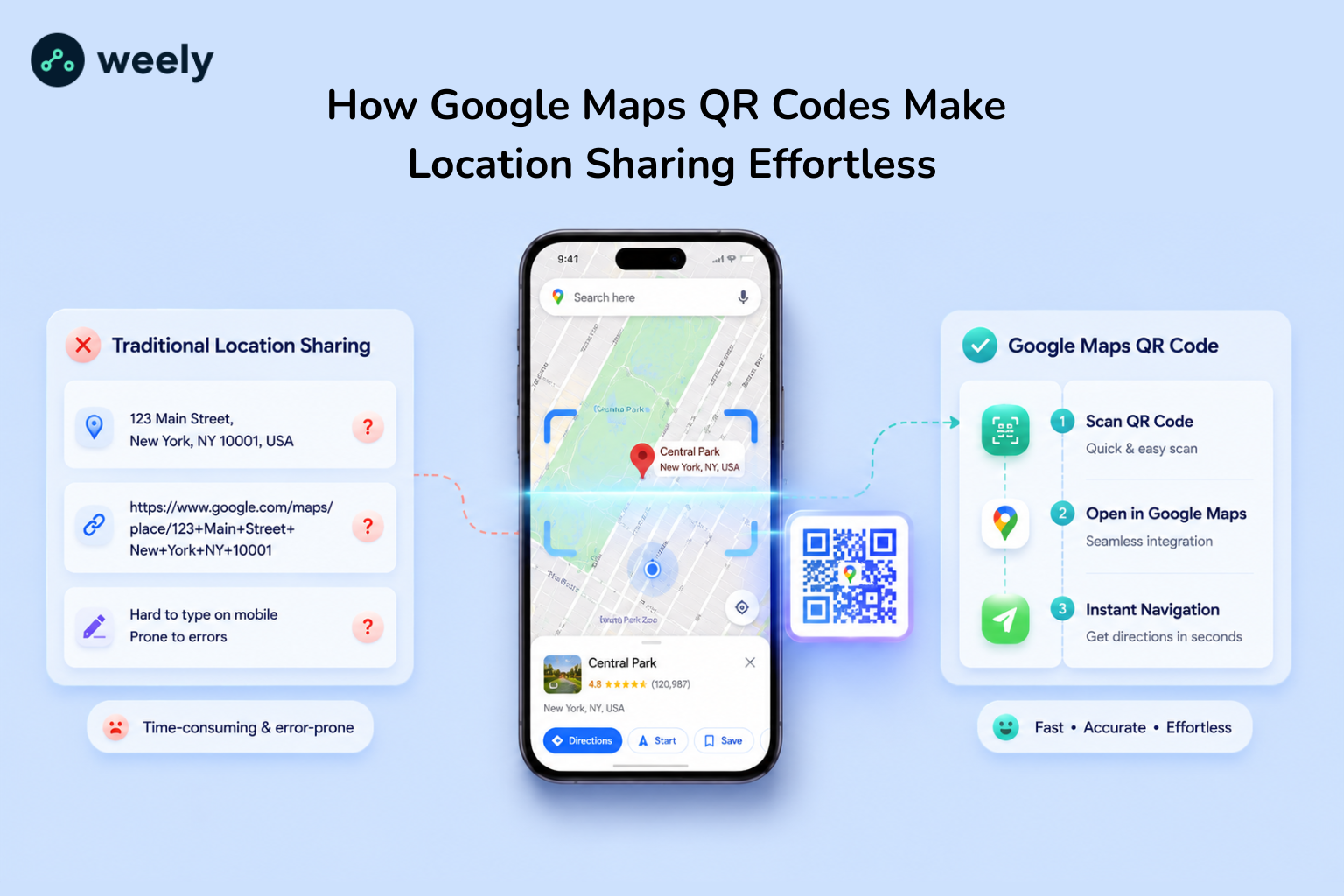
Typed addresses are misunderstood. In the meantime, map links break when copied in texts. If a customer is just one digit off in their address, they could end up three streets away from your store. So this daily friction of location sharing costs businesses real visits and real sales.
Google Maps QR codes solve this problem instantly. Rather than typing an address manually, users just scan the code and Google Maps opens up to the exact spot. So no manual entry errors, no navigation errors.
Learn how Google Maps QR codes work, the advantages of sharing locations and how to share locations with QR code tools like Weely AI. You will also learn how businesses, events and everyday users can make sharing their location easier and improve navigation accuracy.
What Are Google Maps QR Codes?
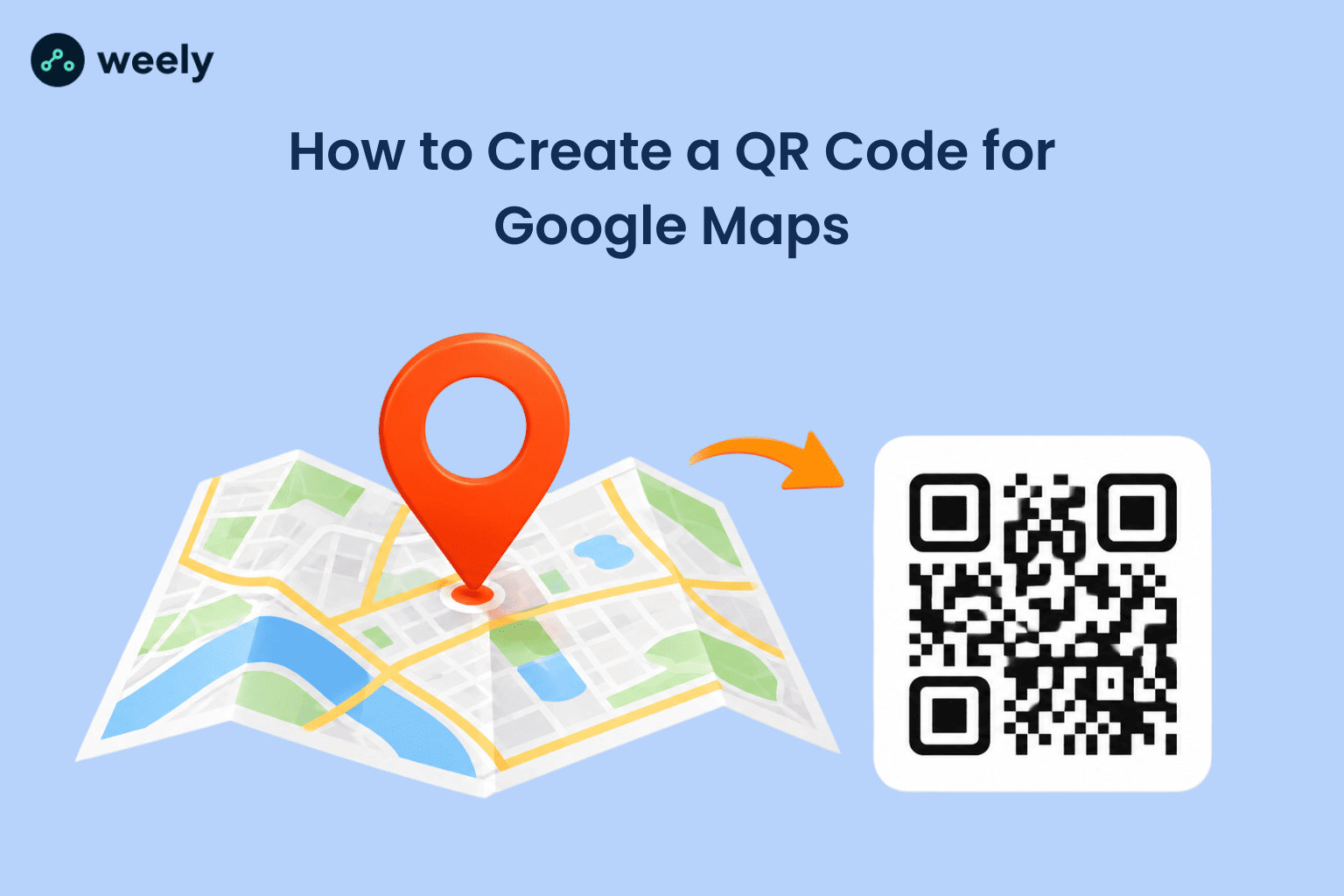
A Google Maps location QR code is a small scannable image. Inside them is a Google Maps link. When someone scans the code, their phone will automatically open that link. The link takes you straight to a map pin location, whether it be a restaurant, office, event location, or home address.
Behind every scan, Google Maps QR codes use the same digital maps, GPS coordinates, and geolocation services that power modern mobile navigation.
There is no app to install, and you do not need an account to use it. The code connects a real-world object, like a flyer or a sign, to a digital destination. That direct link is what makes a Google Maps QR code so useful for personal or business use.
Why They Are Becoming Popular
The rise of these QR codes is the result of three behavioral shifts.
Default to scanning the mobile location. Phones are where most location look-ups happen, not desktops, so a scannable code fits naturally into how people already search and navigate.
Second, contactless navigation is now a standard. In recent years, businesses replaced paper menus and printed forms with QR Codes, and customers learned to scan rather than ask.
Third, people want instant navigation, and they already trust the navigation tools on their phones. A scan-to-map experience eliminates all the steps between curiosity and arrival, which is more important than ever in a world built on speed.
Why Traditional Location Sharing Is Often Inefficient
Many companies still use addresses you have to write down or map links you have to copy. These methods do work, but they add unnecessary friction.
Users can:
- Type the wrong address.
- Copy wrong information.
- Open incorrect map results.
- Get lost due to navigation errors.
For businesses, a small navigation problem can mean missed appointments, delayed deliveries or lost customers.
Google Maps QR codes solve these problems by getting you to the right spot every time.
Why Google Maps QR Codes Are the Easiest Way to Share Locations
The popularity of QR technology has transformed the way people access information. A location QR code makes navigation simple by eliminating many steps. It also makes sharing your location much faster.
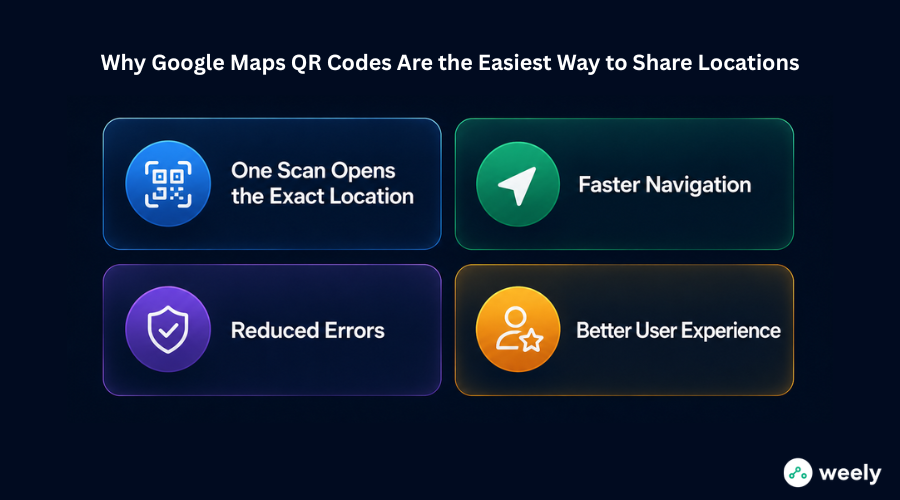
One Scan Opens the Exact Location
The user just needs to scan the QR code once. Then it instantly opens the destination in Google Maps. It does not need any manual input. This helps users reach the destination more quickly.
Faster Navigation
You can get directions in seconds. Customers will find this extremely helpful. Great for use in stores, restaurants, offices and event venues. It also reduces the waiting time for navigation initiation.
Reduced Errors
Addresses are not typed by users. This reduces the likelihood of errors. Again, this process increases accuracy. Navigation is more accurate.
Better User Experience
Convenience is crucial in every journey. When users can easily get to a location, they feel more confident. This increases the chances of successfully reaching the destination. In addition, the better the navigation, the more satisfied the user is.
How to Create a Google Maps QR Code
Many people search for how to create location QR code solutions. They want to share locations quickly and easily. They need a very simple way.
And in fact, this process takes a few minutes.
Step 1: Open Google Maps
Open Google Maps. Then find the place you want to share. This may be your place of business. It can also be a restaurant, a store or an events venue. In one word, it can be anywhere you want people to find you.
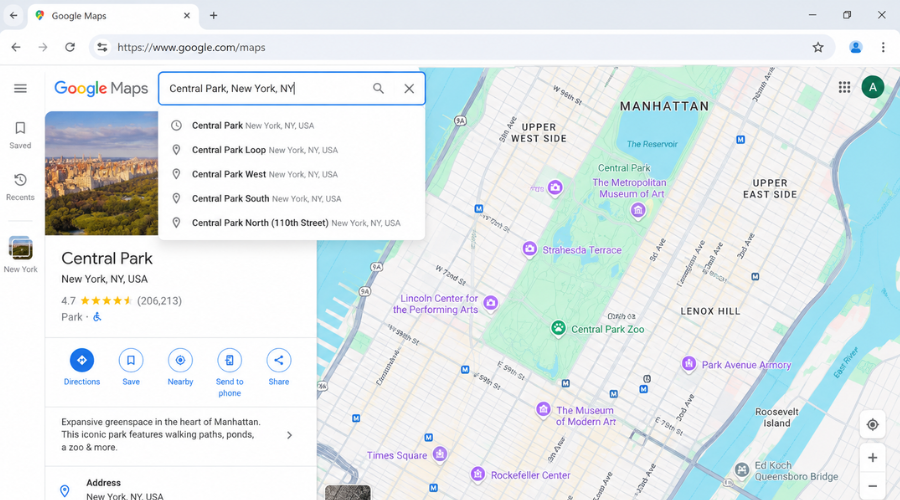
Step 2: Copy the Location Link
Locate on the map. Then click the “Share” button. Then copy the link from Google Maps. This link has all the details. This link directs users straight to that location.
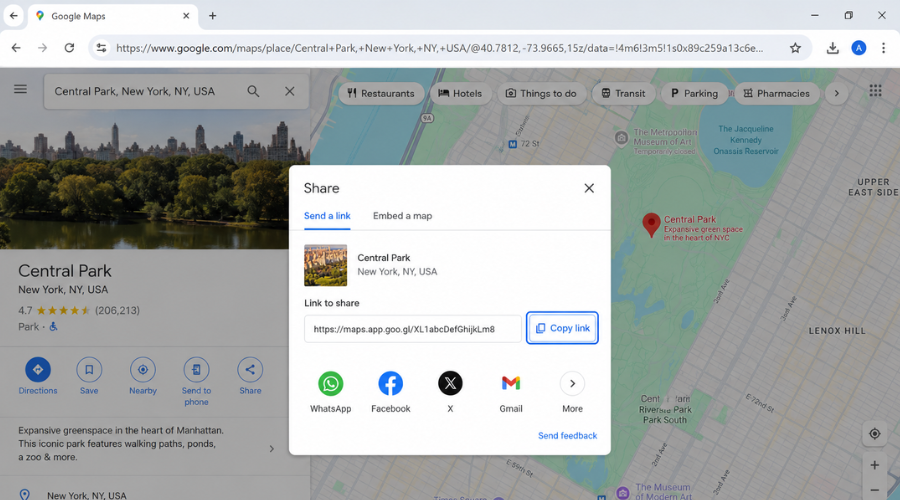
Step 3: Generate the QR Code
If you’d like to know how to generate a QR code for location, copy the Google Maps link and paste it into a QR code generator like Weely AI. After that, the tool creates a QR code. That means it's easy to scan your location.
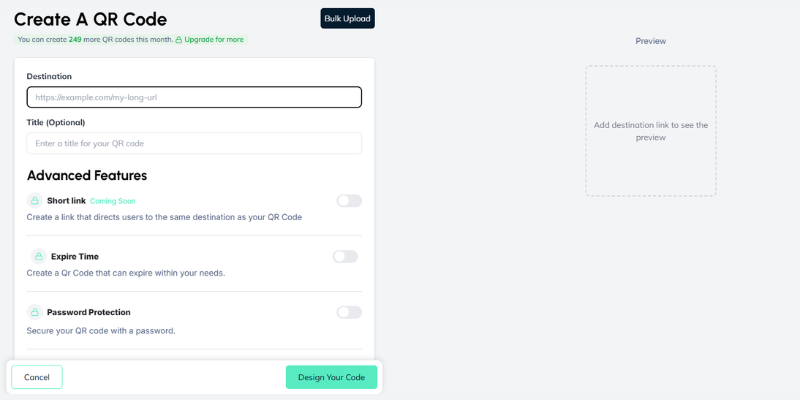
Step 4: Customize Your QR Code
You can customize your QR code. For example, you can add colors or a logo. This makes it look better. But it still scans fast and easy.
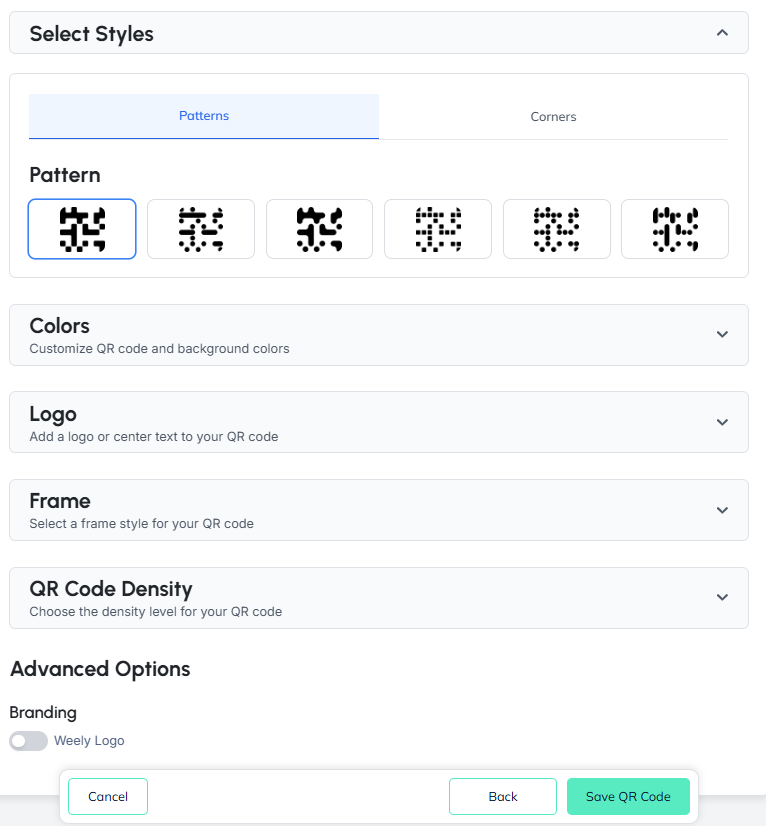
Step 5: Download and Share
Get a QR code. Then publish it either on print or online. So that people can reach you easily. If you are wondering how to make a QR code for location or how to create location QR code solutions, this is an easy method.
Best Practices for Generating QR Code for Google Map Location
If you generate a QR code for google map location then the following few best practices can help improve its performance.
Use a High-Quality QR Code
Scanning problems can arise from low-quality images. Always use a QR code design with good quality. This means the QR code will scan fast and accurately.
Test Before Publishing
Always test your QR code on various devices before you publish it. That means it is good for all the users.
Keep Sufficient White Space
Leave enough white space around the QR code. This makes it easy to be scanned. It also helps reduce errors.
Use Dynamic QR Codes When Possible
Dynamic QR codes let you update the destination link whenever needed without changing the code itself. You are not required to create a new QR code. It’s good for marketing and location updates.
Business Benefits of Google Maps QR Codes
Businesses across all industries are using Google Maps QR codes to enhance their customer experience. They also speed up and simplify location access for customers, while enabling better insights through QR Code Analytics.
Retail Stores
A single scan sends customers straight to your shop front. This reduces confusion and in turn brings in more traffic. Plus, shoppers can find your business quickly and easily.
Restaurants and Cafes
Visitors can easily find your location without having to search manually. Also, customer satisfaction increases with easy navigation. This also results in more visits from local and travelling guests.
Hotels and Resorts
Guests can get accurate navigation directions to various cities immediately. It also means a smoother arrival experience. It also reduces questions and confusion related to location.
Real Estate Agencies
Property listings can include QR codes that direct buyers to viewing locations. That makes it easier for prospective buyers to locate properties. They don’t need more help or guidance.
Healthcare Facilities
Patients can easily find clinics, hospitals, and diagnostic centers. And having easy access to accurate directions can help relieve stress. It also minimises delays in getting to the facility.
Event Organizers
QR-based location sharing can be used for wedding invitations, conferences, exhibitions, corporate events, etc. In addition, attendees can conveniently reach venues. Hence, they are more likely to be on time without any confusion.
Best Places to Use a Google Map Location QR Code
QR codes for Google Maps work nearly anywhere people might need directions, making it an easy way to allow businesses to share their location on every channel. Here are some of the most effective places to put them:
Business Cards
Add QR codes for business cards, and it becomes easier for prospects to find your office location instantly. They can also scan the code to go straight to your business instead of having to type in an address themselves.
Flyers and Brochures
The QR codes on the flyers and brochures are a simple and effective way to share locations. Customers can scan the code to open Google Maps and arrive at their destination without confusion.
Storefront Windows
Shopfront window QR codes allow passersby to save your location even when your business is closed. Scan it quickly to get directions and better yet, contact details right away.
Product Packaging
QR codes on the product’s packaging help customers locate nearby stores, service centers or event locations. This improves convenience and thus creates a better customer experience post-purchase.
Event Invitations
QR codes on event invitations help guests arrive at the right venue easily. People can scan the code and also get turn-by-turn directions through Google Maps, making QR Codes for Event Management more efficient and seamless.
Email Signatures
With QR codes in email signatures, you have a professional means of sharing your business locations. This way recipients can easily scan the code as well as get directions without having to search online.
Social Media Profiles
Social media QR codes for profiles make it simpler for followers to discover where you’re physically located. Users can scan the code and open Google Maps instantly and plan their visit as well.
Common Mistakes to Avoid When Creating a Google Map Location QR Code
Location QR codes are simple, but a mistake can ruin their effectiveness.
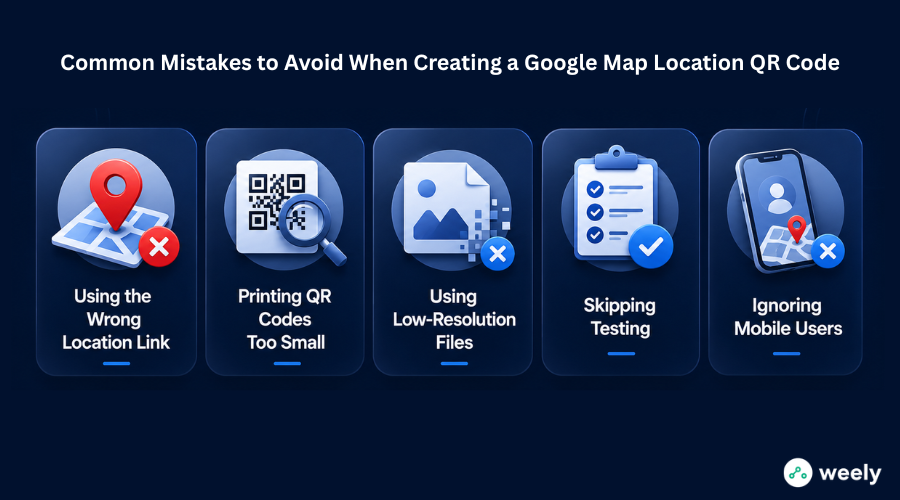
Using the Wrong Location Link
Always check the destination before generating the code. A broken link takes users to the wrong address. This leads to confusion. It also erodes trust in your business. Please verify the Google Maps URL once more. Test before sharing the QR code.
Printing QR Codes Too Small
It’s difficult to scan small codes. The size is small; users have trouble opening the location. Make sure the QR code size is big enough so users can easily scan it. Users should be able to scan it from a normal distance.
Using Low-Resolution Files
Low-quality images reduce scan success. Blurry or pixelated QR codes often don’t work with mobile cameras. This results in errors and a negative user experience. Always use high-resolution files. Such practices will improve the accuracy of the scan.
Skipping Testing
Test the QR code on various devices. Different phones scan differently. Testing catches the issues early. It also confirms that the correct location opens every time.
Ignoring Mobile Users
Most people scan QR codes on their cell phones. A Google Maps link must load fast. Additionally, the website should be visually appealing on smaller screens. A mobile-friendly layout makes it easier to navigate. It also enhances the user satisfaction.
Why Use Weely AI for Google Maps QR Codes?
Weely AI is built to be the best QR code generator for Google Maps, as many people are on the hunt for it. We are a free Google Maps QR code generator and it removes every barrier between you and a finished QR code.
Create Location QR Codes in Seconds
Weely AI instantly turns a Google Maps link into a ready-to-use QR code; no design skills or technical know-how needed. That makes Weely AI a reliable free location QR code generator for anyone who needs one quickly.
Custom Branding Options
The colors and styling can be customized, so the QR code can match the brand. With these options, you can create a completely customized Google Maps QR code that doesn’t look like a generic black-and-white square but instead a branded Google Maps QR code.
Dynamic QR Code Support
If your business requires flexibility, Weely AI provides dynamic Google Maps QR codes that you can update even after printing and track over time.
Easy Sharing Across Print and Digital Channels
Once created, you can download the QR code and place it anywhere you like – including websites, social media, printed signage, packaging and email.
Designed for Businesses, Marketers, and Event Organizers
Weely AI is built for real use cases, from a single restaurant sharing its location to a marketing team running a multi-location campaign.
Conclusion
Google Maps QR codes are a one-step action that takes a complicated process and makes it simple, allowing instant location sharing and smart location access with a single scan. Rather than typing an address, comparing search results, or guessing which pin is right, a person just scans and goes.
For businesses, this means fewer missed visits, smoother check-ins at events and a better first impression. In practice, that means you can share a location and not have to text back and forth with an address, which risks typos.
If you want to create your own Google Maps location QR code, Weely AI makes it quick, free and ready to share in minutes. Try it today so people looking for you have the easiest way possible to get there.
Frequently Asked Questions
Why should I use a Google Maps QR Code?
Share locations fast and accurately with a Google Maps QR code. The users can scan it easily. It opens the specific destination in Google Maps. They don't have to type anything. This speeds up the procedure.
Where can I use a location QR code?
You can use it on business cards, flyers, posters, shopfronts, restaurant menus, event invitations, packing and social media. For instance, it can direct people straight to your location. And it also helps users reach you fast.
What is the difference between a Google Maps link and a QR code?
You have to click or copy a link to Google Maps. On the other hand, a QR code can be read. It opens the location in Google Maps immediately. It is thus easier and quicker to use.
Can I update my Google Maps QR Code after creating it?
Yes, you can update it if you are using a dynamic QR code generator like Weely AI. You can change the destination link any time as well. Therefore, you do not need to reprint the QR code.
Do Google Maps QR Codes work offline?
No, they do not run offline. These require an internet connection. The QR code will open Google Maps. Google Maps requires data or Wi-Fi to load directions.
What makes a good location QR code?
A good location QR code is sharp and clear. The link must be to the right Google Maps pin. Also, you should test it before you share or print it. So, it’s easy to scan and works well.