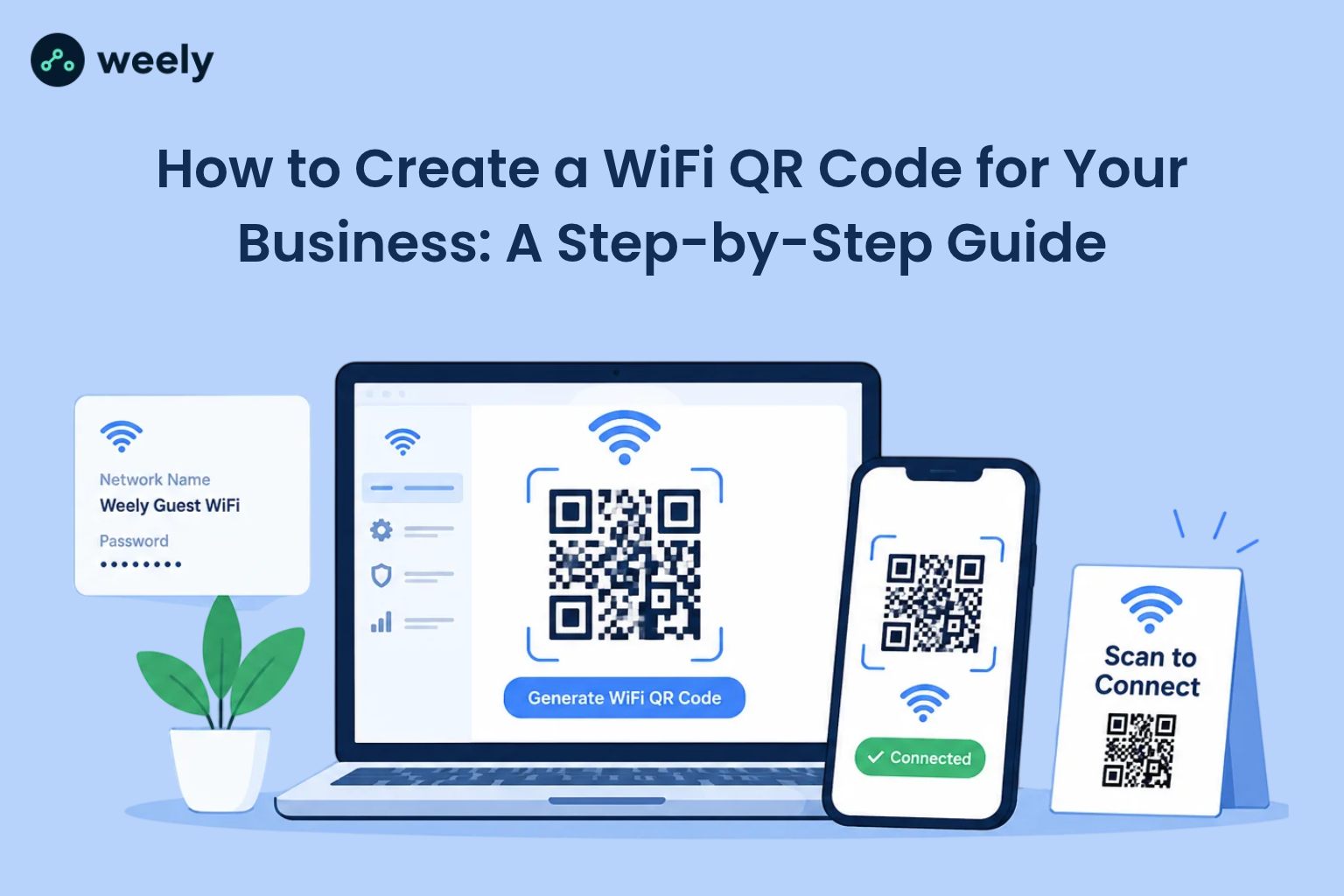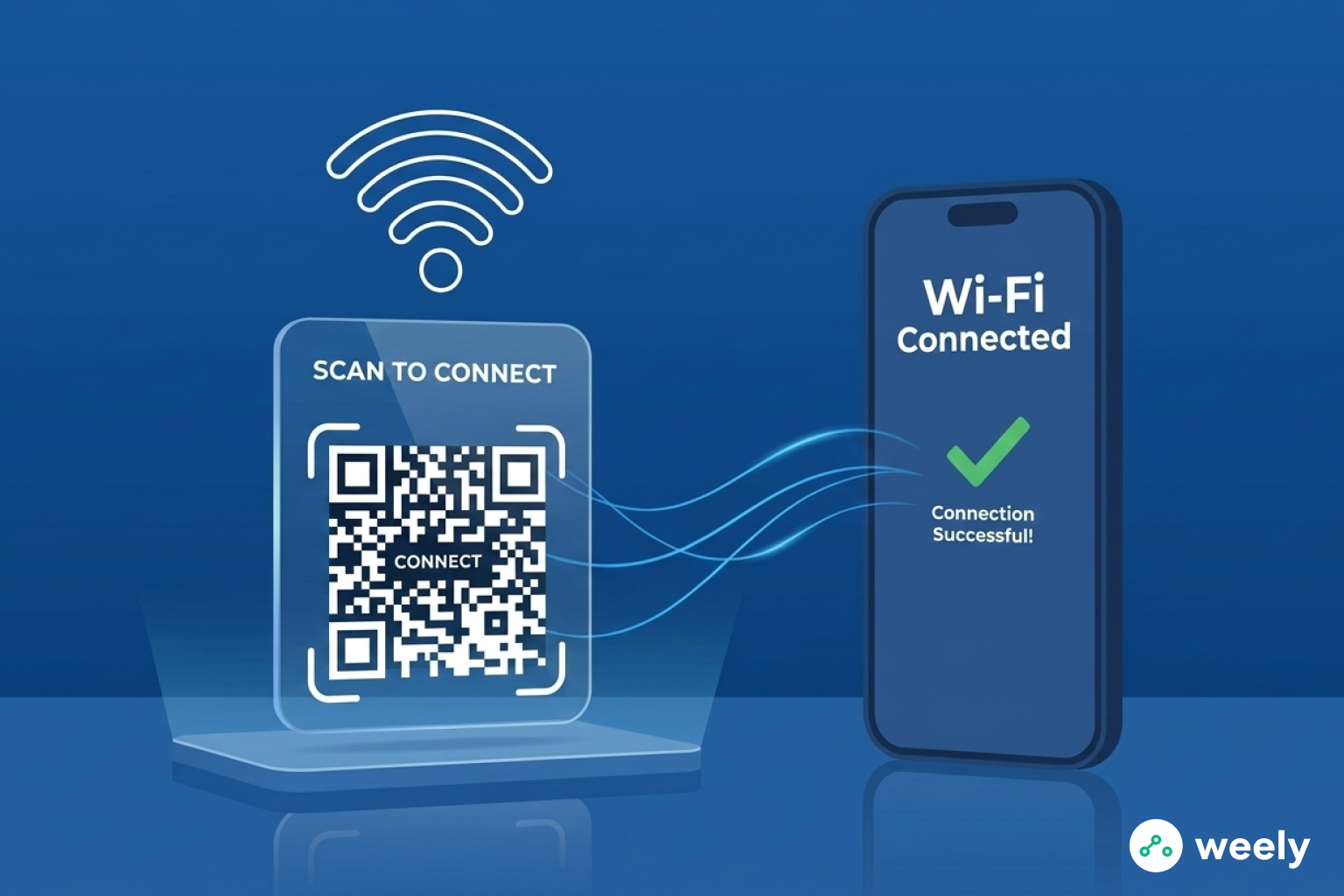
Passwords are getting longer and more secure, which makes it harder to share WiFi. People who come to your place, like guests and customers, often have trouble connecting. This is easy with a WiFi QR code. Users can connect right away by opening their phone's camera or a WiFi QR code scanner instead of typing in the password.
QR WiFi is now used in many homes, offices, restaurants, and hotels. Anyone can scan the QR code for WiFi and join the network in just a few seconds. This method is quick, safe, and makes the user experience better.
The rise of mobile devices is another reason why WiFi QR codes are so popular. A built-in WiFi QR code scanner is now standard on almost all smartphones. People no longer need extra apps to quickly scan QR WiFi codes and join a network.
What Is a WiFi QR Code?
A QR code for WiFi networks is a QR code that is made just for WiFi networks. It securely stores all the essential details required for a device to connect to the network, including:
- Network name (SSID)
- Security type (WPA, WPA2, or open)
- QR code WiFi password
A WiFi QR code scanner will read the information and connect the user's device automatically when they scan it. This means you don't have to type in long passwords. This means you don't have to type in long passwords, and it also shows that a QR code is safe to scan when it comes from a trusted source.
A QR for WiFi is very helpful in places where there are a lot of people. Quick and safe internet access is beneficial for hotels, offices, cafes, and events. People can join the network in seconds by scanning a QR WiFi code, which means they don't have to type anything.
How Does a WiFi QR Code Work?
A WiFi QR generator takes your network information and makes it into a QR code. This picture keeps your WiFi name (SSID), password, and type of protection. Things can read this code and instantly connect.
When a user scans a QR WiFi:
- The camera or WiFi barcode scanner reads the code.
- The QR code looks like a WiFi link to the phone.
- The gadget shows a message telling you to connect.
- With just one tap, the device is instantly linked to the network.
This method works well and quickly. Many smartphones, both Android and iOS, already have a WiFi QR code scanner built in. So you don't need an extra app.
It's easy to connect to WiFi with QR codes. They help you type passwords more quickly and correctly. Plus, they keep your network safe. You can print them out or share them at home, in an office, or in a coffee shop. After that, visitors can join right away.
Benefits of Using a WiFi QR Code to Share Internet Without Passwords
WiFi QR codes make it easier and safer to share your network. They also make it easier for guests, employees, or customers to connect. Users don't have to type in long passwords.
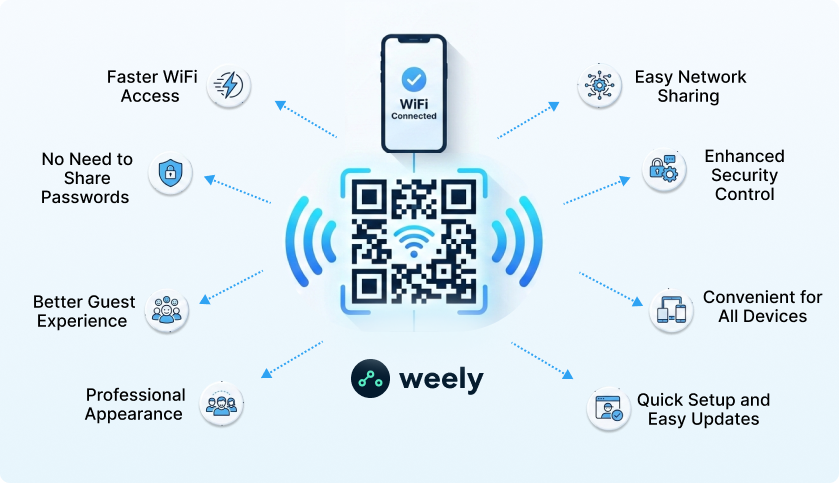
Faster WiFi Access
It takes time to type in passwords. A QR WiFi code, on the other hand, lets you connect right away. All users have to do is scan the QR WiFi code. Then, they connect to the network right away. This feature works well when there are a lot of people around. Multiple individuals can link up at the same time. On the web, no one needs to wait.
No Need to Share Passwords
With a QR code WiFi password, people can connect without having to see the password. This makes things safer. So, you don't have to worry about someone stealing your credentials. QR WiFi codes let you connect safely. They do this without giving away private information, such as passwords or personal identification, ensuring a secure connection for users.
Better Guest Experience
People who stay in hotels, cafes, and offices often need to use the internet. Showing a QR code for WiFi makes it simple and quick to connect. Guests can connect right away. As a result, this makes people happier. This, in turn, makes people want to come back. Also, it makes your space look new. It also feels like it belongs in the tech world.
Professional Appearance
Businesses that make a QR code for WiFi can put up a sign that is clean and modern. A well-designed QR code looks better than printed passwords. It also makes the work environment more professional. It also shows that your business values technology and convenience.
Easy Network Sharing
A WiFi QR code scanner makes it easy for anyone to connect. This is great for coworking spaces, events, or homes that have many guests. You can, for instance, make QR code for WiFi. This keeps your main network safe.
Enhanced Security Control
You will not have to worry about someone entering your WiFi password incorrectly because the QR code allows them to join the network without manual entry; additionally, if you change your WiFi password, you can easily generate a new WiFi QR code to maintain secure access control.
Convenient for All Devices
WiFi QR codes are compatible with any mobile device, including smartphones, tablets, and laptops, and there is no extra app required for a user to be able to join the network, so pretty much every device can easily and quickly join the network using a WiFi QR code regardless of what type of mobile device the person is using, whether Android, iOS, etc.
Quick Setup and Easy Updates
Making a QR code for WiFi is quick and easy. You can make one in seconds with an online generator. Should you update your password, please generate a new QR WiFi code promptly. You can then display it effortlessly. Finally, it's easy to control who can come in.
How to Create QR Code for WiFi to Share Your Network Instantly and Securely
It's easy and quick to make a QR code for WiFi. Also, it lets anyone connect right away. You don't have to type in a password.
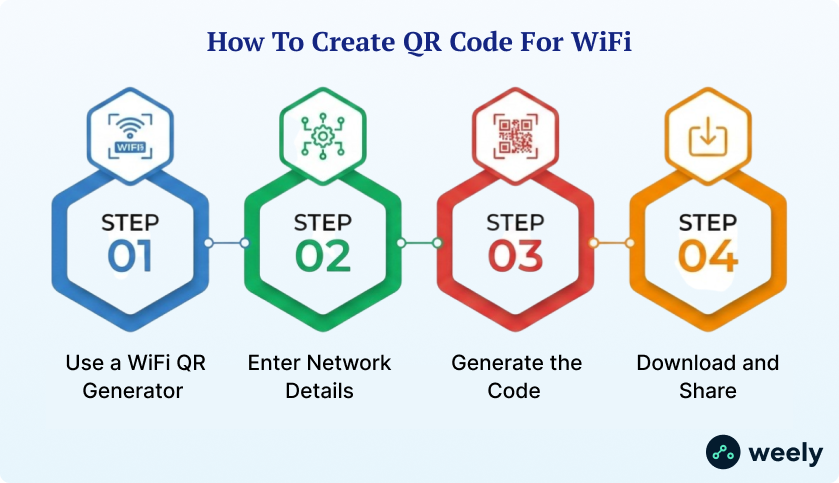
Step 1: Use a WiFi QR Generator
Go online and open a WiFi QR code generator. These tools let you make a QR code without having to know anything about technology. Most importantly, most generators don't cost anything. They only take a few minutes to use. Also, picking a reliable QR code generator makes sure that your QR WiFi code works on all devices.
Step 2: Enter Network Details
Please enter all the necessary details listed below to generate your WiFi QR code accurately.
- Network name (SSID)
- Security type (WPA, WPA2, or none)
- Password
This information is necessary for a QR code to work. Make sure information is right. Otherwise, devices might fail to connect. Some generators also let you add a label or description. This feature makes it easier for users to find the network.
Step 3: Generate the Code
Using the WiFi QR generator you chose, click on the button to create a scannable QR code. The QR code generator will generate the QR WiFi code in seconds. After generating the QR code, check to confirm that it can be scanned correctly and appears to be in the correct format. Further, many QR code generators will allow for customization of the QR code design and color, resulting in a QR code that reflects your brand or style.
Step 4: Download and Share
Get the picture of the QR code. Put it somewhere people can see it, like on the wall, a table, the front desk, or in a meeting room. Additionally, you may include it in emails, handouts, or digital screens. When the QR WiFi code appears, people use their phones to read it immediately. They join right away, so you don't have to type in the password. Using a QR code for WiFi makes it easy to share in general. It makes the place safer and the experience for guests or customers better.
Static vs. Dynamic WiFi QR Codes
Figure out static vs. dynamic QR codes helps you choose the right type for your WiFi network. Also, making the right choice makes it easier to connect. It also makes managing the network better. Each type has its own pros and cons. This depends on where you are and how often you change your WiFi password.
Static WiFi QR Codes
A static QR WiFi code saves the information about the network right away.
- Network name
- Security type
- QR code WiFi password
You can't change static codes once they're made. Home, small office, and coffee shop use all of them well. To connect, users just scan the QR WiFi code.
Static QR codes are easy to use and work every time. The code itself contains the information. You also don't need to be connected to the internet to make or use them. You need to make a new QR code if you change your WiFi password. Even so, static codes are best for places where passwords don't change very often. They make things easy to get to.
Dynamic WiFi QR Codes
A dynamic QR WiFi code doesn't save data directly in the picture. Instead, it connects to a system for setting things up.
Because of this, it is easy to change the configuration without needing to change the actual QR code. Dynamic QR codes are typically used by businesses via a WiFi QR generator to administer multiple networks, monitor network usage, and allow temporary guest access to their WiFi networks. Additionally, dynamic WiFi QR codes are beneficial in coworking spaces, hotels, and large office buildings. Dynamic QR codes are also preferable when network credentials change frequently or when a business wants to centralize the management of their networks.
Which One to Choose?
Static QR codes are useful in homes and small offices. Dynamic codes, on the other hand, are better QR code for businesses or places where passwords change often. Both types make it easy for users to scan QR WiFi. Dynamic codes also have more advanced features. These include analytics, tracking how the software is used, and the ability to quickly take away access. Because of this, they make both security and user management better.
Where to Use WiFi QR Codes
It is simpler, faster, and safer to join to a network with a WiFi QR code. These codes are also very useful. You can put them anywhere that guests, customers, or employees need to get to quickly. QR WiFi codes make it easier to connect to WiFi at home and at big events. They also make things easier and better for users by providing quick and convenient access to WiFi without the need to manually enter passwords.
Homes
Put a QR code for WiFi near your router or in public places. This lets guests connect right away without needing your password. It works well for parties, family get-togethers, or having friends over. You can also make more than one QR WiFi code for different devices. For instance, you can create separate QR WiFi codes for guests and your own home network.
Restaurants and Cafes
QR WiFi codes are useful for cafes and restaurants. Put a QR code for WiFi on tables, menus, or digital boards. Customers can connect right away by scanning the QR WiFi code. Because of this, people are happier. It also makes people stay longer and come back for more. It also shows that your space is modern and works well with technology. This easy set-up can also work well as part of a QR code strategy for cafe owners who want to make the experience better for their customers and make it easy for them to connect to the internet.
Offices
Put a WiFi QR code in meeting rooms, reception areas, or coworking spaces in your office. This makes it easy for employees and visitors to connect. It also cuts down on interruptions caused by IT teams sharing passwords, which can disrupt workflow and lead to frustration among employees and visitors. It also makes things go smoothly for clients and staff. This leads to higher productivity.
Hotels
Hotels can put a QR WiFi code in rooms, lobbies, or the front desk. Guests scan the QR code for WiFi right away. This procedure makes things easier and makes guests happier. Hotels can also utilize dynamic QR WiFi codes. This way, employees can change passwords without having to print new signs. Hotels can also control who can get into their rooms from one place.
Events and Conferences
WiFi QR codes are helpful for big events and conferences. People who are there often need fast connections for apps that let them register, network, or give presentations. Put QR WiFi codes at the entrance, in booths, or in event guides. This lets people connect right away without having to enter a password. It also cuts down on delays and makes sure that events go off without a hitch. Because of this, many organizers now include WiFi access as part of their QR codes for event management to improve connectivity and attendee experience.
Educational Institutions
Schools, colleges, and universities can use WiFi QR codes to make it easy for students and staff to get online. Put QR WiFi codes in libraries, classrooms, or labs. This means that less administrative work needs to be done. Also, QR codes in Educations make it easy and safe for everyone to get in. Also, they make it easier for staff to manage technology, such as tracking inventory and processing transactions more efficiently.
Retail Stores and Shopping Malls
WiFi QR codes can be put near the checkout counters or fitting rooms in stores. This makes it easy for customers to get to catalogs, deals, or loyalty programs. QR WiFi codes can be put at the entrances or food courts of malls. Everything about shopping is better now. It also gets customers more involved and happy.
Conclusion
The easiest way to share internet access is with a WiFi QR code. Users can scan the QR WiFi code and connect right away instead. They don't have to type in long passwords. Creating QR code for WiFi is quick and easy, whether you're at home or at work. A WiFi QR generator also lets you show a QR code that anyone with a smartphone or scanner can read. In general, it makes the experience better for guests. It cuts down on mistakes when logging in. It also gives you fast and safe internet access.
Frequently Asked Questions
What is a WiFi QR code?
A WiFi QR code keeps network credentials in a way that can be scanned. For instance, people can use a WiFi QR code scanner to scan the QR WiFi code. This lets them connect right away without having to type in the password. These codes also work on most tablets and smartphones. They make it easy and quick to get on the internet in homes, offices, cafes, and hotels.
How do I create QR code for WiFi?
First, go online and find a WiFi QR code generator. Then type in your password, security type, and network name (SSID). Next, make the WiFi QR code. After it is made, download the picture. Put it where people can see it so they can easily scan it. Some generators also let you change the colors or designs of the QR WiFi code to fit your brand.
Is it safe to share WiFi using a QR code?
Yes. A QR code WiFi password only gives out information about how to connect to the network. It doesn't share any of your personal or device information. So, it lowers the chance of revealing private information. Dynamic QR WiFi codes also add an extra layer of security. You can change the password without changing the QR code.
Can iPhones scan WiFi QR codes?
Yes, the camera on an iPhone can scan QR WiFi codes. The phone sees the QR code as a WiFi connection after scanning it. After scanning, the phone prompts the user to join the WiFi network. You don't need any extra apps either. WiFi QR codes work perfectly with iPhones.
What is a WiFi barcode scanner?
A WiFi barcode scanner can read QR codes that have WiFi login information. It lets devices connect without having to type in passwords. Most smartphones also come with this feature. There are also standalone scanners that can be used at offices or events. Because of this, scanning a QR WiFi code is quick, safe, and dependable.