Sharing contact details has changed over the years and a vCard QR code is one of the biggest reasons why. Now you can share your full contact profile with a simple scan of a QR code, instead of giving out a paper card or typing in a phone number on someone’s phone. A vCard QR code is a scannable image that contains your name, phone number, email, website and even social links, one of the fastest and most professional ways to share information today.
Sharing contacts digitally is becoming popular because it saves time, avoids typing mistakes and works instantly on any smartphone. But traditional business cards can easily get lost, damaged or thrown away. A QR code business card solves all of these problems by transforming your information into something that can be stored in seconds. You can even create one in minutes with a business card maker. The vCard QR code is becoming the new norm for digital business cards as more and more professionals are moving towards paperless networking.
What Is a vCard QR Code?
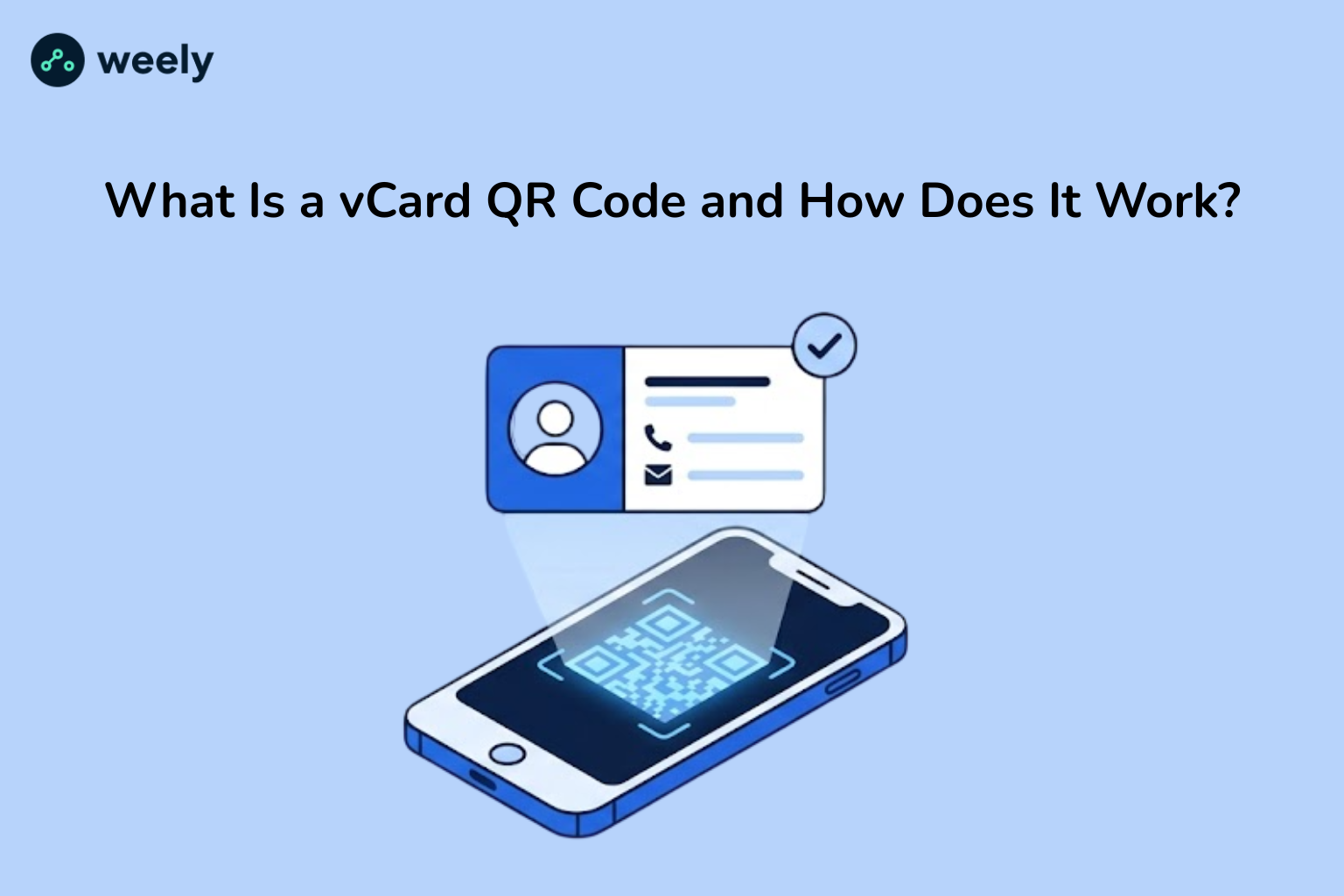
A vCard QR code holds contact details in the vCard standard format. The term vCard stands for “virtual card” and is a file format that stores personal or business contact information in a structured manner. This data, when translated into a QR code, becomes an electronic business card QR code. People scan it and the contact is saved in an instant.
Information is structured in clean fields in a vCard format that phones and computers can automatically read. This is why a scanned vCard QR code is shown as a save-ready contact instead of mere text.
A vCard QR code can contain the following:
- Complete name and professional designation
- Phone number(s)
- Email address
- Company name
- Official website or portfolio link
- Social media links
Also, all this information is stored directly in the QR code, so it can be viewed without an internet connection. Therefore, the vCard QR code remains straightforward in its purpose. It is a digital and scannable business card that works offline and saves instantly.
How Does a vCard QR Code Work?
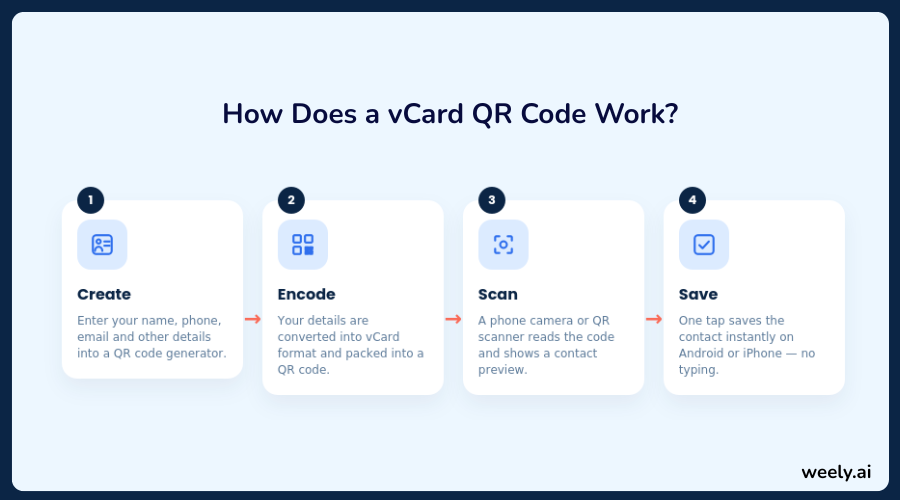
A lot of people ask, “How does vCard QR code work? It's a simple process with four easy steps, from creation to saving the contact on a phone.
Step 1 - User Creates a vCard QR Code
The first step is creating the code itself using a QR code generator. The user fills in the generator form with their contact details: name, phone number, email, company and other relevant information. This process forms the basis of QR code contact sharing.
Step 2 - QR Code Stores Contact Data
After the details are entered, the generator converts the data into the vCard format and generates a QR code image. This process connects the structured contact data to the visual QR pattern so that anything scanned later will be presented correctly as a contact card and not just random text.
Step 3 - Scanning the QR Code
When a person wants to access the information, all they have to do is open their smartphone camera, a QR scanner app and point it at the code. Most modern phones will scan a vCard QR code without needing to download a separate app. Once the camera locates the code it immediately displays a preview of the contact, displaying the name, number and other details clearly.
Step 4 - Saving Contact to Phone
The phone has a one-tap save option after scanning. This feature works seamlessly on both Android and iPhone (here’s how to scan a QR code on iPhone if you’re new to it) and allows you to add the scanned details directly to your contact list. No manual typing, no chances of misspelled words or wrong numbers.
This is also why a vCard QR code is sometimes just called a “scan to save contact QR code" because that’s precisely what it does.
Benefits of Using a vCard QR Code
Some benefits of using a vCard QR code over conventional sharing of contact details:
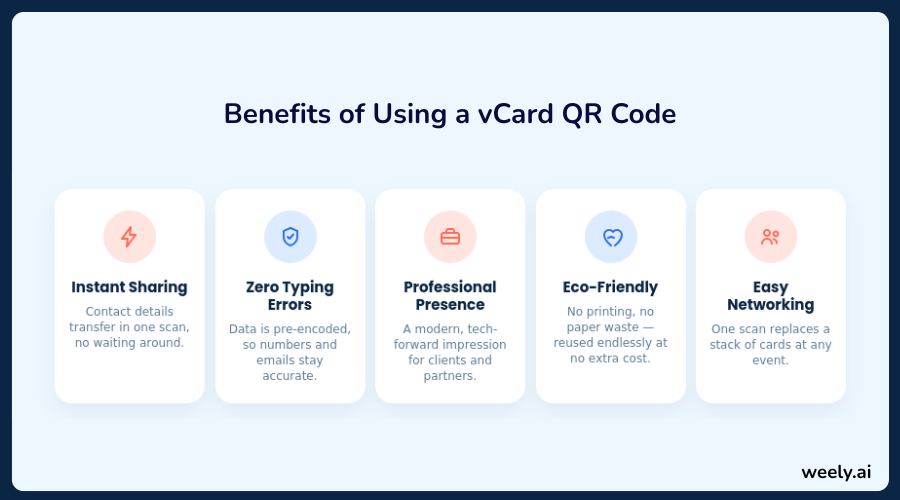
- Instant contact sharing - Share your contact information with one scan. So no need for anyone to type in phone numbers by hand.
- No manual typing errors - Data is pre-coded. This allows users to avoid misdials and misspelt email addresses.
- Professional digital presence - A QR code business card will give your clients and partners a modern, tech-savvy impression and will also help your brand stand out.
- Eco-friendly alternative to paper cards - No need for printed cards. So you cut down on paper waste and help save the environment.
- Easy networking at events - Attending a conference or a meetup, people scan the code and have your contact details saved in seconds. Finally, technology makes networking easier and faster.
Besides, the significance of digital business cards is increasing due to these benefits. They are fast, simple and convenient; that is why freelancers, startups and large corporations use them every day.
Where Can You Use vCard QR Codes?
You don’t need to use vCard QR codes just for printed business cards. And it can be used in many places, such as:
- Business cards - Add QR codes on business cards to replace or supplement a traditional card.
- Email signatures - Enables recipients to save your contact details directly from your email.
- Websites and landing pages - Include a QR code to let visitors save your contact information on the fly.
- LinkedIn profiles - Save your number and email in an easier way for your connections without the need to type it in.
- Conferences and networking events - Accelerate contact-sharing QR codes for event management.
- Freelancers and personal branding - A personal use QR code has a professional and stylish look.
This flexibility makes vCard QR codes one of the most versatile digital networking tools out there today.
How to Create a vCard QR Code
Making your own vCard QR code is simple and usually free. This is how it works:
Step 1 - Choose a QR Code Generator Tool
Weely AI is a good option and it’s fast and easy to use for beginners. It also provides a free vCard QR code generator online. It also offers straightforward ways to customize.
Step 2 - Enter Your Contact Details
Enter your name, phone number, email, website and anything else you want added. Your QR code has all the contact information you need.
Step 3 - Customize Design (Optional)
There are many tools out there that offer to personalize colours, add a logo or change the style of the QR code. These are great ways to make it work for your brand. These QR code design tips are sure to provide some inspiration.
Step 4 - Generate and Download QR Code
Once you have confirmed the details, generate the QR code. Download it in the format you like after that.
Step 5 – Test Before Sharing
Always read the code yourself first. This step confirms that all contact details are displayed correctly.
Here are a few simple steps to ensure that your QR code for contact details works perfectly the first time it is scanned.
vCard QR Code vs Traditional Business Card
The differences become obvious when you compare a digital business card with a traditional business card QR code setup:
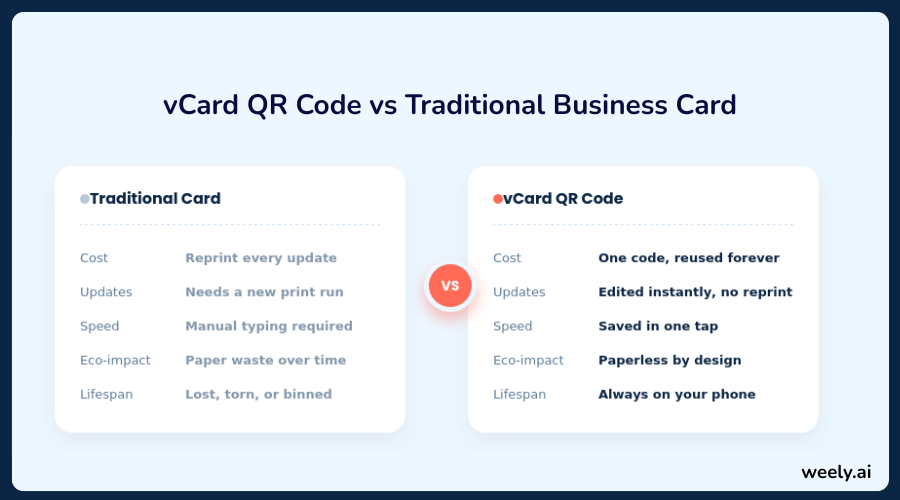
- Digital vs physical - A vCard QR code is digital data on your phone or printed material, while a traditional card is printed text. Explore static vs dynamic QR codes to decide which one is the best for you.
- Cost Differences - Re-printing paper cards over and over again costs money, while a vCard QR code can be reused indefinitely without any extra cost.
- Convenience and speed - Scanning a person from a printed card is faster than typing in the details.
- Update flexibility - If your phone number or job title changes you can update a QR code without reprinting anything.
This is exactly why the question of using vCard QR codes instead of printed cards has become so common, because the advantages are hard to ignore.
Common vCard QR Code Mistakes to Avoid
Creating a vCard QR code is simple, but a few common mistakes can lead to problems:
Incorrect Contact Details
Always verify numbers and spelling twice before writing the code. One digit wrong in a phone number, or one letter misspelled in an email address, and the person scanning your vCard QR code will save the wrong information. That could cost you a lead, a client, or a connection made at a networking event. Before you lock your code in, walk through each field slowly and cross-reference it against your actual business card or email signature. Have a colleague check it, too, if you can.
Overcrowded QR Design
Adding too many design elements can make the code unreadable. Choosing the right QR code size to keep it scannable. While it may be tempting to use logos, bright colours, and fancy borders, they can make it difficult for scanners to read the code if they obscure too much of the surface or reduce the contrast between the foreground and background. For best results, make design elements subtle, provide good contrast, and leave enough quiet space around the edges of the code.
Not Testing Before Printing
Always verify and scan that the code works before printing it on business cards or other materials. Try scanning with both Android and iPhone cameras and have a friend or coworker test it on their device too. One phone is not enough to test. The scan identifies low resolution, incorrect encoding, or sizing issues before you commit to printing hundreds of cards or banners that can’t be easily changed.
Using Low-Quality QR Generators
Low-quality tools can produce codes that are fuzzy or unreliable. Use trusted, secure QR code generators. Free or unverified generators will give you codes with poor error corrections, links that expire quickly, or sneaky tracking redirects that can die. A good generator will ensure that your vCard QR code remains scannable for years to come, keeps your data secure and allows you to edit it later without having to start all over again.
Steering clear of these errors will ensure that your vCard QR code functions seamlessly on every scan.
Conclusion
Share contact info faster, smarter and more professionally than ever before with a vCard QR code. From sharing contact details on the go to eliminating manual typos, the advantages make it a clear winner over old paper business cards. Read more in our guide to QR codes for business cards. The future of digital business cards is looking more and more paperless and efficient as smartphone QR scanning becomes more accepted in everyday life. If you are keen to explore other formats as well, check out the different types of QR codes available today.
If you are a freelancer, a corporate professional or are heading to your next networking event, switching to a vCard QR code can make connecting with others easier. It’s also worth understanding QR code security for businesses and exploring creative QR code marketing ideas for those scaling this up. It’s easy to see why vCard QR codes are replacing traditional cards – they’re faster, more reliable and designed for the way people communicate today.
FAQs About vCard QR Code
What is a vCard QR code?
A vCard QR code is one that holds contact information. It can have your name, phone number, email and website. The information can be downloaded straight to anyone’s phone with a quick scan.
Is a vCard QR code free to create?
Yeah. Most QR code generators, including Weely AI, have a free vCard QR code option. Just fill in your details and download a free ready-to-use code.
Can I edit my vCard QR code later?
Depending on the type. You can update a dynamic vCard QR code at any time without changing the code. You will usually need to regenerate a static code if your details change.
Do all phones support vCard QR scanning?
Yes. A vCard QR code can be scanned with the built-in camera app on Android and iPhone devices. No additional software needed.
Is it safe to share contact details via QR code?
Yes, if you have a reliable generator. The vCard QR code contains only the information you choose to share. It's a safe alternative to printed cards. Learn more about QR code security. See if QR codes are safe to scan.
How do I scan a vCard QR code and save the contact?
Open your phone's camera. Point it at the QR code. Tap on the notification that pops up. You will see a preview of the contact. And then, with one tap, save it to your contacts.
What is the difference between a QR code and a vCard QR code?
Standard QR codes can send users to a website, text or other content. See QR code vs barcode to learn how they differ from other formats. A QR code for a vCard contains structured contact information. Phones will understand this format and prompt you to save the contact automatically.