Today, infographics are one of the most popular tools in content marketing. They take complex data and simple visuals that people can understand in seconds. However, most infographics have one major limitation. They don’t budge. After looking at the image, readers usually have nothing else to do.
That’s where the infographic QR code comes in. A scannable code can link a static image to an interactive digital experience. Readers can scan once and visit a website. They can also watch a video, visit a product page or fill out a lead form. Thus, the passive viewer becomes an active participant.
In this blog, you will learn what an infographic QR code is. And you will find out why it matters as well. Then, learn how it increases engagement and conversions. You will also learn where to use it and how to design it in the correct way. And last but not least, you’ll have a clear and pragmatic roadmap to add an infographic QR code to your own visual content.
What Is an Infographic QR Code?
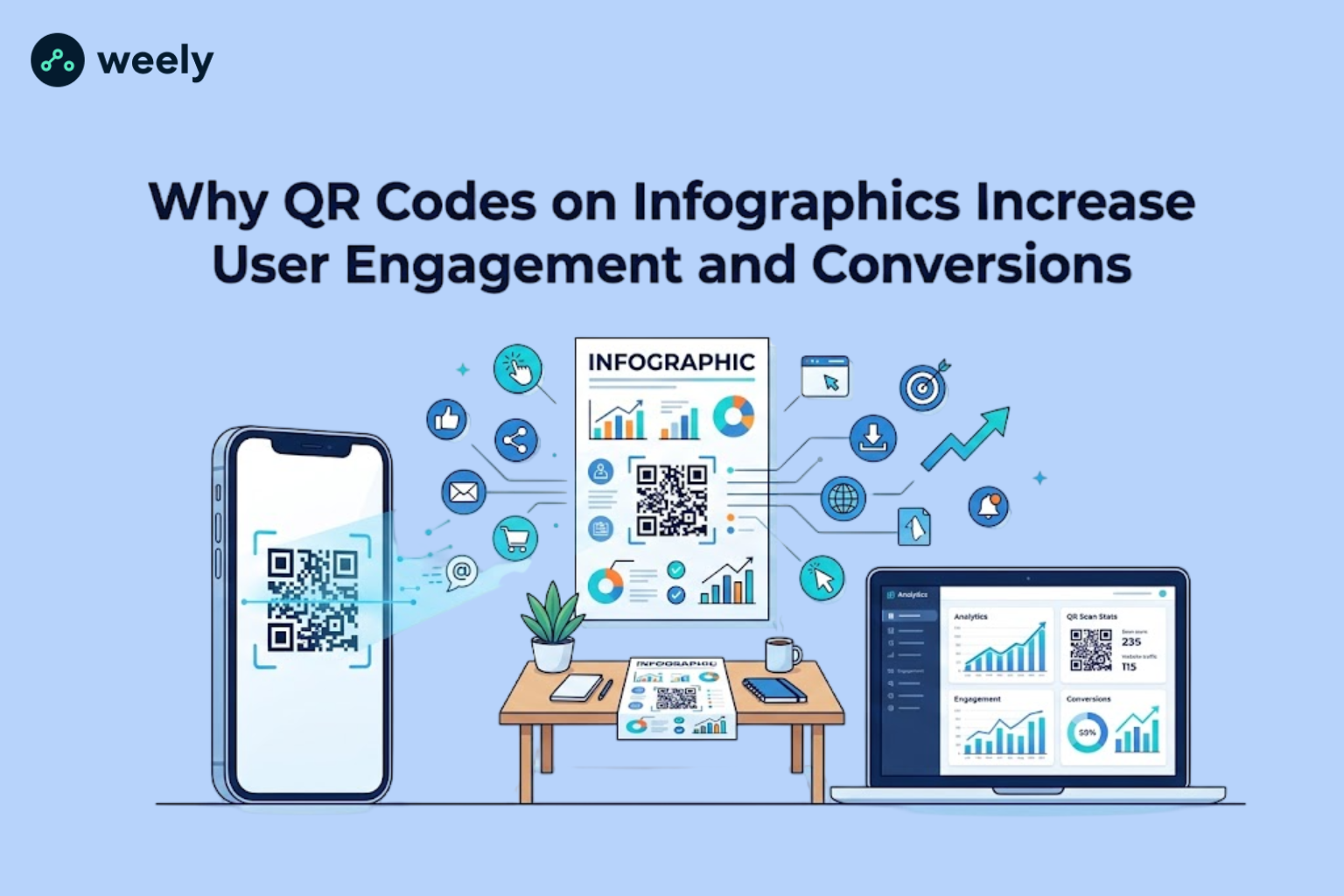
An infographic QR code is a scannable barcode embedded directly on an infographic that takes the viewer to more digital content. Rather than leaving your audience with a static image, it provides them with an easy way to learn more, act or engage further with your brand.
Understanding QR Codes
A QR (Quick Response) code is a type of bar code that can hold data like a URL, contact information or text. Normal barcodes only read one way, while the QR code stores data horizontally and vertically. This means it can store a lot more data in a small space.
That’s how they work in practice. A QR code scanner built into a smartphone camera scans the pattern, the phone’s software decodes it instantly and the user is taken straight to the linked content, usually a webpage, without typing a single character. And this simplicity is the reason why QR codes work so well together with visual content.
What Makes an Infographic Interactive?
Traditional infographics are a one-way communication. The designer provides information and the reader receives it. There is no exchange, no follow-up, no way to measure what happens after someone sees the image.
An interactive infographic reverses that relationship. By adding things like a QR code, you give the reader a reason to keep interacting. That's the crux of what QR codes will do for engagement. An infographic QR code acts as a bridge between a static graphic and a living, trackable digital journey.

Why Add a QR Code to an Infographic?
Marketers are pairing QR code for infographic designs with their QR code marketing strategy for several practical reasons.
Connect Print and Digital Content
Clicking on a link is not an option for print materials: brochures, posters, flyers, packaging, and so on. A QR code solves this problem by bridging the physical and digital worlds, often through a clean vanity URL rather than a long, messy link. Someone reading a printed infographic at a conference can scan the code and be on your website in seconds.
Deliver More Information Without Cluttering the Design
Good infographic design is simple. Adding more stats, sources or explanations breaks the visual flow. A QR code infographic design allows you to keep the graphic clean and still provide additional information to those who want it, one scan away.
Make Content Instantly Accessible on Mobile
Most people use their phones to browse content. A mobile-friendly infographic with an embedded QR code meets users where they live, letting them jump from a printed or shared image directly to a mobile-optimized page.
Encourage Immediate Action
A well-placed infographic CTA paired with a QR code instantly turns curiosity into action. Instead of hoping they’ll come back to check out your site later, you keep them engaged right then and there.
How Infographic QR Codes Increase User Engagement
An interactive infographic QR code turns mobile engagement into real customer engagement. It provides a direct scan-to-action link for your readers to your content.

Encourage Instant Interaction
The biggest barrier to getting involved in content marketing is friction. Later, typing a URL, searching for a page, or remembering a brand name all decrease the likelihood of someone following through. Scanning a QR code almost eliminates that friction; one motion, one scan, one destination.
Improve Time Spent with Your Content
An infographic that takes you somewhere, a video, an article with more depth, or an interactive tool keeps readers engaged with your brand longer. Instead of a 30-second glance, you can get a few minutes of attention on a landing page designed around that scan-to-action moment.
Boost Social Sharing
Shareable content is interactive and useful. A QR code infographic design that leads to something of real value (such as a link-in-bio page with more resources) makes readers more likely to share the original graphic and the destination content across social platforms, extending your reach organically.
Create a Better User Experience
Thoughtful QR code integration shows you’ve thought about the reader’s journey beyond the page. Good user experience (UX) design is about knowing what someone wants next and a QR code answers that need instantly.
Increase Audience Participation
QR codes can also drive polls, quizzes, contests, or feedback forms linked to the infographic - the same QR code strategy gyms and studios use to turn foot traffic into sign-ups. This kind of two-way interaction converts a one-time viewer into an active participant in your content marketing strategy.
How QR Codes Help Increase Conversions
Conversion optimization is a natural extension of your infographic marketing and a well-placed QR code CTA can help you turn passive readers into buyers, subscribers and leads.
Drive Website Traffic
Each scan is a visit. QR codes on high-traffic materials - trade show banners, packaging and printed reports - create a steady stream of quantifiable traffic back to your website, especially when used together with branded links that build trust before the click.
Generate More Leads
One of the easiest types of lead generation today is to link a QR code to a signup form or gated resource. Some brands even combine the scan with personalized URLs to tailor the landing page for each visitor. The reader is already interested; the QR code just takes away the last step between interest and action.
Increase Product Sales
An infographic that tells the benefits of a product can link straight to a QR code that directs visitors to a landing page where they can buy right away. This decreases the transition from awareness to purchasing, which is important for conversion optimization.
Promote Event Registrations
You can put a QR code on event marketing materials - posters, flyers and digital ads – that opens a registration page directly. This is a lot more effective than telling attendees to look up the event online at a later time.
Collect Customer Feedback
A QR code can lead customers to a short survey, giving you instant feedback on how your audience feels about a product, service or campaign. It also makes customers feel heard.
Build Email Subscriber Lists
An infographic with a QR code can send you right to a newsletter signup, giving you the ability to develop an owned marketing channel rather than relying solely on organic reach.
Best Places to Use QR Codes on Infographics
QR codes work well in many formats and industries including:
- Brand promotion campaigns
- Custom visuals for social media platforms
- Informative educational visual content
- Medical and wellness communication materials
- Professional corporate presentation designs
- Creative packaging and label artwork
- Attractive food and beverage menu layouts
- Exhibition and expo display graphics
- In-store promotional signage and displays
- Property marketing brochures and flyers
- Corporate annual publications and reports
- Event advertising banners, posters, and promotional materials
You can use a QR code marketing strategy anywhere where a static visual can be enhanced with a digital follow-up.
Best Practices for Adding QR Codes to Infographics
Use these tried-and-true QR code design tips for infographics to make sure every scan is a success, keeping your infographic CTA strong and your audience engaged.

Place the QR Code Strategically
Put the code somewhere obvious and that doesn’t interrupt the information flow - usually in a bottom corner or near the bottom of the infographic.
Include a Strong Call-to-Action
On its own, a QR code is easily overlooked. Accompany it with a clear call to action text for the QR code, like “Scan to learn more” or “Scan for the full report.”
Use Dynamic QR Codes
Dynamic QR codes for infographics allow you to change the destination URL after printing and give you scan data. Static QR codes are permanent and don’t come with analytics once they’re made.
Maintain Good Contrast
To read a QR code properly, ensure that the pattern has sufficient contrast from the background. Do not place the QR code over busy images or color combinations that have low contrast.
Keep the Right Size
If it’s too small, the code will be difficult for phones to scan, especially from a distance. As a general rule, try to make sure that the code is at least 1 inch (2.5 cm) square on printed matter.
Test Before Publishing
Before you go live with the infographic or send it to print, always test the QR code on various devices and operating systems. A broken or unscannable code can undo the entire effort.
Track Scan Analytics
QR code analytics let you know how many people have scanned your code, when they did, and where. Add UTM parameters to the scan, and you have even more precise data that feeds directly into your larger conversion optimization and campaign reporting.
Common Mistakes to Avoid
- Making the QR code too tiny to scan
- Using low-contrast colors that blend into the design
- Leaving out a CTA explaining why someone should scan
- Sending visitors to non-responsive landing pages
- Publishing broken or expired links
- Adding too many QR codes to one infographic
- Placing the code in a distracting or awkward spot
- Failing to monitor campaign metrics after deployment
Many times, staying away from these issues is the difference between a QR code that gets used and one that gets ignored completely.
Real-World Examples of Infographic QR Codes
These infographic QR code examples showcase how brands are leveraging QR code marketing. They help to increase engagement, traffic and conversions.
Product Launch Campaign
A brand can use an infographic to explain key product features. Then, a QR code for product packaging can be added, allowing customers to scan it and instantly access a page to buy or pre-order the product.
Educational Institution
Schools and universities use open house events with infographics to showcase their programs and campus offerings. QR codes in education can be added to these materials, allowing prospective students to scan the code and access program details or application portals instantly.
Healthcare Awareness
Health organizations use infographics to show symptoms. They also share prevention strategies. So people can scan the QR code to book an appointment or watch educational videos.
Retail Promotion
Retailers put QR codes on in-store infographic displays. For instance, shoppers can scan the code and avail of discounts. They can even enroll themselves in loyalty programs or read product reviews.
Event Marketing
Conference organizers put QR codes on printed schedules or posters. The code enables attendees to open the event app. One scan also provides you with access to the registration page.
These interactive infographic examples have QR codes to show the flexibility of this method. All in all, it works well in many industries.
Dynamic vs. Static QR Codes for Infographics
Not every type of QR code lends itself equally well to an infographic, so it’s best to compare the two main options side by side:

For most marketing use cases, dynamic QR codes for infographics are the better choice because they enable ongoing optimization and performance tracking, something static codes cannot offer.
How to Create an Effective Infographic QR Code
Creating an infographic QR code generator workflow is simple. Below are the steps to building a branded QR code marketing strategy. It can help to drive engagement and conversion.
- Define your goal. Decide whether you want more traffic, leads, sales, or feedback.
- Create or choose your infographic. Make sure the design has space reserved for the QR code.
- Generate the QR code. Use a reliable QR code generator to create the code and destination link.
- Customize branding if appropriate. Add brand colors or a logo through custom QR codes, as long as contrast and scannability remain strong.
- Test on multiple devices. Confirm the code scans correctly on both iOS and Android.
- Add a compelling CTA. Tell readers exactly what they'll get by scanning.
- Publish and promote. Share the infographic across your chosen channels.
- Monitor performance and optimize. Use QR code tracking software, alongside broader link management tools, to review scan data and adjust your strategy over time.
Conclusion
An infographic QR code transforms a static visual into an interactive experience. Instead of ending the interaction when someone finishes reading, your content can directly link to a website, a product page, or a lead form, thereby extending the conversation and creating more opportunities.
The benefits are clear throughout this article: higher engagement, smoother user experience and stronger conversions, all from a small scannable code. Whether you’re running a marketing campaign, creating educational materials, or promoting an event, adding a QR code to your next infographic is an easy change with measurable results.
If you’ve never tried it, do it on a small scale. Add a QR code for an infographic to your next visual. Track the scans and see the difference an interactive element can make to your marketing results.
Frequently Asked Questions
What is an infographic QR code?
An infographic QR code is a scannable code that can be placed on an infographic that takes viewers to more online content. This could be a website, a video or a landing page.
Why should I add a QR code to an infographic?
A QR code links your visual content with a digital experience. This helps you provide additional details. You can also measure engagement and drive readers to a particular call to action.
Can QR codes improve user engagement?
Yes. QR codes lower the friction between interest and action. So readers can engage more with your content. They don’t just watch it once.
Do QR codes increase conversions?
Yes. More conversions using QR codes. They drive scanners to landing pages, product pages, signup forms or registration pages. This means they shorten the customer journey.
Should I use a dynamic or static QR code?
For most marketing purposes, a dynamic QR code is recommended. You can also edit it after it's published. And it has analytics built in. A static QR code doesn’t do that.
Where should I place a QR code on an infographic?
Place it in a spacious, uncluttered area. Place it on the bottom or at the end of the design. That way, it doesn’t interrupt the flow of visual information.
How can I track QR code performance?
Opt for a dynamic QR code platform that includes QR code analytics. Then tracking scans, timing and location data. Finally, optimize your campaign based on the results.
Are QR codes safe for users?
QR codes themselves are simply links. However, safety depends on the destination URL. Therefore, follow sound QR code security practices.